
Enlivy’s Payslips System simplifies payroll record-keeping, allowing you to easily record and manage payslips for your team. Our intuitive interface ensures straightforward management of payslips, consolidating all your payroll data in one place for easy access and tracking.
Each payslip records details such as taxes, bonuses, and deductions as coded lines, in the payroll vocabulary that applies to the employment. Enlivy does not calculate pay: you record the figures your accountant supplies, and Enlivy checks them against the payslip’s totals. The system adheres to the latest security standards, keeping your payroll data secure, and is accessible from anywhere, offering flexibility and convenience.
Enlivy’s Payslips System saves you time, enhances accuracy, and provides detailed reporting, making it an essential tool for efficient and effective payroll management. The Payslips feature page covers what it includes, and payslips come with the Payroll pack (EUR 19.99 a month), along with employment records and working time.
The Payslips Menu In Enlivy
The payslips menu in Enlivy serves as the primary hub for managing all employee payslips. Within this section, users can access a comprehensive repository of stored payslips within the Enlivy app. From this dashboard, users can efficiently navigate through their payslip database, utilizing features such as search functionality and filtering by employee name or date range to quickly locate specific payslips. Additionally, users can edit existing payslips directly from this interface and add new payslips for employees.
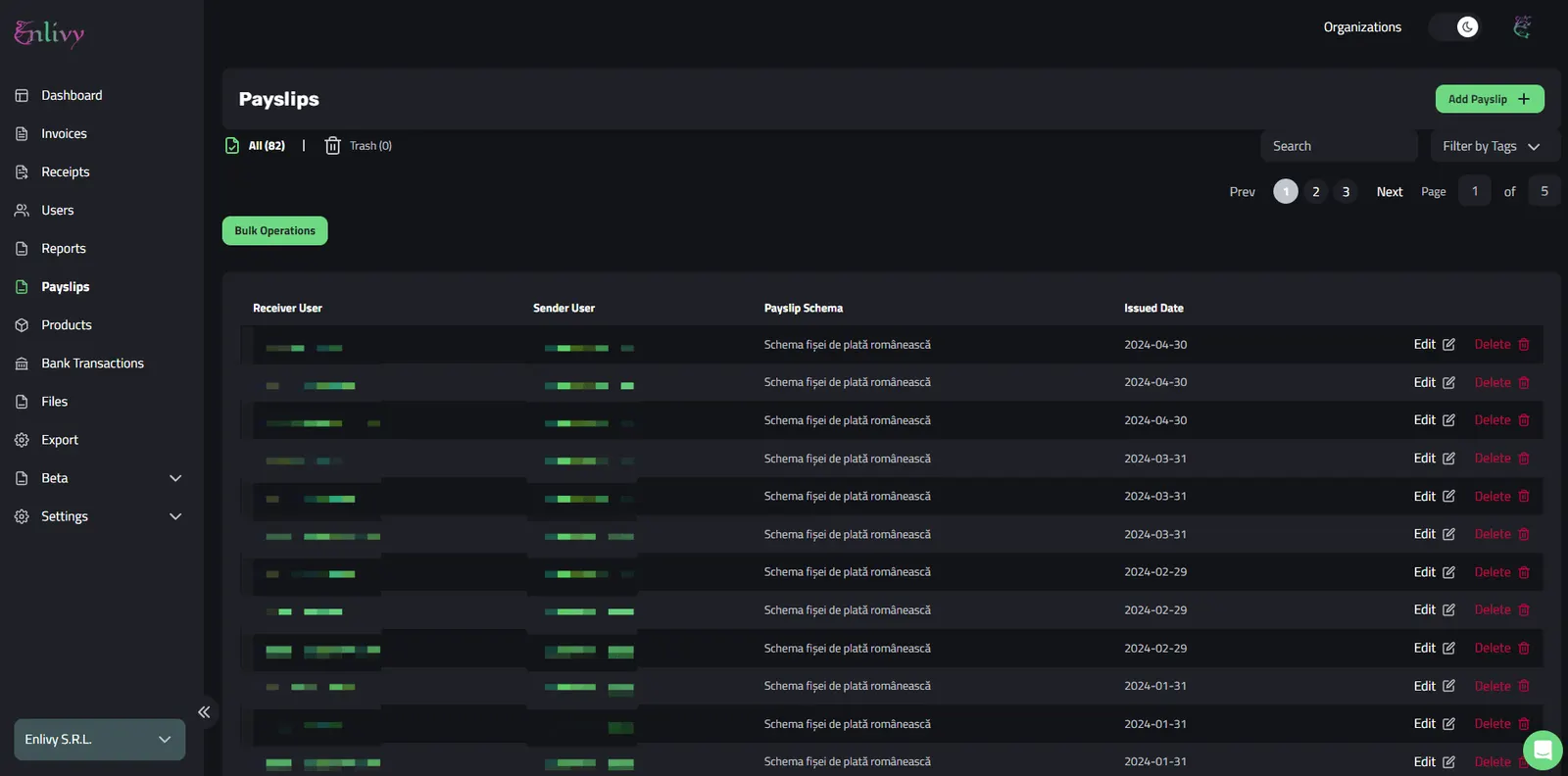 The Payslips Menu in Enlivy
In the payslips menu, you’ll find several intuitive fields:
- Receiver User: The individual receiving the payslip.
- Sender User: The entity sending the payslip, which could be your business, HR personnel, accountant, or business owner.
- Issued Date: The date when the payslip was issued.
In addition, there are options to edit or delete payslips. The edit button allows quick modifications, while the delete button removes the payslip from the system.
Adding a Payslip In Enlivy
Adding a new payslip in Enlivy is simple and fast. From the Main Dashboard, you just need to click on the Payslips Menu (on the left side), then click on the ‘Add Payslip’ button, in the right side of the screen:

First step when Adding a Payslip in Enlivy
Next, we’ll be guided to access the Payslip section, where we’ll need to fill in several details:
- Receiver User: The individual receiving the payslip.
- Sender User: The sender of the payslip, which could be HR personnel, a business owner, etc.
- Employment and Period: The employment record the payslip belongs to, and the pay period it covers.
- Payment Method: The method used to pay the employee.
- Status: Options include Paid, Pending, Rejected, Approval Required, etc.
- Currency: The currency in which the payment is made.
- Issued Date: The date the payslip was issued.
- Paid Date: The date the payslip was settled.
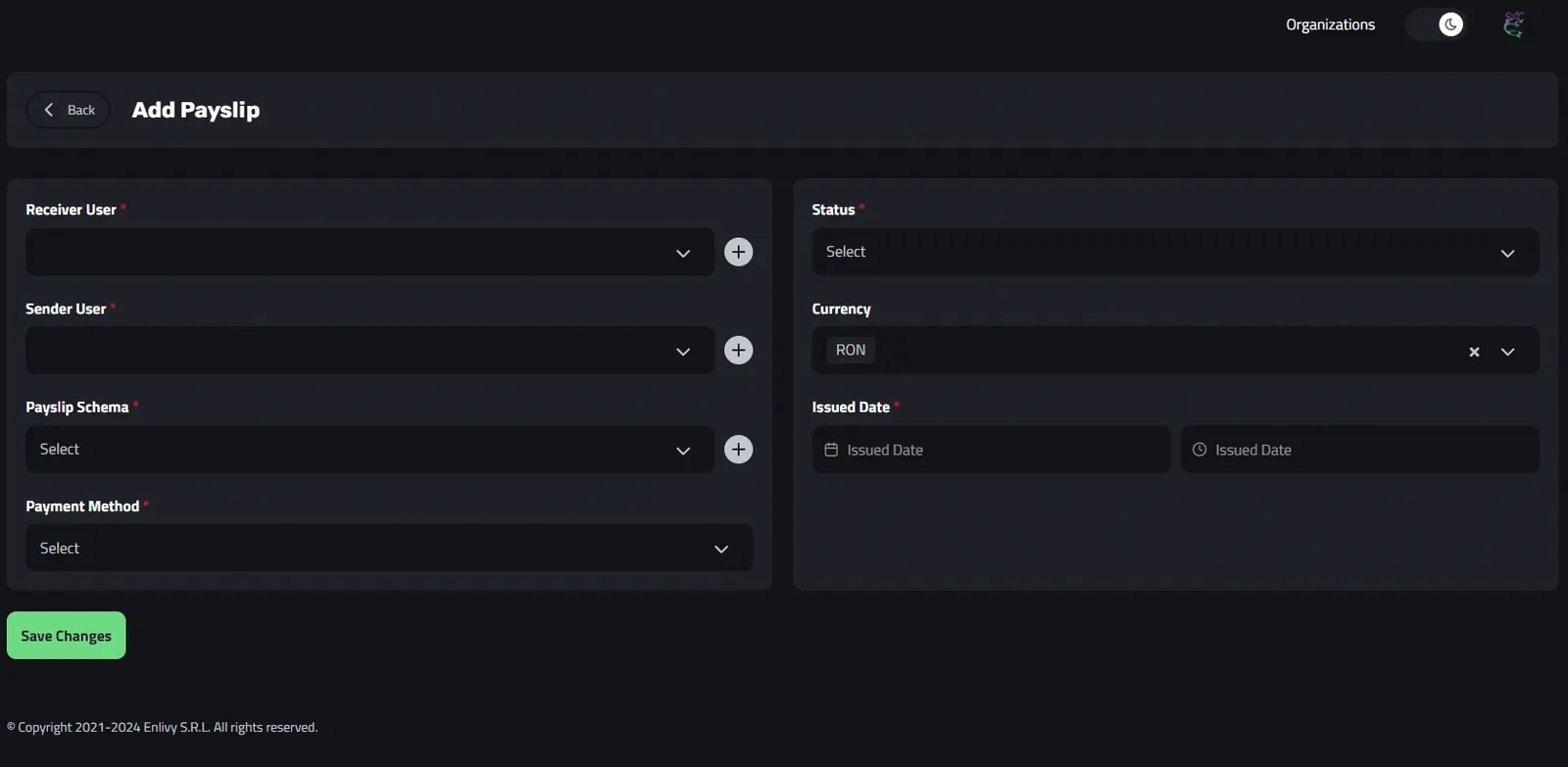
Initial Fields for a Payslip In Enlivy
In the following example, we’ve completed all the necessary fields for the payslip’s basic details. This will demonstrate how a real payslip booking is processed within Enlivy.
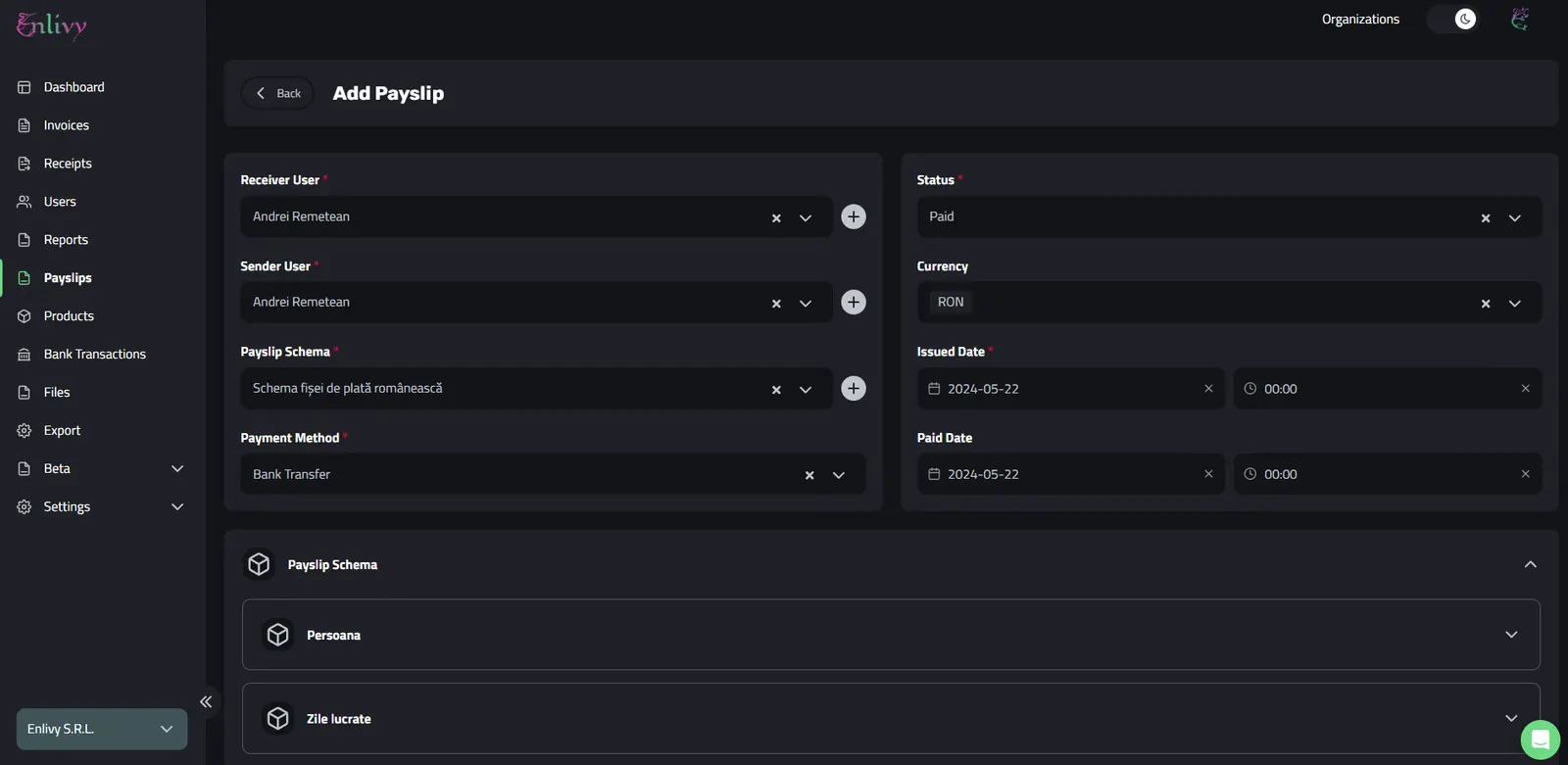
Example of filled in payslip fields in Enlivy
Below the basic details come the payslip’s figures. Its totals sit in their own fields: gross, employee contributions, tax relief, the taxable amount, tax, post-tax deductions, what was actually paid, and what the employment cost the employer. The amounts behind those totals are entered as coded lines.
Recording the Payslip Lines
Every line on a payslip takes a code, with an amount for money lines or a quantity for the hours and days behind them. The codes come from a universal set plus the payroll vocabulary of the employment’s jurisdiction, so a code that does not belong to that employment is refused.
The code decides which of seven classes a line belongs to, and each class also has an “other” code that keeps your accountant’s own wording:
- Informational: the hours and days behind the money, counted but not paid
- Earnings: everything that adds to the gross, such as base salary, bonuses and overtime
- Employee contributions: what the person pays into state systems, such as social security, health insurance and pension
- Tax relief: what reduces the taxable amount, such as a personal allowance
- Tax: income tax, at every level that levies it
- Post-tax deductions: amounts taken from net pay, such as advances or garnishments
- Employer contributions: what the employment costs on top of the gross
When you save, Enlivy checks the figures against the payslip’s totals: gross, minus employee contributions, minus tax, minus post-tax deductions, should equal what was paid. If they do not add up, you get a warning with the expected figure next to the one entered, and the payslip is still saved, because your accountant’s document is the authority.
Enlivy does not calculate pay. Your accountant works out the figures, and Enlivy keeps them as a record you can search, link to the bank transaction that paid it, and share with the employee through the Customer Portal.
Benefits of Enlivy’s Payslips Feature:
- Keep Things Organized: With Enlivy, all your payslips are stored in one central location, ensuring that your payroll information is always well-organized and easily accessible.
- Easily Accessible Database: Access your payslip database from anywhere, anytime. In the office or on the go, Enlivy allows you to manage and review payslips easily.
- Coded Payslip Lines: Every amount sits on its own coded line, in the payroll vocabulary that applies to the employment, so a payslip from three years ago reads the same way as one from this month.
- Intuitive Interface: The user-friendly interface makes it simple for business owners and HR personnel to create, edit, and manage payslips efficiently.
- Enhanced Record-Keeping: Maintain a detailed and accurate record of all payslips, helping you to stay organized and prepared for audits or financial reviews.
- Your Accountant Calculates, Enlivy Keeps the Record: Enlivy does not calculate payroll. It records the figures your accountant supplies and checks them against the payslip’s totals.