

Customer Portal
Give every client a portal for invoices, contracts, and payments
A branded, self-service portal, on your own domain if you add one, where clients accept proposals, pay invoices, manage subscriptions and sign contracts themselves. Every action lands on the client's record in Enlivy.
Open your client portalFree account, no card needed.
- Free
- on every plan
- Passwordless
- One-time email code
- 6 languages
- for clients and emails
WHAT IT IS
One branded home for the whole client relationship
The Enlivy customer portal is a secure, on-brand web app you give to your clients. Instead of chasing approvals and payments over email, you send a link.
-
Clients view and pay invoices, accept and pay for proposals, and manage subscriptions
-
They sign contracts and download receipts and documents
-
Every action lands straight back in your Enlivy workspace
-
No double entry, because what the client does updates your records
What can be different
Less admin for you, more control for them
Chasing approvals, resending documents, and marking invoices paid by hand is work that should not be yours. The portal turns that back-and-forth into something clients handle themselves.
| In the portal | Over email today | |
|---|---|---|
| Approvals & proposals | Clients review a proposal, accept, and pay the deposit in one flow. | Proposals sent as PDFs, deposits promised for "next week," every deal needs a follow-up. |
| Getting paid | Clients pay invoices online with a saved card when you connect your Stripe account. | You mark invoices paid by hand, wait on transfers, and send reminders. |
| Account changes | Clients change their card any time, and adjust, pause, or cancel a subscription when you allow it. | Requests like "change my card" or "pause my plan" land in your inbox and wait on you. |
| Documents & records | Contracts, receipts and e-invoices stay in the portal, where clients find them anytime, and so do reports when you open them to a client. | Invoices in email, contracts in a drive, documents who-knows-where. |
| Your brand | The portal carries your logo, plus your own domain with the Custom Domain pack. | A generic third-party tool, or a plain email thread. |
| Staying in sync | Every payment, acceptance, or profile update hits your Enlivy workspace. | Exports, re-keying, and reconciling by hand. |
HOW IT WORKS
Live in four steps
Your brand is already in Enlivy, so the portal is mostly ready the moment you turn it on.
- Check your logo and choose the portal's address
Your logo and icon already live in Enlivy. Add a custom domain in settings (the Custom Domain pack), or use the free Enlivy address the portal has from day one.
- Give a client access
Send a proposal or contract and the client opens it from the email, without signing up first. You can also open portal access for a client yourself. They sign in with a code sent to their email.
- They self-serve
Clients accept proposals, pay invoices, manage subscriptions, sign contracts and grab documents.
- Open up only what you want
You choose which sections a client can reach and for how long, which documents and projects you share, and whether a subscription can be changed, paused or cancelled.
MAKE IT YOURS
Give clients a portal with your brand and domain
The portal feels like a native part of your business, because it is built from your brand. Your developers can also place parts of it on your own website, such as the billing details form and saved cards.
-
Your branding:
the portal pulls your logo and icon straight from your Enlivy workspace.
-
Your own domain:
run it on your own domain with the Custom Domain pack. You point the domain at Enlivy with a DNS record, and Enlivy checks it and sets up SSL. Or use the free Enlivy address the portal has from day one.
-
Passwordless login:
clients sign in with their email and a one-time code, no passwords to manage. Your team can also share a magic link that opens the portal directly.
-
Private by design:
every client sees only their own invoices, proposals and contracts, and the documents you share with them.
SELF-SERVICE
Everything your clients can do themselves
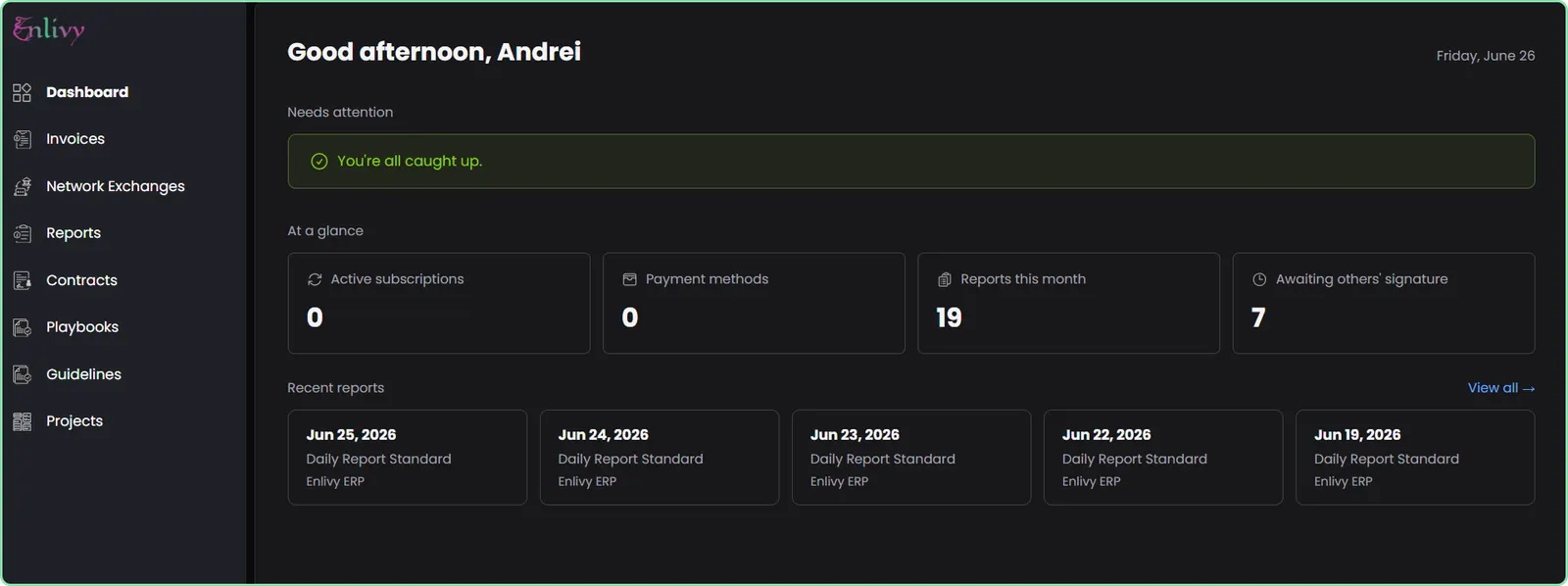
From accepting a proposal to signing a contract to filing a report, clients do all of it in the portal, scoped to exactly what you allow them to see. Sections such as invoices or subscriptions appear in their menu once they have one.
- Proposals & quotes
- View proposals with line items and totals
- Accept or reject online
- Complete their own billing details before paying
- Pay by transfer or card right after accepting
- Invoices & payments
- See all invoices, paid and unpaid
- Download each as a PDF or e-invoice file
- Pay an open invoice with a saved card, once you connect Stripe
- Manage saved cards securely via Stripe
- Subscriptions
- View active subscriptions and what is coming up
- Change the card a subscription bills to
- Change their options and see the new price before confirming, when you allow it
- Pause, resume, or cancel at period end, when you allow it
- Contracts
- View and download contracts as PDFs
- E-sign through a guided signing flow
- An optional email or SMS code before signing
- A full notification and audit trail
- Documents & e-invoices
- Open the guidelines and playbooks you share with them
- Download them and see earlier versions, when you allow it
- Download the e-invoices exchanged with ANAF, for Romanian businesses using eFactura
- The XML, the PDF, and the signature file
- Reports, support & account
- Fill in, save as drafts and submit the report forms you open to them on a project (Reports pack)
- Confirm a report your team wrote for them, when it asks for confirmation
- Write to your team from the Support page and attach files, when you give them access (Helpdesk pack)
- Keep their billing details up to date, with a check that shows what is missing
API reference
Authentication sessions from the API
Create and retrieve customer-portal authentication sessions for your users, straight from the admin API. A session grants one of your organization's users scoped, time-boxed access to the customer application (the portal), authenticated by email, phone, or a magic link. Find the user, open a session (by ID or by email), then read it back.
Retrieve the users you can open a session for. Filter by email, run a free-text search, or page through the full list to find the right person.
/organizations/<organization_id>/users # filters: email, created_at_from/to, updated_at_from/to, ids, or q=... for free-text search
curl -G 'https://api.enlivy.com/organizations/<organization_id>/users' \
--data-urlencode 'page=1' \
--data-urlencode 'limit=20' \
--data-urlencode 'email=jane@acme.example' \
-H "Authorization: Bearer $ENLIVY_API_TOKEN" \
-H 'Accept: application/json' const baseUrl = "https://api.enlivy.com" ;
const token = process.env.ENLIVY_API_TOKEN;
const organizationId = "<organization_id>";
// filters: email, created_at_from/to, updated_at_from/to, ids, or q=... for free-text search
const query = new URLSearchParams({
page: "1",
limit: "20",
email: "jane@acme.example",
});
const result = await fetch(`${baseUrl}/organizations/${organizationId}/users?${query}` , {
method: "GET",
headers: {
Authorization: `Bearer ${token}`,
Accept: "application/json" ,
},
}).then((response) => response.json());Open a session for a specific user by referencing their organization_user_id. This targets exactly one identity, so the session proceeds straight to authentication with no ambiguity.
/organizations/<organization_id>/user-client-portal-sessions curl -X POST 'https://api.enlivy.com/organizations/<organization_id>/user-client-portal-sessions' \
-H "Authorization: Bearer $ENLIVY_API_TOKEN" \
-H 'Accept: application/json' \
-H 'Content-Type: application/json' \
-d '{
"organization_user_id": "<org_user_id>",
"name": "Jane Doe",
"authentication_method": "email",
"permissions": [
"invoices",
"receipts",
"payment_methods"
],
"validity_hours": 72
}'
# Response includes: token, status, magic_authentication_url (for magic_authentication),
# authentication_verification_code (for email / phone), permissions, expires_at. const baseUrl = "https://api.enlivy.com" ;
const token = process.env.ENLIVY_API_TOKEN;
const organizationId = "<organization_id>";
const result = await fetch(`${baseUrl}/organizations/${organizationId}/user-client-portal-sessions` , {
method: "POST",
headers: {
Authorization: `Bearer ${token}`,
Accept: "application/json" ,
"Content-Type": "application/json" ,
},
body: JSON.stringify({
// reference the exact user identity
organization_user_id: "<org_user_id>",
// required: display name for the session
name: "Jane Doe",
// how the user proves identity: email | phone | magic_authentication
authentication_method: "email",
// scope what the session may access in the portal
// options: invoices | receipts | network_exchanges | contracts | reports | payment_methods
permissions: [
"invoices",
"receipts",
"payment_methods",
],
// lifetime: set validity_hours OR expires_at (bounded by the server maximum)
validity_hours: 72,
}),
}).then((response) => response.json());
// Response includes: token, status, magic_authentication_url (for magic_authentication),
// authentication_verification_code (for email / phone), permissions, expires_at. Open a session by email instead of a specific id, handy when you only know the address. If the email maps to a single user, the session proceeds directly. If the same email belongs to multiple identities, the session is created in the awaiting_user_selection state and the user is prompted in the portal to choose which identity to authenticate as before continuing.
/organizations/<organization_id>/user-client-portal-sessions curl -X POST 'https://api.enlivy.com/organizations/<organization_id>/user-client-portal-sessions' \
-H "Authorization: Bearer $ENLIVY_API_TOKEN" \
-H 'Accept: application/json' \
-H 'Content-Type: application/json' \
-d '{
"email": "jane@acme.example",
"name": "Jane Doe",
"authentication_method": "email",
"permissions": [
"invoices",
"receipts",
"payment_methods"
],
"validity_hours": 72
}'
# Single match -> the session proceeds to authentication.
# Multiple matches -> status "awaiting_user_selection"; the user picks which
# identity to authenticate as in the portal before continuing.const baseUrl = "https://api.enlivy.com" ;
const token = process.env.ENLIVY_API_TOKEN;
const organizationId = "<organization_id>";
const result = await fetch(`${baseUrl}/organizations/${organizationId}/user-client-portal-sessions` , {
method: "POST",
headers: {
Authorization: `Bearer ${token}`,
Accept: "application/json" ,
"Content-Type": "application/json" ,
},
body: JSON.stringify({
// reference the user by email
email: "jane@acme.example",
// required: display name for the session
name: "Jane Doe",
// how the user proves identity: email | phone | magic_authentication
authentication_method: "email",
// scope what the session may access in the portal
// options: invoices | receipts | network_exchanges | contracts | reports | payment_methods
permissions: [
"invoices",
"receipts",
"payment_methods",
],
// lifetime: set validity_hours OR expires_at (bounded by the server maximum)
validity_hours: 72,
}),
}).then((response) => response.json());
// Single match -> the session proceeds to authentication.
// Multiple matches -> status "awaiting_user_selection"; the user picks which
// identity to authenticate as in the portal before continuing. Read a session back: its current status, when it was last used, when it expires, and the user it belongs to. Poll the status to see the user move through authentication (including identity selection when the session was opened by email).
/organizations/<organization_id>/user-client-portal-sessions/<user_client_portal_session_id> # includes: organization_user, organization
curl -G 'https://api.enlivy.com/organizations/<organization_id>/user-client-portal-sessions/<user_client_portal_session_id>' \
--data-urlencode 'include=organization_user' \
-H "Authorization: Bearer $ENLIVY_API_TOKEN" \
-H 'Accept: application/json'
# status: pending | email_verification_sent | awaiting_user_selection | success | expiredconst baseUrl = "https://api.enlivy.com" ;
const token = process.env.ENLIVY_API_TOKEN;
const organizationId = "<organization_id>";
const userClientPortalSessionId = "<user_client_portal_session_id>";
// includes: organization_user, organization
const query = new URLSearchParams({
include: "organization_user",
});
const result = await fetch(`${baseUrl}/organizations/${organizationId}/user-client-portal-sessions/${userClientPortalSessionId}?${query}` , {
method: "GET",
headers: {
Authorization: `Bearer ${token}`,
Accept: "application/json" ,
},
}).then((response) => response.json());
// status: pending | email_verification_sent | awaiting_user_selection | success | expired Where it fits
Part of these setups
- Agencies and studios Core Where clients accept, sign, pay and follow their project's documents, under your agency's name. See the setup
- Course authors Core Where clients sign their contracts, pay their invoices and find them again, under your name. See the setup
- Monthly billing Core Where clients pay, download their invoices and manage their plan, under your name. See the setup
- Sales teams Core The client's proposals, contracts, invoices and billing profile, under your name. See the setup
Works together with
- Contracts Draft contracts from templates, send them for signature with an optional email or SMS code, and track every signature and renewal.
- Guidelines Document your best practices and policies, and keep your team aligned with clear, accessible guidelines.
- Helpdesk Website chat, client portal messages and email from your connected mailbox arrive in shared inboxes. Your team assigns and answers them, and reviews email from unknown senders.
- Invoices Create an invoice, send it to your client, and connect the contract, receipt or bank transaction that belongs with it. For Romanian eFactura, use the configured ANAF connection.
- Network Exchanges If your company is Romanian, connect ANAF eFactura to receive invoices and submit those for Romanian clients, by hand or on a schedule. Elsewhere, download the e-invoice file and submit it yourself.
- Payslips Your accountant works out the figures, and you record each amount in Enlivy on its own line, under your country's payroll code. Enlivy checks that the lines match the payslip's totals.
- Playbooks Write step-by-step procedures for the work your team repeats, with checklists, files and video, and keep them up to date as the work changes.
- Sales Pipeline See which opportunities are moving forward, review the conversation before you follow up and keep proposals close to the deal.
- Reports Replace chat and email updates with structured reports your team fills in. Define the questions and rhythm once in a schema, share it, and compare every submission in Enlivy.
- Receipts Record money in and money out, keep the payment file with each receipt, and let Enlivy issue the receipt when you mark an invoice paid with one of the payment methods you set for automatic receipts.
- Users Clients, suppliers, and colleagues share one list in Enlivy. Open anyone's record to see what they owe you or you owe them, their documents, reports, and proposals, as far as your role allows.
- MCP Connect Claude, ChatGPT, Cursor, or another MCP-compatible assistant to work with your invoices, contracts, and pipeline, within your own permissions.