

Helpdesk
One Helpdesk for the Conversations Around Your Work
Work through questions from your website widget and an IMAP-connected mailbox, assign a teammate, reply with context and hold mail from unknown senders for review.
Create a free accountFree account, no card needed. The Helpdesk pack is €19.99/month, excluding VAT, and you add it in the app.
ONE DESK, SEVERAL WAYS IN
Pick up the conversation from your website or your mailbox
A customer question should reach the team that can answer it.
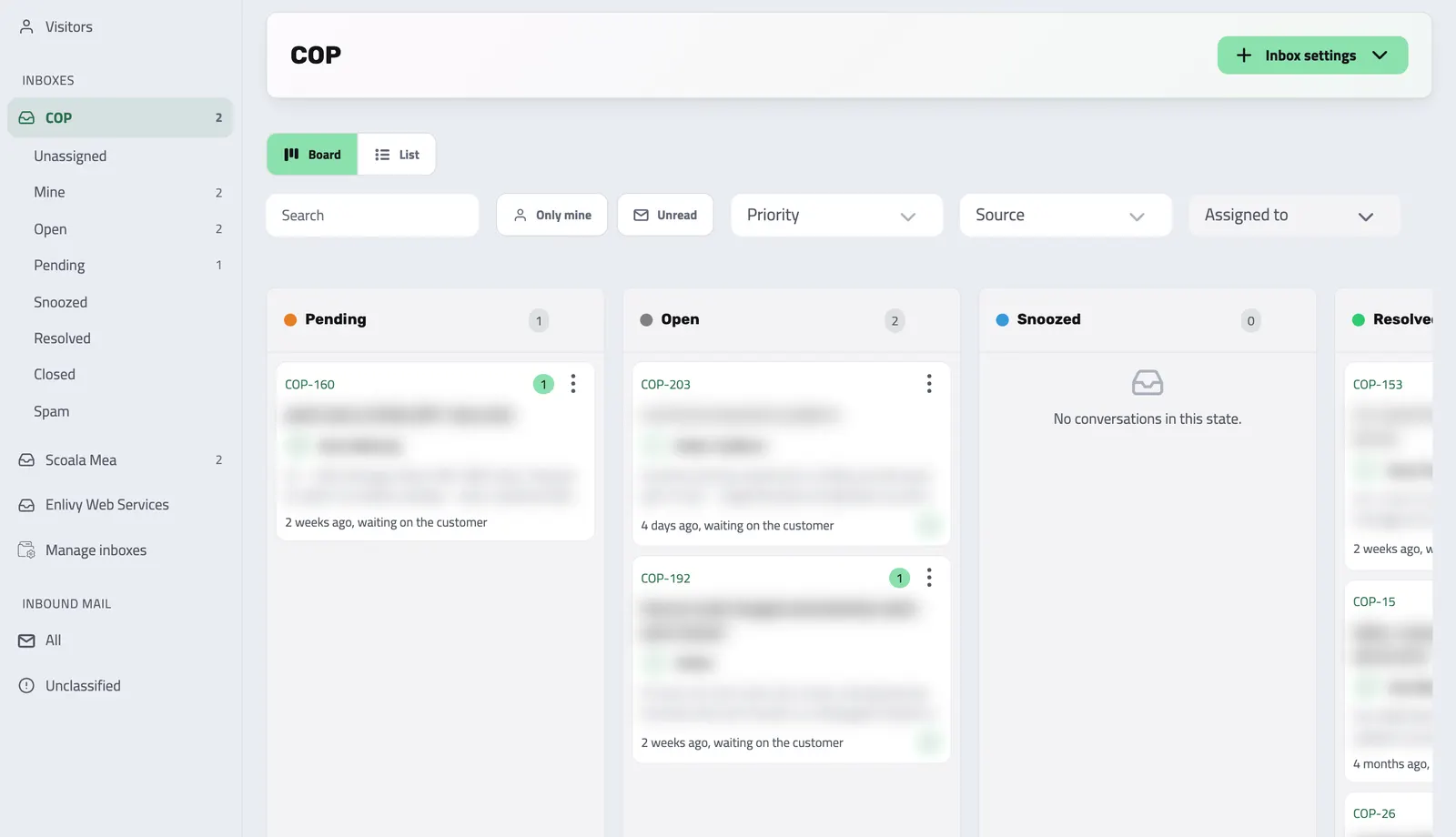
Bring conversations from the website widget and from a mailbox you connect over IMAP into organization inboxes. Teammates work from the same conversation record instead of forwarding fragments between tools.
-
Route into inboxes
Organize support work by inbox and assign conversations to teammates.
-
Reply with context
Read the thread, answer and resolve the conversation in the desk.
-
Make the handoff visible
See what is open, unassigned or snoozed, with a view of work assigned to you.
-
Add capacity as the desk grows
The Helpdesk pack includes one teammate seat and 100 GB of storage. Extra Helpdesk seats add 10 GB of storage per seat.
THE CONVERSATION DESK
Give every question an owner
Teammates with a Helpdesk seat (the pack includes one) can work an inbox together, pick up unassigned conversations and return to snoozed work. The dashboard Helpdesk widget summarizes the work by inbox for teammates who have access.
-
One thread
Replies and activity stay with the conversation.
-
Team assignment
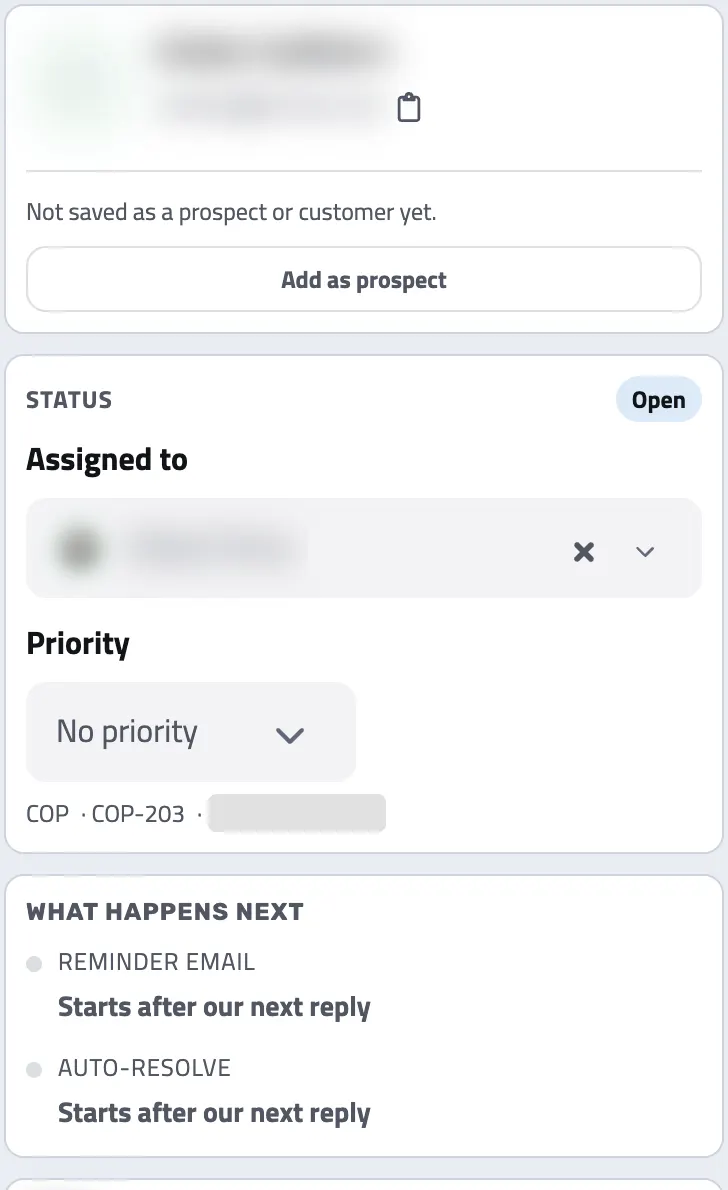
Choose who is responsible for the next answer.
From first message to resolution
-
A message reaches an inbox
The customer writes through the website widget or to a support address whose mailbox you connected over IMAP.
-
The team reviews and assigns it
New email from an unknown sender, someone the desk has not written to yet, can be held for a person to release before it becomes desk work.
-
A teammate replies
Work from the conversation and use the available context to answer.
-
Resolve or continue
Resolve the conversation when it is handled, so a reply within the reopen window brings it back, or close it for good.
FROM QUESTION TO OPPORTUNITY
Turn a genuine sales lead into a Prospect
When a support conversation is really a commercial opportunity, a teammate who can manage Prospects adds the contact as a Prospect in one click; no message becomes a lead on its own. The conversation keeps a link to it, and it joins your pipeline at the default inbound stage once you set one.
FOLLOW-UP
Share the work and return to what is waiting
Assign conversations yourself or let the inbox's assignment mode do it, then snooze a conversation and bring it back when follow-up is due. When an inbox has an expected reply time, teammates are emailed about conversations still unanswered past it; it is not a promise of an instant reply.
THE MESSAGE THE CUSTOMER SEES
Choose a branded reply or a plain email
Each Helpdesk inbox sends its email replies either as a branded helpdesk email or as a plain email, as from a mail client. The conversation stays threaded either way. Proactive website messages can target the pages a visitor has seen and can wait until a teammate is marked as taking conversations, so an invitation appears only when those rules are met.
Where it fits
Part of these setups
- Agencies and studios Optional Adds one inbox for client questions from your website chat, the portal and email. See the setup
- Course authors Optional Adds one inbox for student and client questions from chat, the portal and email. See the setup
- Monthly billing Optional Puts client questions from your website chat, the portal and email in one shared inbox. See the setup
- Sales teams Optional Adds inbound conversations. A colleague can turn one into a Prospect in one click. See the setup
Works together with
- Sales Pipeline See which opportunities are moving forward, review the conversation before you follow up and keep proposals close to the deal.
- Customer Portal A branded, self-service portal, on your own domain if you add one, where clients accept proposals, pay invoices, manage subscriptions and sign contracts themselves. Every action lands on the client's record in Enlivy.
- Dashboard See the work and numbers that matter to you, then customize the dashboard by adding and arranging available widgets.
- Tasks Keep team work beside the invoices, prospects and projects it concerns. Tasks are included for every organization at no extra charge, with no separate Tasks subscription or task-count quota.
- Data Export Export your invoices, receipts, payslips, contracts, and transactions in the format and folder structure your accountant expects, for any date range. Built in, at no extra cost, on every plan.
- MCP Connect Enlivy to Claude, ChatGPT, Cursor, or any AI assistant through MCP. Ask about your invoices, contracts, and pipeline, and get real work done, safely scoped to exactly what your own account can already do.