

Slack Integration
Get business alerts from Enlivy in Slack
Stop checking dashboards to find out what changed. Enlivy brings important moments directly into Slack, from payments and proposals to Helpdesk conversations. Connect once, choose your events and route them to the right channels.
Connect SlackFree account, no card needed. Sending events needs any paid pack, from €2.99/month, excluding VAT.
WHY IT MATTERS
Let the news come to you
Whenever "I wish I'd known the moment that happened" is something your team says, this is the answer.
The events you choose reach Slack shortly after they happen, in the channels and words you choose and, if you want, with a button that opens the record in Enlivy.
Nothing new to check, nothing to refresh. Your team acts while the moment is still warm.
-
In your words:
every event starts with a ready message that names the event and its key details, such as the client, the amount and the status. Edit the template to say it your way, in the language your team uses.
-
Test before you rely on it:
fire a real test notification to confirm a channel is wired up correctly before you depend on it, no guesswork, no surprises.
-
React in the moment
The alert lands moments after the event, so your team can act while it is still warm: thank the client, kick off onboarding, follow up on a payment.
-
No new app to check
The news comes to the tool your team already lives in. Nothing to learn, nothing extra to open, no dashboard to refresh.
-
Route it however your team works
Send each event exactly where it belongs: a feed per team for finance, sales, legal, and delivery, or one high-signal channel leadership can watch at a glance.
-
One click to the details
Every message can carry a View in Enlivy button that jumps straight to the exact invoice, proposal, or contract it is about.
SUBSCRIBE TO WHAT MATTERS
The events you choose, wired straight to Slack
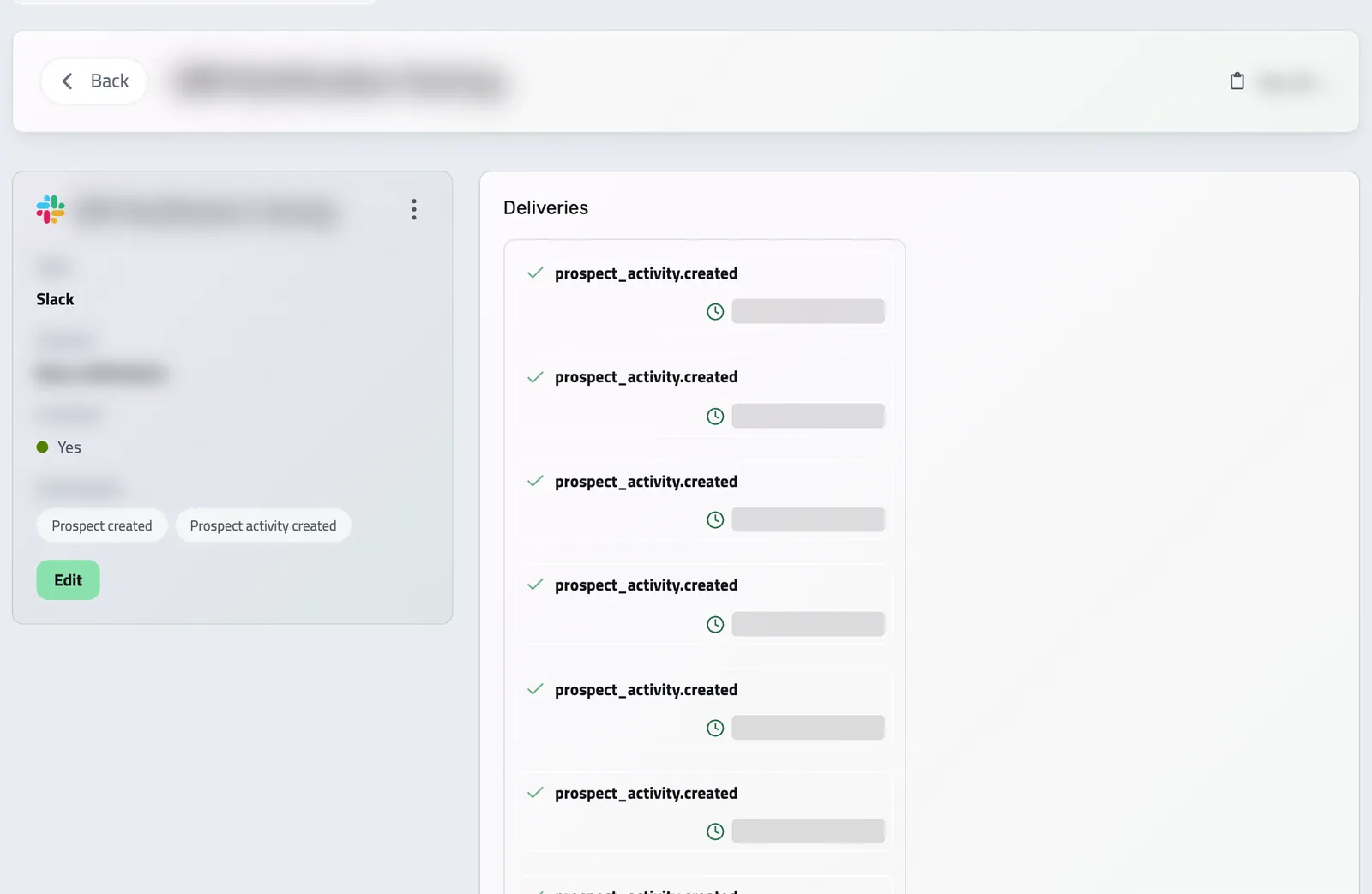
Pick an event from the list below and route it to a Slack channel. Send invoices to finance, deals to sales, signed contracts to legal.
- Frequently used
Bank transaction created Slack
Bank transaction created — Service Agreement
€150,00
- Frequently used
Billing schedule created Slack
Billing schedule created — Sample Item
€150,00
Paid
- Frequently used
Contract signature created Slack
Contract signature created
Paid
- Frequently used
Contract signed by all parties Slack
Contract signed by all parties — Service Agreement
INV-001
- Frequently used
Invoice created Slack
Invoice created — INV-001
€150,00
Paid
- Frequently used
Invoice paid Slack
Invoice paid — INV-001
€150,00
Paid
- Frequently used
Network exchange created Slack
Network exchange created
Paid
Outbound
- Frequently used
Payslip created Slack
Payslip created
€150,00
Paid
- Frequently used
Product created Slack
Product created — Sample Item
- Frequently used
Project created Slack
Project created — Service Agreement
- Frequently used
Proposal accepted Slack
Proposal accepted
€150,00
Paid
- Frequently used
Proposal sent Slack
Proposal sent
€150,00
Paid
- Frequently used
Prospect activity created Slack
Prospect activity created — Acme Co
Service Agreement
jane@acme.co
- Frequently used
Prospect created Slack
Prospect created — Acme Co
jane@acme.co
€150,00
- Frequently used
Scheduled payment created Slack
Scheduled payment created
€150,00
Paid
Jun 15, 2026
- Frequently used
Support conversation assigned Slack
Support conversation assigned
- Frequently used
Support conversation created Slack
Support conversation created
- Frequently used
Support conversation unanswered Slack
Support conversation unanswered
- Frequently used
User created Slack
User created — Sample Item
jane@acme.co
-
Bank account created Slack
-
Bank account deleted Slack
-
Bank account restored Slack
-
Bank account updated Slack
-
Bank transaction deleted Slack
-
Bank transaction restored Slack
-
Bank transaction updated Slack
-
Billing package created Slack
-
Billing package deleted Slack
-
Billing package restored Slack
-
Billing package updated Slack
-
Billing schedule deleted Slack
-
Billing schedule restored Slack
-
Billing schedule updated Slack
-
Contract created Slack
-
Contract deleted Slack
-
Contract restored Slack
-
Contract signature deleted Slack
-
Contract signature restored Slack
-
Contract signature updated Slack
-
Contract updated Slack
-
Invoice deleted Slack
-
Invoice restored Slack
-
Invoice updated Slack
-
Network exchange restored Slack
-
Network exchange updated Slack
-
Payslip deleted Slack
-
Payslip restored Slack
-
Payslip updated Slack
-
Playbook created Slack
-
Playbook deleted Slack
-
Playbook restored Slack
-
Playbook updated Slack
-
Product deleted Slack
-
Product restored Slack
-
Product updated Slack
-
Project deleted Slack
-
Project member created Slack
-
Project member deleted Slack
-
Project member updated Slack
-
Project restored Slack
-
Project updated Slack
-
Proposal created Slack
-
Proposal deleted Slack
-
Proposal expired Slack
-
Proposal rejected Slack
-
Proposal reopened Slack
-
Proposal restored Slack
-
Proposal updated Slack
-
Proposal viewed Slack
-
Prospect activity deleted Slack
-
Prospect activity restored Slack
-
Prospect activity updated Slack
-
Prospect deleted Slack
-
Prospect restored Slack
-
Prospect updated Slack
-
Receipt created Slack
-
Receipt deleted Slack
-
Receipt restored Slack
-
Receipt updated Slack
-
Scheduled payment updated Slack
-
Support conversation back from snooze Slack
-
Support conversation closed Slack
-
Support conversation deleted Slack
-
Support conversation rated Slack
-
Support conversation reopened Slack
-
Support conversation resolved Slack
-
Support conversation restored Slack
-
Support conversation snoozed Slack
-
Support message created Slack
-
Support message updated Slack
-
User deleted Slack
-
User restored Slack
-
User updated Slack
You control the message that lands in Slack. Every event comes with a ready message, so you only switch it on; the most used events show theirs in the list. Change the wording whenever you want.
HOW IT WORKS
Live in four steps
Connect once and your events start flowing. Add more channels or more events any time.
- Connect Slack
Authorize Slack once in your Enlivy integrations. Enlivy adds a bot that can post to your channels.
- Pick a channel
Add a Slack destination and choose which channel it posts to. Private channels work once you add the Enlivy app to them.
- Choose events
Select the events you want, from paid invoices and accepted proposals to new or unanswered Helpdesk conversations, and tweak the wording.
- You are live
From now on, those events post to Slack automatically, moments after they happen.
You need an Enlivy account with any paid pack, and a Slack workspace. Each active paid pack includes 25 event destinations, shared between webhooks, Slack channels and Zapier triggers.
Works together with
- Bank Account Data Connect your business bank accounts with the Banking pack and see each account's balance and transactions in Enlivy. New transactions come in several times a day, ready to link to the invoices and receipts they settle.
- Invoices Create an invoice, send it to your client, and connect the contract, receipt or bank transaction that belongs with it. For Romanian eFactura, use the configured ANAF connection.
- Contracts Draft contracts from templates, send them for signature with an optional email or SMS code, and track every signature and renewal.
- Network Exchanges If your company is Romanian, connect ANAF eFactura to receive invoices and submit those for Romanian clients, by hand or on a schedule. Elsewhere, download the e-invoice file and submit it yourself.
- Payslips Your accountant works out the figures, and you record each amount in Enlivy on its own line, under your country's payroll code. Enlivy checks that the lines match the payslip's totals.
- Sales Pipeline See which opportunities are moving forward, review the conversation before you follow up and keep proposals close to the deal.
- Reports Replace chat and email updates with structured reports your team fills in. Define the questions and rhythm once in a schema, share it, and compare every submission in Enlivy.
- MCP Connect Claude, ChatGPT, Cursor, or another MCP-compatible assistant to work with your invoices, contracts, and pipeline, within your own permissions.