

Billing Packages
Sell subscriptions on any cycle and let clients manage them
Set up what you sell once, with its prices and billing cycles. Your clients order it from a proposal or your website. With the Billing Schedules pack, Enlivy invoices each cycle and charges the saved card.
Build your first packageFree account, no card needed.
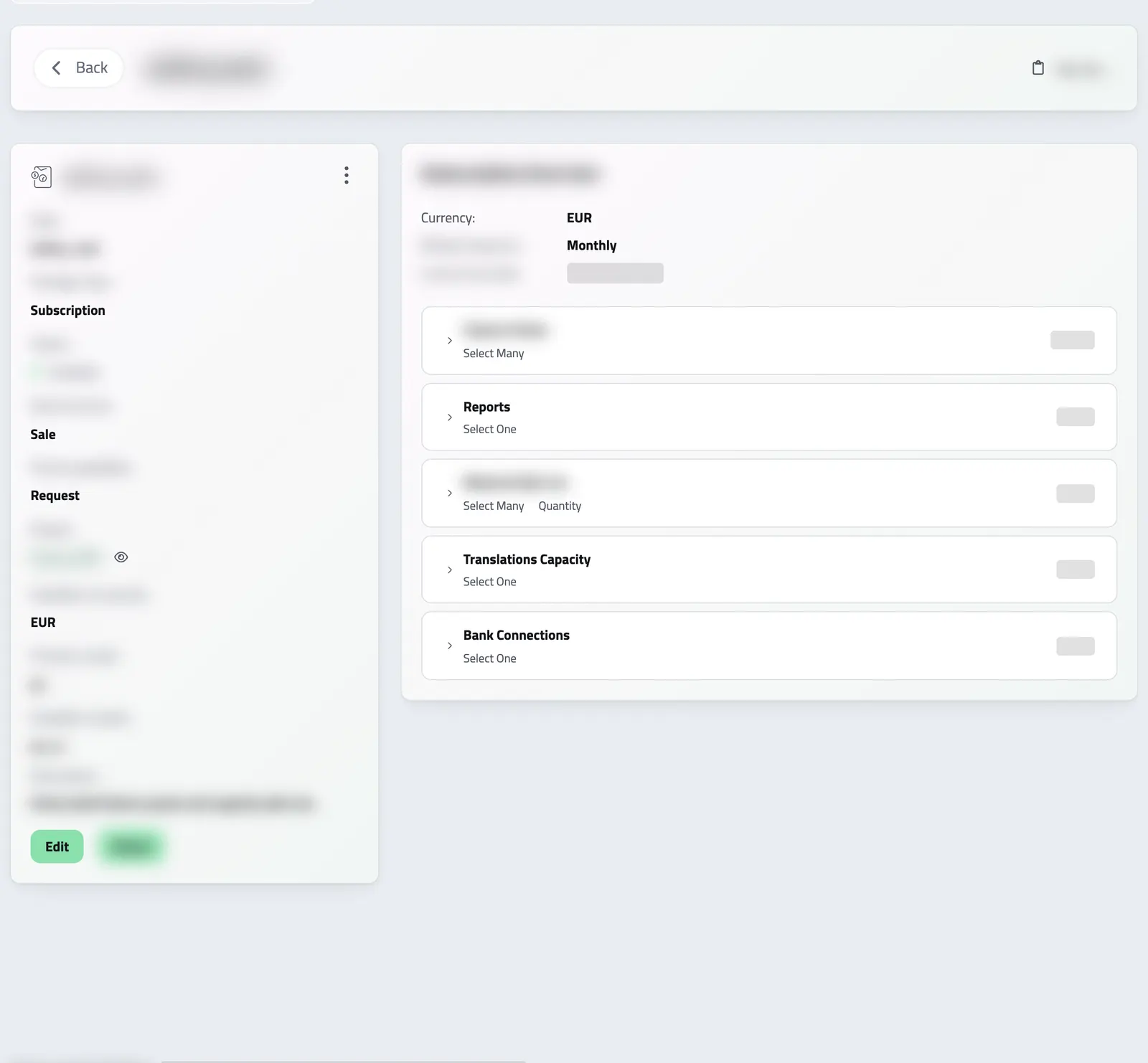
ONE PACKAGE, EVERY CYCLE
Sell one package on any billing cycle
A package is what you sell, with its prices. You set it up once and use it in proposals, on your website and in your client portal.
Price each cycle your own way, in each currency you sell in. Your clients see the price before they order, and see the new amount before they change their plan.
-
Six billing cycles
Weekly, every two weeks, monthly, quarterly, every six months or yearly. Set a different price for each cycle.
-
Clients change their own plan
In your client portal, clients update their card. When you allow it, they also switch cycle, change tier, pause or cancel.
-
Several currencies
Set a price in each currency you sell in. In another currency, the price converts at the rate of the invoice date. A one-time package can fix the rate when your client accepts the proposal.
PACKAGE AND PLAN
One package, one billing schedule for each client
A billing package is the offer: what you sell, on which cycles and at what price. Tiers and add-ons let each client choose what they need.
When a client buys, Enlivy creates their billing schedule from the package. It keeps the price they bought at, and later changes to the package do not change it.
-
Any currency:
set the package price in each currency, and bill each client in theirs.
-
Your price for each cycle:
for example, a lower yearly price or a higher weekly one.
-
Tiers and add-ons:
the package holds your price list, and clients pick from it.
SWITCHING TO YEARLY
Let clients switch to yearly billing themselves
Where you allow cycle changes, your client sees the exact amount before confirming the switch.
Enlivy then bills the difference by the package's proration rule.
-
The amount first:
the prorated charge, the new recurring total and the next charge date.
-
The preview is the charge:
it uses the same calculation as the charge, at the exchange rate when your client confirms.
-
Proration:
an upgrade charges only the difference, and a downgrade applies going forward, with nothing paid back.
PAYMENT DETAILS IN THE PROPOSAL
Choose the bank accounts a proposal shows
A package can list, in order, the bank accounts its proposals show for payment. Your client sees only the accounts you chose for that proposal.
IN THE CLIENT PORTAL
What your clients can change themselves
Clients change, pause or cancel only what you allow. You set it on the package, or on one client’s billing schedule. Enlivy bills each change by the package’s proration rule and charges cards through your Stripe account.
- Order a package
Your client picks a package you offer for checkout, configures it and pays. A package with a contract is sold through a proposal.
- Switch billing cycle
Your client moves to another cycle and sees the prorated amount before confirming.
- Change tier or add-ons
Your client changes the tier or the add-ons. The package's rules keep every choice valid.
- Manage payment methods
Add or replace a card, or choose the default one. Stripe stores the card, not Enlivy.
- Pause and resume
Your client pauses billing. On resume, the schedule restarts from that date, so the pause is never billed.
- Cancel at the end of the period
Service continues to the end of the period already paid for.
THE PRICE CALCULATOR
Try the price calculator
This is the real price calculator your clients use. Pick a package, choose tiers and add-ons, set quantities and switch the billing cycle. The price updates as you choose.
THREE WAYS TO SELL
Three ways to sell a package
Choose a way for each package. You can use all three across your packages at the same time.
-
Through a proposal
Create a proposal from the package and send it. Your client accepts it, signs the contract if there is one, and pays. Best for negotiated deals and custom work.
-
Checkout in your client portal
Offer the package for checkout. Clients configure it and pay online, with no sales call. A package with a contract goes through a proposal instead. Best for low-priced plans.
-
Request a quote
Offer the package on request. When someone asks for it, Enlivy adds them as a lead with a proposal for your team to check and send. Best for premium offers.
Where it fits
Part of these setups
Each page follows one way of selling and shows what your client does, which features you use and what they cost.
- Agencies and studios Core Your services as packages, with a deposit and installments, ready to send in a proposal. See the setup
- Monthly billing Core Your packages and prices on your own website. Your client buys on the spot or sends a request. See the setup
- Course authors Optional Adds a way for clients to buy without a call, or to request a place, from your own site. A program with a contract goes through your proposal first. See the setup
- Sales teams Optional Adds requests from your website. Each one reaches the pipeline as a lead, with a proposal ready and its campaign source. See the setup
Works together with
- Invoices Issue an invoice and email it to your client. A card payment goes to your own Stripe account and the invoice is marked paid. A bank transfer you mark paid yourself.
- Products Build a reusable catalog of everything you sell, services or goods, with pricing, units, tax settings, and descriptions set once. Every product is ready to add to a proposal or invoice.
- Sales Pipeline See which leads are moving, read the last conversation before you follow up, and send the proposal from the lead's page.
- Billing Schedules Each cycle, Enlivy issues the invoice at the agreed price, emails it to your client and charges the saved card. You see what is paid and what is still due.
- MCP Connect Claude, ChatGPT, Cursor, or another MCP-compatible assistant to work with your invoices, contracts, and pipeline, within your own permissions.