

FOR COURSE AUTHORS, MENTORS AND COACHES
You have outgrown Sheets, WhatsApp and manually sent invoices. Each client's proposal, contract, installments and payments, connected in one place.
Free account, no card needed. The full setup is from €9.99/month, excluding VAT. Card payments go to your own Stripe account.

01 SOUND FAMILIAR?
Your business grew. The systems you started with did not.
You built an audience, you launched online programs, you have clients paying €500 to €1,000 and up per seat. And behind the scenes it looks like this:
Every week, hours go into switching between WhatsApp, Sheets, an invoicing app, Stripe and Drive. You cannot tell at a glance who has paid, whose installment is due today, who has signed the contract, who was sent which invoice. You sold a six-month program in three installments, and now you search five places to work out who still owes what.
A client once wrote to you, asking for the invoice you forgot to send. The kind of moment you do not want to repeat. Your assistant asks ten times a day "who do I invoice?", "where is X's contract?", "did the payment for installment 3 come in?".
You sell premium, but the client gets the payment link on WhatsApp, the contract by email and the invoice from a third app. Three sources for a single sale, none of which knows about the others. Month-end turns into a search through files for the accountant.
You have woken up at 3 a.m. with the thought "I forgot to...". And you could not leave for two weeks of holiday without everything stopping.
I earn better than ever. I also have less time and more stress than ever.
We know the feeling. You are not disorganized; you are just the only integration between six apps that do not talk to each other. You do not need another tool. You need everything that happens in your business to fit in one system, not six.
02 A DAY WITH ENLIVY
What one of your days could look like
You are on your second coffee. You open Enlivy.
Two payments came in overnight: installment 2 from a mentoring client and a new order for the course. Both invoices are already issued and in the clients' inboxes. Good.
The third expected payment did not arrive; the client's card was declined. The invoice sits there as unpaid, next to their plan. You note to write to them personally after lunch, calmly, not in two weeks when you would have noticed by accident.
The babysitter calls in sick. You reshuffle the day in your head: who picks up your child at 4, whether the 11 o'clock call has to move.
Still, at 11 you have a call with a prospect. Before you hang up, the proposal is in their inbox as a link. At 12, Slack: "Proposal accepted." You send the contract for signature from the same screen. By the afternoon: "Contract signed. First installment paid." The €1,800 invoice was issued without anyone typing it.
You have lunch, a little tired, but not from the admin.
In the evening your assistant writes: "handled the partial refund for client X, followed the playbook." You thank them, put the phone down, and take your child to the park.

That is the difference between a creator who improvises and a business that runs organized.
See how the flow works03 THE SOLUTION
One flow, from prospect to enrolled client
One place to start the morning.
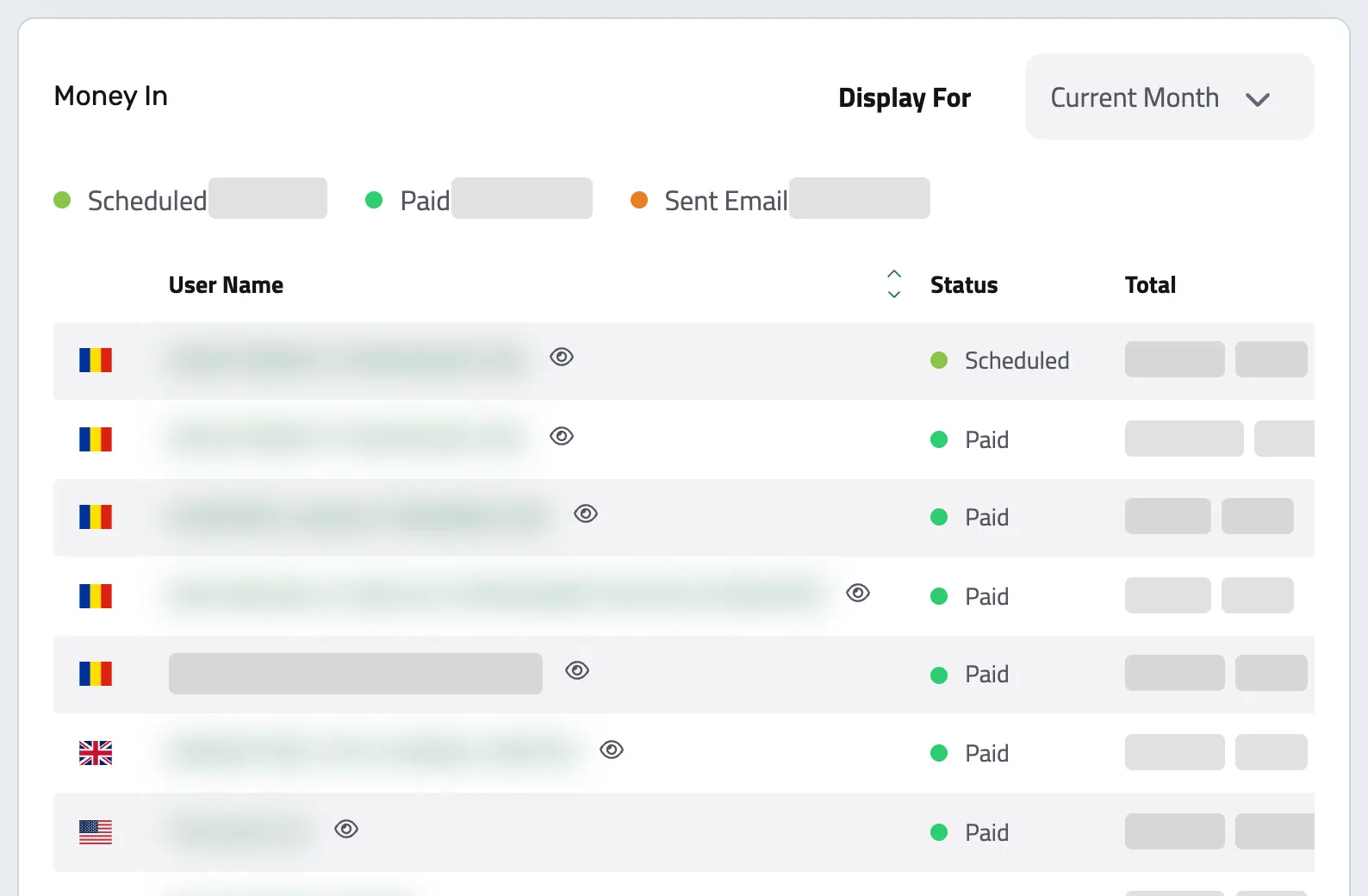
Who paid and what is still due, without asking your assistant and without opening six tabs. Here is the flow behind it:
-
Prospect. Add leads from DMs, forms or webinars to a pipeline you and your closer share. Requests through your Enlivy price calculator can enter it directly.
-
Proposal. You send the proposal as a link. The client sees every payment, accepts it online and moves straight on to the contract.
-
Contract. The accepted proposal becomes the contract, signed online, with an email or text-message code when you ask for one. Amendments, such as a longer program or new installments, are signed in the same place, with the history intact.
-
Invoice + e-invoicing. Issue the invoice from Enlivy with your own numbering and tax settings. For a Romanian organization, connect ANAF e-Factura and choose whether invoices for Romanian clients go out by hand or on a schedule. For another market, review and submit a supported electronic invoice file separately.
-
Payment. Card payments go straight to your Stripe account and settle their invoice. Bank transfers are marked paid by you or your assistant.
-
Installments and subscriptions. For programs paid in installments or a membership on subscription, the Billing Schedules pack creates the invoice and charges the saved card on every due date.
-
Records. Every payment stays on the client's record next to the invoice it paid, so month-end starts from a complete list.
04 RESULTS
Three shifts you feel in the first month
Installments that do not slip.
Today, installments live in a spreadsheet and in your memory. In month three you miss a follow-up, and a payment disappears without anyone noticing.
With Enlivy and the Billing Schedules pack, saved cards are charged on each due date, and an unpaid installment shows up on the client's record the day it is missed. Nothing depends on your memory.
A sales flow that looks as premium as the price.
Today, the client gets the payment link on WhatsApp, the contract as a PDF by email and the invoice separately, from a third app.
With Enlivy, the client accepts your proposal, signs and pays in one portal with your name on it, and the invoice follows. You are no longer embarrassed to show what is under the hood, not to VIP clients and not to B2B partners.
Month-end starts from a complete list.
Today, closing the month means searching the invoicing app, the bank, email and Drive, then sending the accountant a folder of files.
With Enlivy, invoices, receipts and payments sit on each client's record, and you export them for your accountant from Enlivy. The first month takes longer, while you set up your templates and bring your clients in.
05 START FREE
Every launch without a system costs you the same hours again...
No credit card · Cancel anytime
WE SELL THIS WAY TOO
Our own online-school service runs on this setup
Școala Mea, our service that builds online schools for trainers and course authors, sells and bills its subscriptions with Enlivy.
Trainers configure their school in the price calculator on scoalamea.eu, which is Enlivy's package configurator. Each request reaches us as a lead with a priced proposal, and once a trainer signs up, the subscription is billed every month.
-
A price calculator on our own site
Trainers choose what they need and see the price before they talk to us.
-
Monthly subscriptions
Each school is a billing schedule, invoiced on the same day every month.
-
One inbox for their questions
The chat and the contact form on scoalamea.eu reach the Enlivy helpdesk our team answers from.
REPLACE. CONNECT.
Drop what you no longer need. Keep what matters.
-
FreshBooks Wave or whichever app only does the invoice.
In Enlivy you issue invoices directly, with your own numbering and series, and the ones that come from an accepted proposal are born connected to the rest of the system: the signed contract, the program bought, the installment plan, the payment that came in. One subscription less, the same compliance, and your accountant keeps their ledger.
-
 Google Sheets for pipeline, payments, installments, the team.
 A spreadsheet needs someone to update it by hand, and the rest of the team to assume it is current. In Enlivy, the records change when a payment arrives, a contract is signed or an invoice is issued, so nobody has to ask "when was the last update?".
-
 Google Drive
  Notion for contracts, procedures, guides.
 In Drive or Notion, a document is a lonely file in a folder. In Enlivy, the contract is linked to its client, the invoice to its contract, and the procedure written in Playbooks sits next to the rest of the company's work.
-
 WhatsApp the groups with your assistant about "who do I invoice?".
 In Playbooks you write the company's procedures once: invoicing, onboarding, follow-up, and any other repetitive work in the team. Your assistant follows them without asking.
WHO ENLIVY IS FOR
Enlivy fits course businesses that sell with a conversation
For you, if:
- You sell programs, live or cohort courses, mentoring, coaching or premium consulting (above €500 per seat).
- You close sales through calls or conversations, not only through an automated checkout.
- You have installment payments, cohort programs or a membership on subscription.
- You have a small team, or you are starting to build one.
- You already run four to six separate tools and feel they no longer hold together.
Not yet for you, if:
- You only sell a low-priced evergreen course, at small volumes, with no contracts and no installments.
- You are at your first sale and the paperwork behind the scenes has not built up yet.
When you expand into new markets, the account stays the same.
Enlivy supports six document languages and a direct ANAF e-Factura connection for Romanian organizations. For other markets, check the available electronic invoice file and local submission route.
Platform status is public, any time: status.enlivy.com.
YOUR SETUP
The parts of Enlivy a course business uses
Five parts carry a client from the proposal to the last installment. Add the optional ones as the business grows; the related work stays connected to the client.
What it runs on
-
Proposals
The proposal as a link, sent before you hang up, with every installment laid out.
Free for 3 a month Unlimited with Sales · €19.99/month
-
Enrollment contracts signed online, with amendments in the same place.
Free for 1 a month Unlimited with Contracts · €9.99/month
-
Every due date creates the invoice and charges the saved card.
Billing Schedules pack · €9.99/month
-
Your own numbering and tax settings, emailed from your mailbox.
Free for 5 a month Unlimited with Invoicing · €9.99/month
-
Where clients sign, pay and find their invoices, under your name.
Free
Optional: add it when you need it
-
Adds a pipeline for leads from DMs, forms and webinars, visible to you and your closer.
Free for 5 in total Unlimited with Sales · €19.99/month
-
Adds a way to buy without a call, or to request a place, from your own site.
Free
-
Adds written procedures your assistant follows without asking you.
Playbooks pack · €4.99/month
-
Adds one inbox for student and client questions from chat, the portal and email.
Helpdesk pack · €19.99/month
-
Adds a message when a proposal is accepted, a contract signed or an invoice paid.
Included with any paid pack
-
Adds the ANAF submission for invoices to Romanian clients.
Free
What this setup costs, excluding VAT
From €9.99/month
The Billing Schedules pack. The other parts start free.
With no monthly limits
€49.96/month
Adds the Sales, Contracts and Invoicing packs.
FREQUENTLY ASKED QUESTIONS
Questions course authors ask
How long before it is actually running?
You can send your first proposal or issue your first invoice on the day you sign up. The part that takes real thought is your contract template and your installment plan, and you set those up once. Your existing clients can come across when you are ready; the new flow starts with the next client you close.
I already have an invoicing tool. Why change?
Do not change it for invoicing. Change it when the invoice stops being the problem. An invoicing tool gives you a compliant document in its own app; it does not know which program the client bought, whether they signed, which installment is due on Thursday, or that their card was declined last night. That is the part costing you the hours, and it is the part that lives here.
I have Stripe. Is that not enough for payments?
Stripe is how the card gets charged, and Enlivy uses your own Stripe account for exactly that. What Stripe does not do is decide who should be charged, on what schedule, against which signed agreement, and then issue the invoice that payment settles. A payment processor collects money. It does not run an installment plan against a contract.
What if a client's card is declined?
The installment stays unpaid on the client's record, and with the Invoicing pack the client also gets an email that the payment failed. Enlivy does not retry the card on its own: you or your assistant can charge it again from the invoice once the client has sorted it out.
Is this too technical for me?
The setup is templates and a payment plan, not configuration. If you can build a course curriculum, you can build a contract template. The technical parts, such as the API, webhooks and MCP, are there for people who want them, and you never have to touch them.
I have bought tools I never used. Why would this be different?
Because you start with one part and one problem. There is no large bundle to commit to: the free plan covers a few proposals, contracts and invoices every month, and each pack adds one capability at a monthly price you can turn off.
What happens to my data if I leave?
It comes with you. Clients, invoices, contracts and payments export as structured files, and nothing here is designed to make leaving expensive.
WHO BUILDS IT
A small team in Romania, building Enlivy since 2021
We run our own business on it too.
-
 Robert Rusu Founder & Technical Lead
 -
 Mihaela Rusu Content Marketing
OTHER SETUPS
Not quite how you work?
- You bill clients every month
- You run an agency or studio
- You run a sales team
- You mainly need invoicing and e-Factura
- You are not sure yet