

Proposals
Proposals your clients accept from the email
Put the work, the price and the payment terms in one proposal. Your client accepts it from the email, and the contract and first invoice use the same price.
Send your first proposalFree account, no card needed.

WHAT A PROPOSAL HOLDS
Put the work, the price and the terms in one proposal
Your client sees what they buy, what it costs and how they pay, before they say yes.
Start from a package, a priced offer you reuse, or write the lines yourself. Send the proposal to a lead or to an existing client.
-
Lines and total
Each product or service with its quantity, price and discount, and the total your client accepts.
-
Payment terms
One payment or several installments, the payment methods you accept and the bank accounts your client can pay into.
-
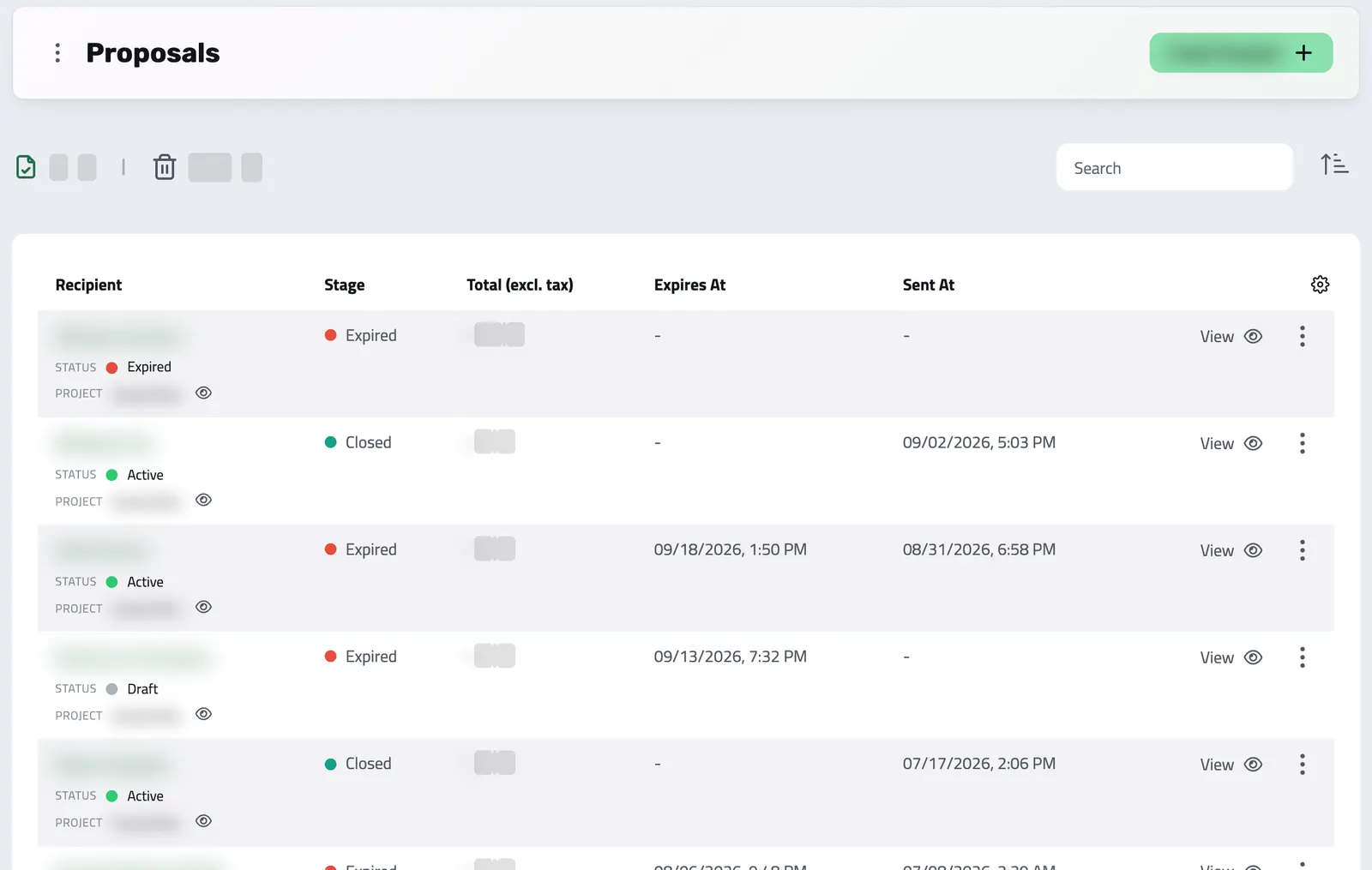
Where it stands
Each proposal shows its stage, such as awaiting acceptance, awaiting signature or awaiting payment, and whose move it is.
YOUR CLIENT DECIDES
Your client accepts the proposal from the email
Send the proposal from your connected mailbox, or share its link. Your client opens it without a password, reads each line and the total, and accepts or rejects it. If the package offers several currencies, your client picks one before accepting.
-
The price they saw is the price
Once your client accepts, nobody can edit the proposal, and later changes to the package do not touch it. If you fix the exchange rate at acceptance, the contract and first invoice use that rate.
-
Card or bank transfer
Your client picks card or bank transfer when you allow both. Card payments need your Stripe account connected.
From the proposal to the first payment
-
Prepare the proposal
Add the products or services, the prices, the payment terms and any contract the package includes.
-
Send it
Email it from your connected mailbox or share its link. Your client accepts or rejects it online.
-
Send the contract
If the package includes a contract, Enlivy drafts it when your client accepts, or after the first payment if you set it that way. For a lead, it waits until you make them a client. You send it for signature.
-
Get paid
After the last required signature, your client pays. Enlivy marks the invoice paid once Stripe confirms a card payment. For a bank transfer, Enlivy sends a pro forma invoice and you confirm the payment. Installments after the first need the Billing Schedules pack.
AFTER ACCEPTANCE
See what each accepted proposal still waits for
An accepted proposal is not paid yet. It stays open until the required contract is signed and the first payment arrives, and then it becomes Active, or Completed when the deal has a single payment. Its stage shows what is missing and whose move it is. A package can also end in a signed agreement with no invoice, such as a confidentiality agreement or a loan.
-
Reopen an expired or rejected proposal
Turn it back into a draft when no payment has arrived and no billing schedule is still running. A terminated contract attached to it reopens too.
Where it fits
Part of these setups
Each page follows one way of selling and shows what your client does, which features you use and what they cost.
- Agencies and studios Core Scope, price and payment plan in one proposal your client accepts from your email. See the setup
- Course authors Core The proposal as a link, sent before you hang up, with every installment laid out. See the setup
- Sales teams Core Proposals with options, tiers and currencies, accepted online from a link. See the setup
- Monthly billing Optional Adds your proposal before the client pays, for packages you price client by client. See the setup
Works together with
- Sales Pipeline See which leads are moving, read the last conversation before you follow up, and send the proposal from the lead's page.
- Products Build a reusable catalog of everything you sell, services or goods, with pricing, units, tax settings, and descriptions set once. Every product is ready to add to a proposal or invoice.
- Invoices Issue an invoice and email it to your client. A card payment goes to your own Stripe account and the invoice is marked paid. A bank transfer you mark paid yourself.
- Customer Portal Your clients accept the proposal and sign the contract from the links in your emails, and pay an invoice from the payment link you send. In a portal with your logo, they find their invoices, contracts and subscriptions, and sign in with an email code instead of a password.
- Data Export Choose the period and the record types, and download one archive for your accountant, with a summary spreadsheet for each type if you want one. Free on every plan.
- MCP Connect Claude, ChatGPT, Cursor, or another MCP-compatible assistant to work with your invoices, contracts, and pipeline, within your own permissions.