

Receipts
Record Payments and Keep Receipts Beside Related Documents
Record money in and money out, keep supporting files together, and connect a receipt to its related invoice or contract when needed.
Record your first receiptFree account, no card needed.
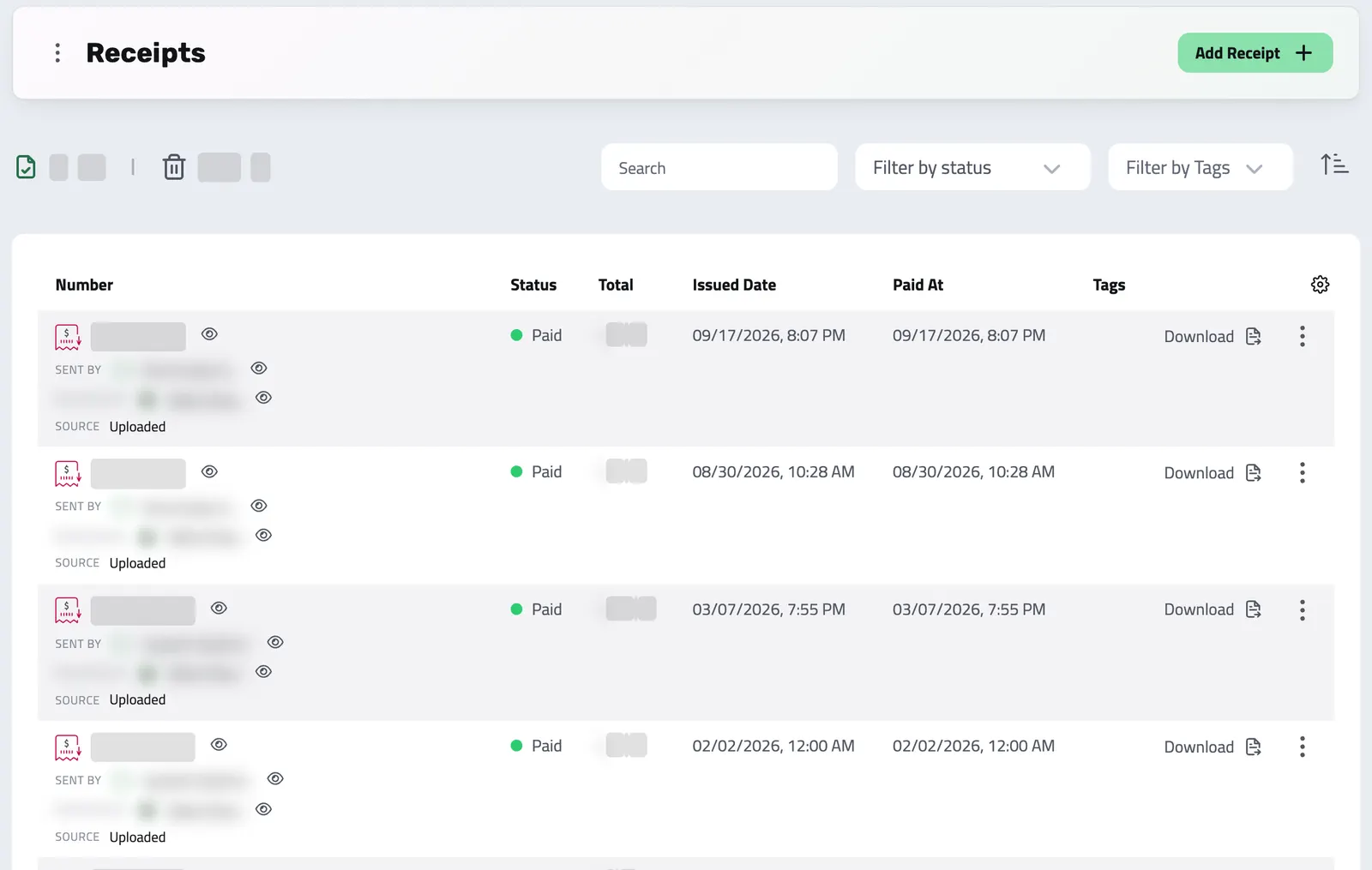
LESS PAPERWORK, MORE AUTOMATION
Automatic Numbering and Receipts
Automatic, compliant numbering, and receipts issued automatically when a paid invoice qualifies.
Two things do the work for you: numbering that is automatic and compliant, and receipts issued automatically when a paid invoice qualifies.
Search, audit, and customer visibility then come standard with every receipt, with no extra setup.
- Generate a receipt in one click, or upload one you received from a supplier
- Review a receipt suggested from a payment file in Document Intake before saving it
- A unique number from your own numbering series
- Link it to the invoice, contract, bank account, or billing schedule it belongs to
- A proper, printable document with everything a finance team or auditor expects
-
Full-text search and filtering
Search by receipt number, total, or party name. Filter by direction, status, currency, date range, or linked invoice, and find any receipt in seconds.
-
Soft delete and restore
Deleted receipts stay in the trash for 30 days and can be restored in that time; after that, the receipt and its file are removed for good.
-
Audit trail on every change
Every create, update, delete, and restore is recorded automatically, so you always know who changed what, and when.
-
Changes from your team
When a teammate adds or deletes a receipt, the receipt list you have open picks up the change without a reload.
-
Customer portal
Customers can view and download the receipts they are party to, straight from their portal: read only, no manual sharing needed.
-
Tags
Tag any receipt to group payments by client, project, or period, and filter across large volumes in one click.
Payment Records Should Not Live in Your Inbox
Proof of payment scattered across inboxes and drives, and a cashflow view built on invoice dates instead of real money.
-
Proof of payment left in email
Without Enlivy: A client says they paid. You search your inbox for the bank confirmation and find three emails, none of them the right one.
With Enlivy: Attach the payment file and link the receipt to its invoice when there is one, so the records are easier to find together.
-
Cashflow based on invoices, not payments
Without Enlivy: An invoice sent is not money received, and an invoice paid is not money spent. A cashflow view based on invoice dates is approximate at best.
With Enlivy: Cashflow is built from real payment records, so your numbers reflect the money that actually moved.
-
Supplier receipts spread across folders
Without Enlivy: Vendor PDFs in Downloads, some in Drive, some forwarded to accounting. Finding what you paid last quarter means checking each one.
With Enlivy: Every supplier receipt lives in one place, searchable by vendor, period, or amount.
-
No single view of money in and out
Without Enlivy: Client payments in one tool, supplier payments in another, payroll somewhere else. Nothing shows everything that moved.
With Enlivy: One ledger shows every payment, in and out, for any period you choose.
How Receipts Work in Enlivy
From logging a payment to seeing it in your cashflow, in three steps.
-
Log the Receipt
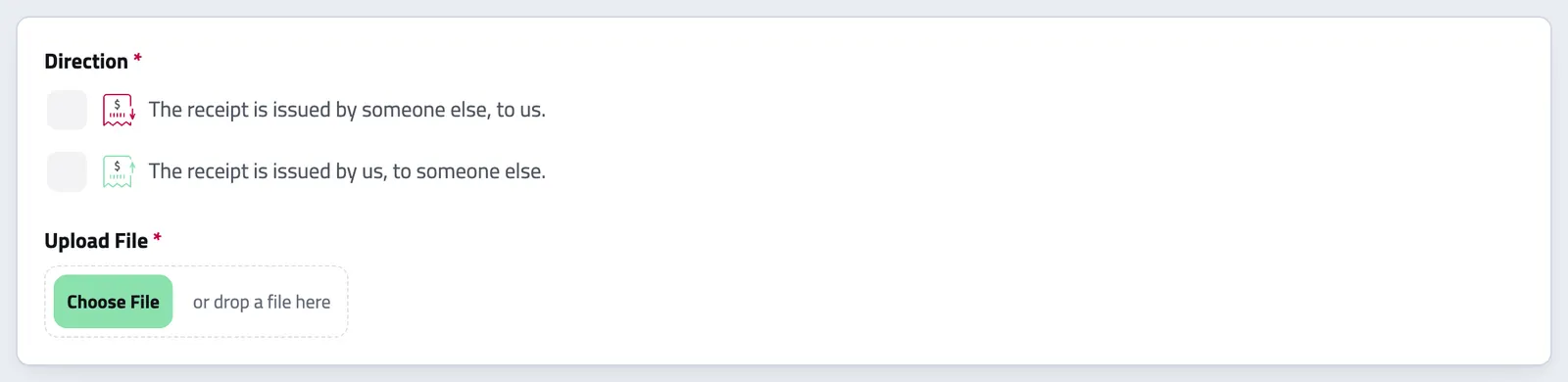
Create a receipt with the parties, direction, amount, currency, and dates. If you have the actual payment file, a bank confirmation, a vendor PDF, or a scanned proof of payment, attach it. If you don't, the record is complete without a file and still feeds your cashflow and audit trail.
- Choose direction: outbound (money in) or inbound (money out)
- Enter amount, discount, tax, and currency
- Set issued, due, and paid dates
- Attach the receipt file if you have it
-
Link It to the Right Document
Connect the receipt to an existing invoice or contract. Linking keeps the records together but does not change the invoice status, so mark the invoice paid as well. With automatic receipts on and a default receipt series set, marking an invoice paid with one of your chosen payment methods issues its receipt for you.
- Link to an invoice: see the receipt next to the invoice it pays
- Link to a contract: keep the receipt with the agreement it relates to
- Customers can view and download their receipts from the portal
-
See It in Your Cashflow
Every receipt feeds into Enlivy's cashflow analytics automatically, with no export and no spreadsheet. Outbound receipts count as money in; inbound receipts count as money out. Monthly history, totals by direction, and filtering by status, currency, or date range are all there out of the box.
- Money in and money out totals always current
- Monthly cashflow history built from actual payment records
- Filter by direction, status, currency, date range, or linked invoice
RECEIPT NUMBERING
Clean, Gap-Free Numbering That Just Works
Every formal receipt needs a clean, sequential number, and tax authorities care how that series is built.
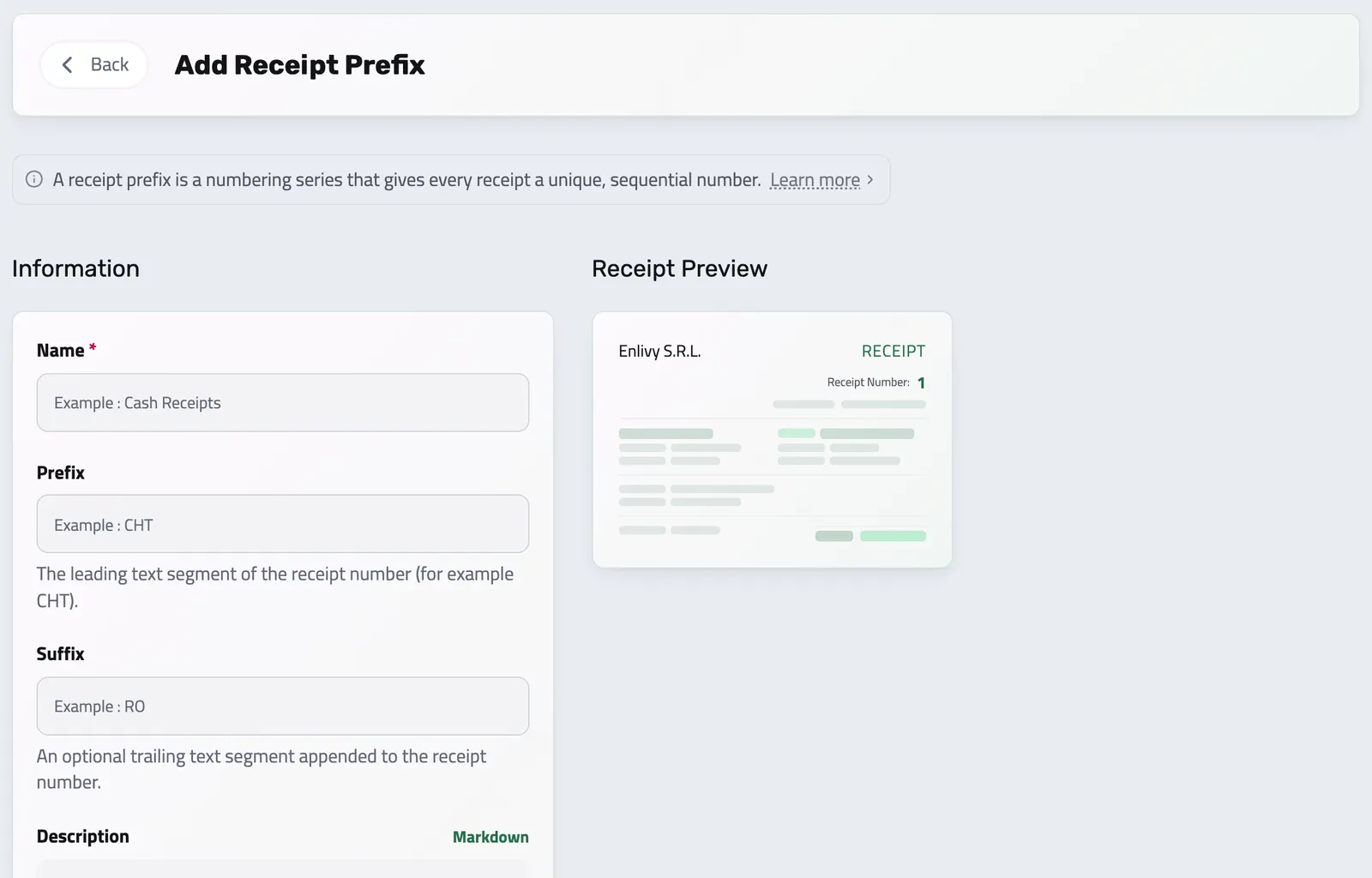
Define your own receipt prefixes, named numbering series that control how receipt numbers look and increment, configured once and automatic forever.
-
Your own series:
set up one or more numbering series and pick a default for new receipts.
-
Sequential and reliable:
numbers are assigned with no duplicates and no gaps, even under simultaneous use.
-
Yearly reset:
the series can start fresh each calendar year, matching common fiscal requirements.
-
Familiar
it mirrors how Enlivy already handles invoice numbering, so it works the way you expect.
AUTO-ISSUE RECEIPTS
From Paid Invoice to Filed Receipt, Instantly
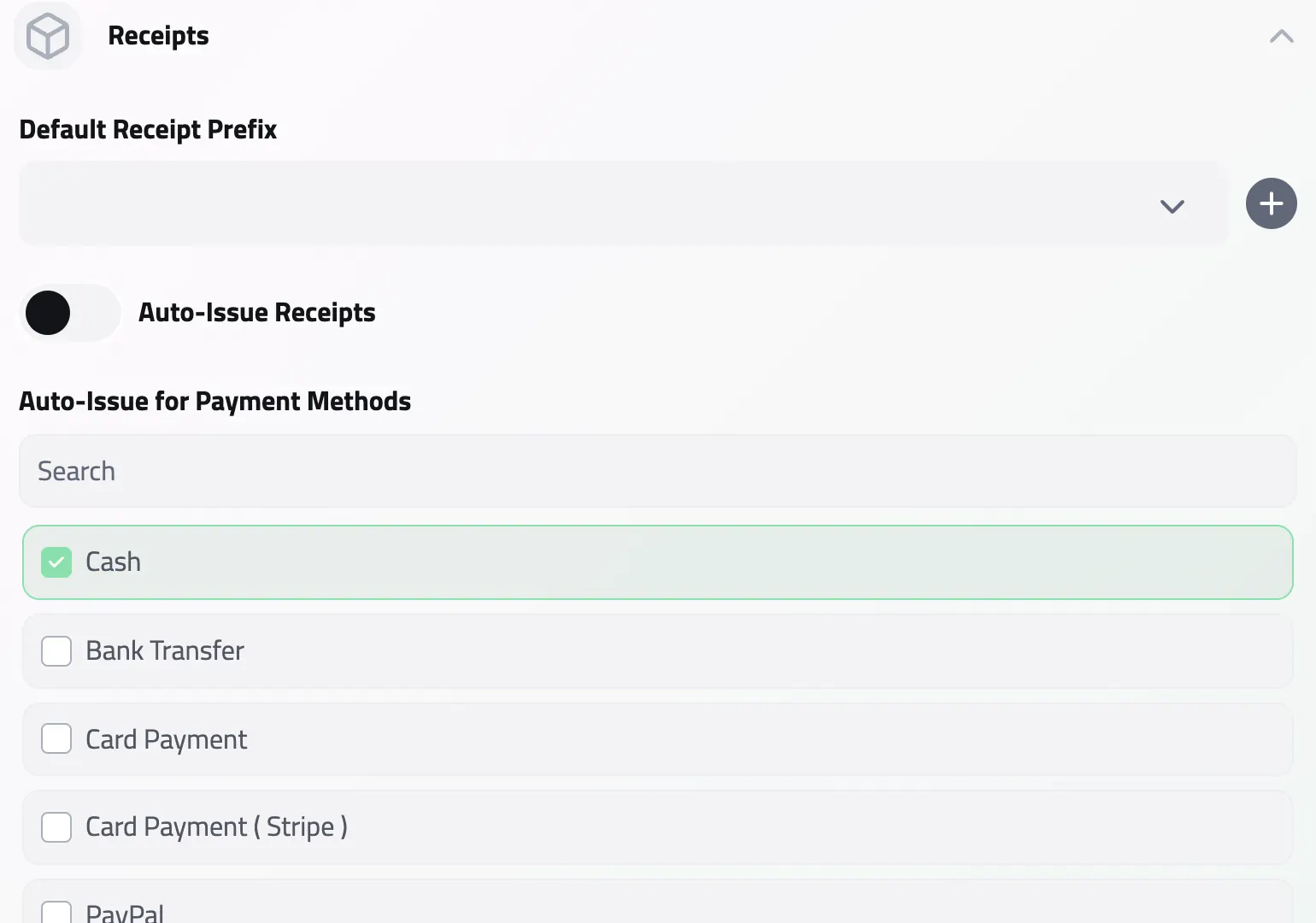
This is the time-saver. Tell Enlivy to issue a receipt automatically the moment an invoice is marked paid, with no extra clicks and nothing to forget.
The paperwork keeps itself, and your customers can download their proof of payment from the portal.
-
One switch:
turn on Auto-Issue Receipts and the system takes it from there.
-
Your chosen methods:
trigger it for cash and card payments, for example, while leaving others manual.
-
Fully automatic:
once a default receipt series is set, Enlivy generates the receipt, numbers it from that series, and links it to the invoice.
-
Always complete:
staff stop chasing paperwork, and the books stay compliant without manual work.
REVIEW BEFORE SAVING
Turn a payment file into a reviewed receipt
Document Intake can suggest receipt details from a payment file. Check the party, payment and tax context in the destination form before saving the record.
THE PAYMENT LEDGER
Cashflow Based on What Actually Happened
An invoice sent is not money received. An invoice paid is not money spent. Receipts gives you a payment ledger grounded in actual payment events, in both directions, so your cashflow view is accurate, not approximate.
- Paid status at a glance
Know the paid status of every payment without logging into your bank.
- Proof attached where it belongs
Attach the payment proof to the exact record it settles.
- Money in and money out
Track supplier and vendor payments with the same structure as client receipts.
- One current view
See money in and money out together, always up to date.
- Self-service for customers
Give customers access to their own payment records, with no manual sharing.
- Fully audited
Every create, update, and delete is recorded, so nothing is lost or unaccountable.
Works together with
- Invoices Create an invoice, send it to your client, and connect the contract, receipt or bank transaction that belongs with it. For Romanian e-Factura, use the configured ANAF connection.
- Document Intake Start with a document, choose where it belongs and review the form; an AI reading you request can suggest its details.
- Network Exchanges For Romanian organizations, connect ANAF eFactura to receive invoices and submit the ones you issue to Romanian clients, manually or on a configured schedule. See the exchange status in Enlivy. For other markets, download a supported electronic invoice file for review and separate submission.
- Taxes Stop picking VAT rates by hand. Assign a tax class to a product or invoice line and Enlivy resolves the correct rate automatically, based on who the customer is and where they are, with the right EU codes for e-invoicing built in.
- Payslips Your accountant works out the figures. Enlivy is where they land: every amount on its own coded line, in the vocabulary your country actually uses, checked against the payslip's own totals and tied to the employment, the contract and the payment it belongs to.
- Data Export Export your invoices, receipts, payslips, contracts, and transactions in the format and folder structure your accountant expects, for any date range. Built in, at no extra cost, on every plan.
- MCP Connect Enlivy to Claude, ChatGPT, Cursor, or any AI assistant through MCP. Ask about your invoices, contracts, and pipeline, and get real work done, safely scoped to exactly what your own account can already do.