

Guidelines
Keep Your Team Policies and Best Practices in One Place
Document your best practices and policies, and keep your team aligned with clear, accessible guidelines.
Create a free accountFree account, no card needed. The Guidelines pack is €4.99/month, excluding VAT, and you add it in the app.
THE GUIDELINES ADVANTAGE
Turn Internal Knowledge into Actionable Standards
Document once. Keep everyone aligned.
Easily document and share your company's strategies, operational rules, and internal guidelines. Keep your team aligned with consistent standards that improve collaboration, reduce misunderstandings, and support day-to-day decisions.
Guidelines are clear, flexible instructions that help your team understand best practices and make consistent decisions. When everyone understands the rules of the game, your team moves faster and works smarter.
-
Make your know-how accessible and useful
Centralize best practices and internal rules so your team works smarter, not harder.
-
Built for clarity and consistency
Use structured fields and Markdown to write clear, consistent standards your team can follow.
-
Same standards, no micromanagement
Everyone applies the same standards across projects and tasks, while adapting to context and staying aligned with company values.
-
A reliable framework
A dependable way to handle common scenarios and challenges, the same way every time.
WHEN TO USE A GUIDELINE
Set Standards, Not Procedures
Not every document is a step-by-step. Sometimes you just need to share smart ways of working.
Guidelines help you set standards across your company, without turning everything into a procedure.
-
Document internal standards
Define formatting rules, writing tone, product naming conventions, and more.
-
Share best practices
Offer strategic advice on how to approach common workflows or client situations.
-
Support new teammates
Link a guideline to a project so everyone on it knows how things should be done.
-
Onboard with confidence
Help new teammates understand your company's way of working with clear, in-app instructions.
How to Use Guidelines in Enlivy
Document best practices in minutes. Share with confidence.
-
Start from the Guideline Section
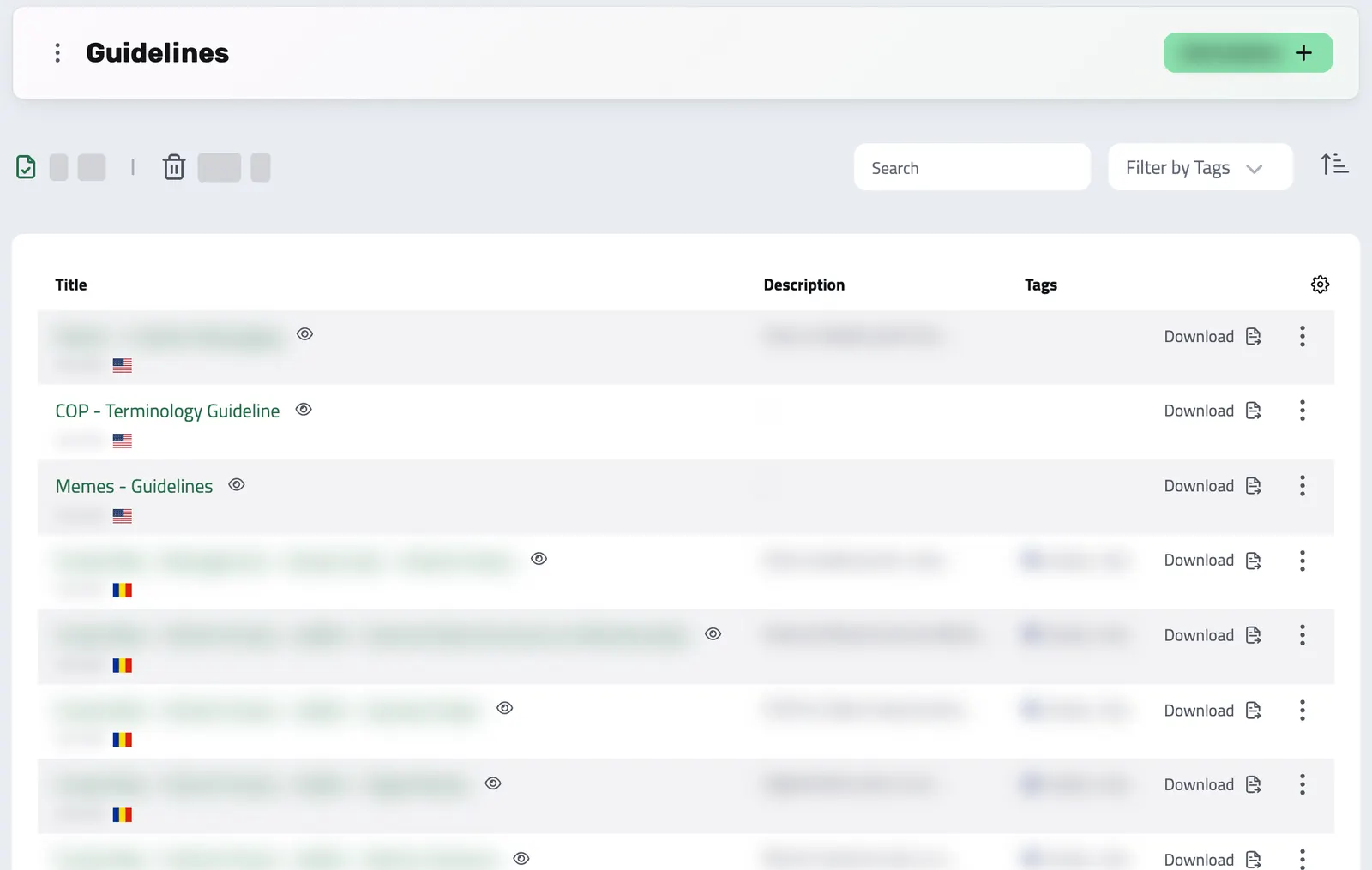
From the left-side menu, go to Guidelines to access your dashboard. Click Add Guideline, then fill in the title, description, target entity (like Contracts, Projects, or Products), assign an owner, and optionally link it to a project.
-
Define Your Structure and Add Content
Create the content for your guideline using either plain text or Markdown. This flexibility lets you format your instructions, add links, and structure the information in a way that is easy to read and follow.
-
Save and View Your Guideline
Once you are done writing, hit Save. Your guideline is listed in the dashboard, ready to view, share, or reuse.
-
Download Your Guideline
Download any guideline as a PDF anytime, for offline access or documentation. A clean, well-structured document ready to share.
Keep Knowledge Flowing, Keep Teams Aligned
Your internal know-how shouldn’t live in emails or be forgotten in meetings.
With Guidelines, you build a long-lasting knowledge base that keeps your team efficient, compliant, and always on the same page.
- Reusable & Easy to Update
Create once, reuse forever. Edit as your company evolves without recreating content.
- Linked Where It Matters
Label each guideline with the kinds of records it covers, such as Contracts or Products, and link it to a project so the right people find it.
- Consistency Across Teams
Align everyone on the same rules, formats, and expectations, from onboarding to execution.
- Export & Share as PDF
Need to collaborate outside Enlivy? Download any guideline as a clean, shareable PDF.
Works together with
- Data Export Export your invoices, receipts, payslips, contracts, and transactions in the format and folder structure your accountant expects, for any date range. Built in, at no extra cost, on every plan.
- MCP Connect Enlivy to Claude, ChatGPT, Cursor, or any AI assistant through MCP. Ask about your invoices, contracts, and pipeline, and get real work done, safely scoped to exactly what your own account can already do.