

Tasks
Tasks for the Work Behind Every Client Commitment
Keep team work beside the invoices, prospects and projects it concerns. Tasks are included for every organization at no extra charge, with no separate Tasks subscription or task-count quota.
Assign your first taskFree account, no card needed.
INCLUDED FOR EVERY ORGANIZATION
Give the work a place and a person
A task can carry the context needed to finish it.
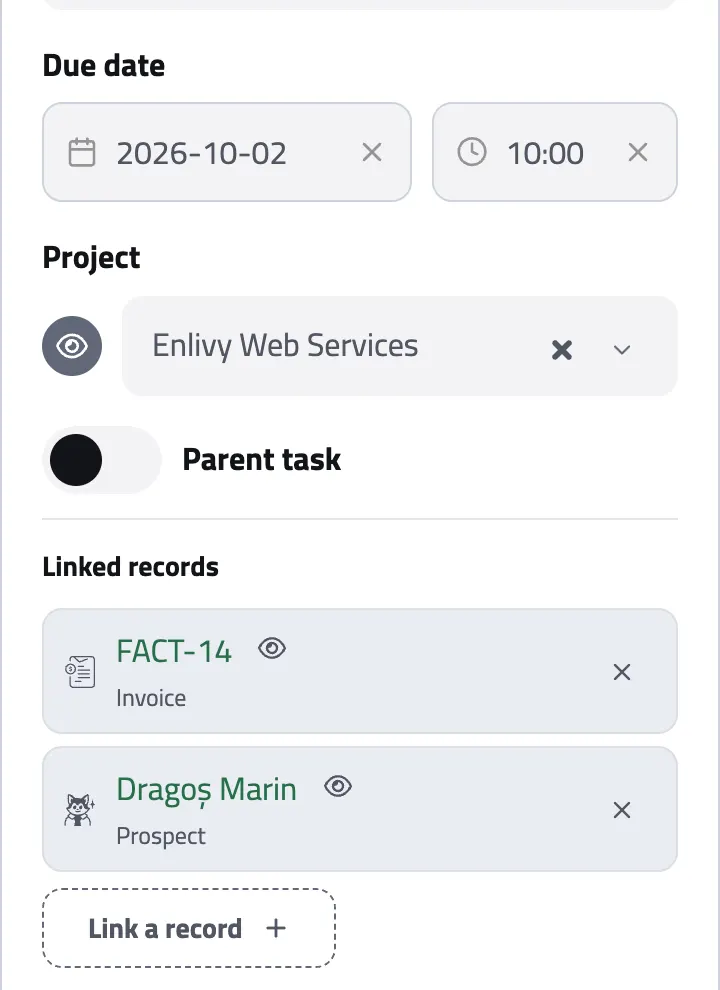
Create work for a project, an invoice or a prospect, assign the teammates responsible, set a due date and time and keep the discussion on the task itself. Follow work you need to watch without becoming its assignee.
-
Work in stages
Define your own stages and move tasks through them. Each stage has a type (not started, in progress, waiting, completed or cancelled) that becomes the status of every task on it.
-
Break down the work
Add one level of subtasks to make a larger commitment manageable while keeping the parent in view.
-
Keep the connections
Link a task to an invoice, a prospect or another task so the team can find why it exists.
THE TEAM BOARD
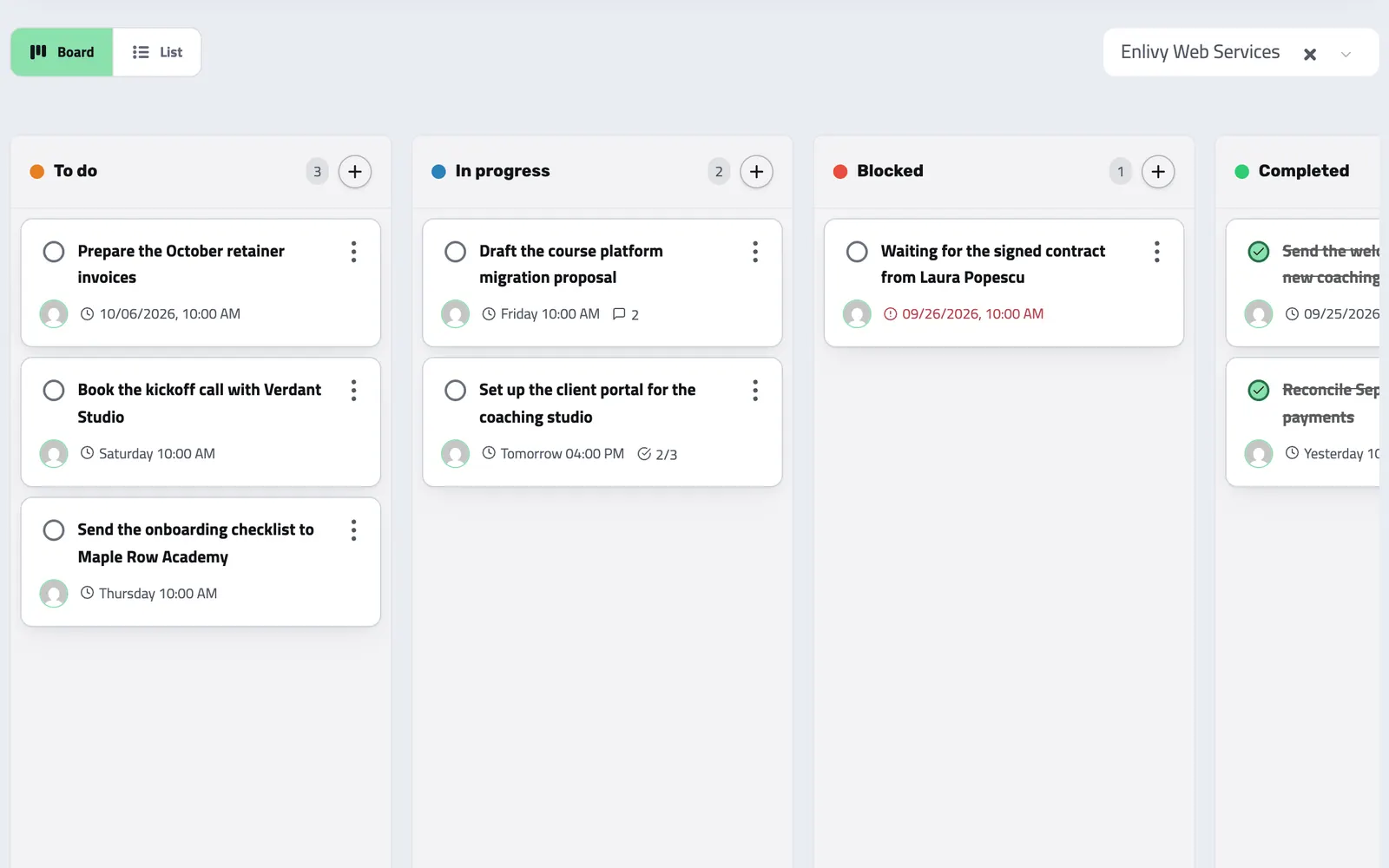
See what is open, waiting and done
Shape stages around your process and keep each task in order on the board. A task can have up to 10 assignees and any number of followers, while role permissions decide who can see and manage the organization's tasks.
-
Move work deliberately
Moving a card to another stage changes its status with it.
-
Finish from the task
Assignees can complete or reopen the work they own.
From request to finished work
-
Capture the task
Give it a title, a due date and time, and the project, invoice or prospect it concerns.
-
Share responsibility
Assign teammates, add subtasks and mention the people who should follow the work.
-
Work in context
Discuss the task and see its changes together in the feed.
-
Close the loop
Complete the task when the work is done. Assignees get an email when assigned and a morning list of what is due, and the others on the task are emailed when it is completed.
CONTEXT THAT STAYS WITH THE WORK
A conversation and a history, on the task
Comments and task changes appear together in a chronological feed. Every email sent about the task is listed on it with its recipient and time, so a handoff has context instead of a disconnected message thread.
Where it fits
Part of these setups
Works together with
- Sales Pipeline See which opportunities are moving forward, review the conversation before you follow up and keep proposals close to the deal.
- Invoices Create an invoice, send it to your client, and connect the contract, receipt or bank transaction that belongs with it. For Romanian e-Factura, use the configured ANAF connection.
- Contracts Draft contracts from templates, send them for signature with SMS or email identity verification, and track every signature and renewal.
- Helpdesk Work through questions from your website widget and an IMAP-connected mailbox, assign a teammate, reply with context and hold mail from unknown senders for review.
- Data Export Export your invoices, receipts, payslips, contracts, and transactions in the format and folder structure your accountant expects, for any date range. Built in, at no extra cost, on every plan.
- MCP Connect Enlivy to Claude, ChatGPT, Cursor, or any AI assistant through MCP. Ask about your invoices, contracts, and pipeline, and get real work done, safely scoped to exactly what your own account can already do.