

Bank Account Data
See Every Bank Balance and Transaction in One Dashboard
See every connected account, balance, and transaction in one dashboard. Synced securely, kept current, and linked to the rest of your records.
Create a free accountFree account, no card needed. The Banking pack is €9.99/month, excluding VAT, and you add it in the app.
THE BANK DATA ADVANTAGE
Every Account, One Clear Dashboard
Connect your accounts with the Banking pack. Enlivy syncs them several times a day and keeps your financial picture in one place.
Stop guessing where your money is or checking separate banking apps to find a transaction. Connect an account and every transaction lands in Enlivy, tagged with the account it came from.
Instead of logging into multiple bank portals, hunting for missing payments or fixing spreadsheets, you work from clean, accurate data where you need it.
-
Connect in a few minutes
Pick your bank, authorize in its own secure portal, then choose the accounts and a start date, up to 90 days back by default. No technical setup.
-
Automatic, hands-off sync
New transactions import on a schedule, several times a day, while the Banking pack is active. Renew the bank's consent when it expires, every 90 days by default.
-
One dashboard for everything
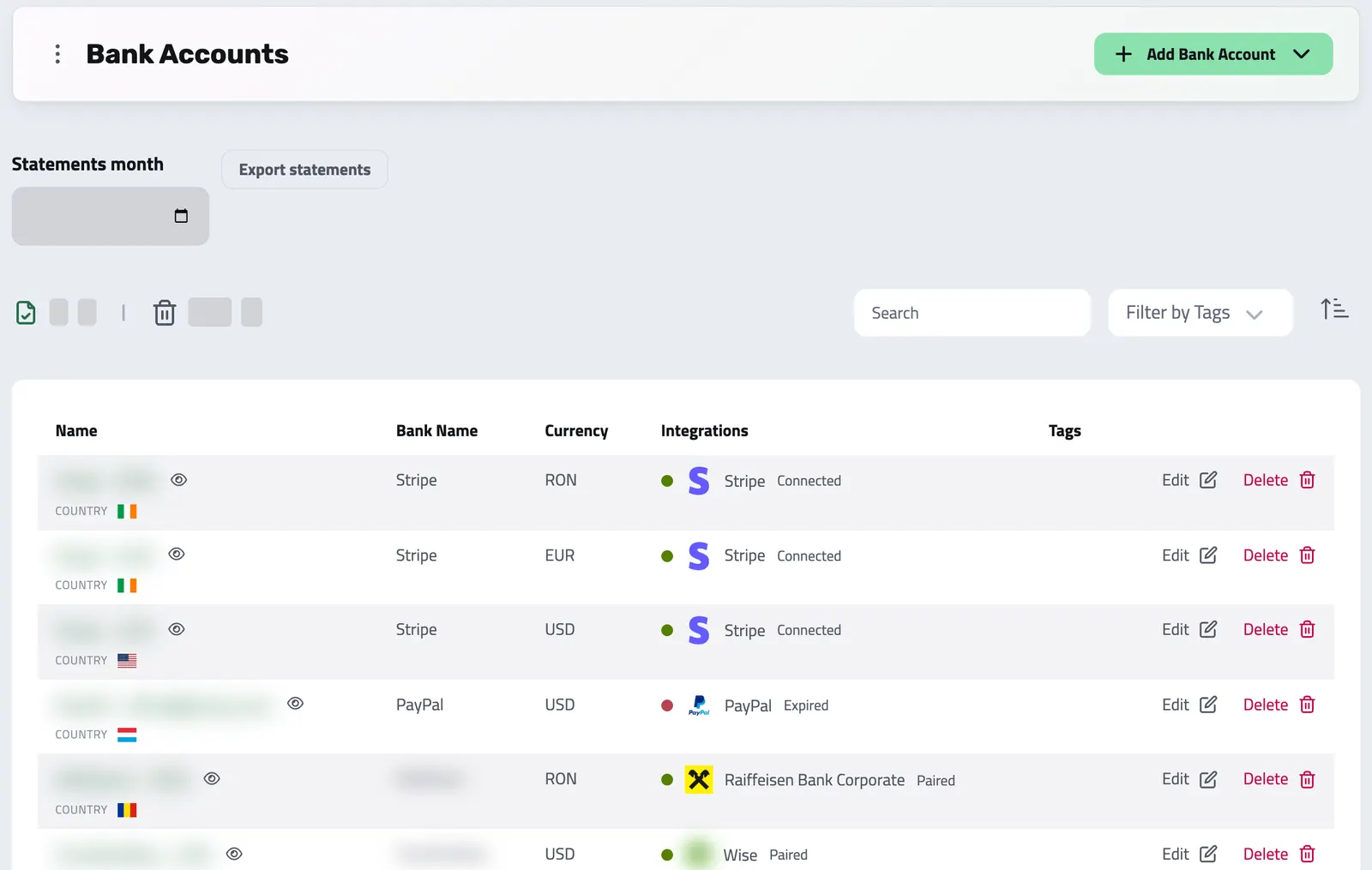
Every connected account and its transactions in a single view, each clearly showing where it came from, so you always know where your money is.
-
Multi-bank and multi-currency
Link accounts across different banks and currencies and see them together in one picture, refreshed several times a day.
SECURE BY STANDARD
Bank Sync That's Secure and Automatic
PSD2-compliant connections through GoCardless (formerly Nordigen). Your credentials are never stored.
Enlivy connects to your bank through GoCardless Bank Account Data, a licensed PSD2 provider for European banks. You authorize inside your bank's own portal, so Enlivy never sees or stores your password.
- See your cash position without logging into each bank
- Transactions import on a schedule, several times a day, with no manual uploads
- A unified view of every account, even across providers and currencies
-
Bank-level security and PSD2
Connections run through a licensed PSD2 provider. You authorize in your bank's own portal, and Enlivy never sees or stores your credentials.
-
Quick to classify and link
Connect any transaction to the invoice, receipt, payslip, or internal transfer it settles, and tag it by cost category for easy filtering.
-
Audit-ready records
Every transaction keeps the links you add to it, so an audit finds each payment next to the documents you connected.
-
Works across your banks
Revolut, Wise, ING, Raiffeisen, and other European banks via GoCardless, plus Stripe as a separate connection, handled without breaking your flow.
How to Get Started
-
Choose Your Bank
Choose your provider easily from our extensive and growing list of supported banks and payment services.
-
Authorize Securely
Log in securely through your bank’s official portal, Enlivy never has access to or stores your password.
-
Start Syncing
Select the accounts and date range to import. Transactions flow straight into your Enlivy dashboard.
STATEMENTS KEPT WITH THE ACCOUNT
Keep the statement you received
Archive a bank statement against its account and download the statements for a selected month when the accountant needs them. The file is kept as supplied; Enlivy does not infer its transactions from the statement.
Who Is This For?
- Busy founders and operators
Spend less time on spreadsheets and more time growing your business, without manual uploads or missing transactions.
- Finance teams that want every account in one view
Always know your cash position, with up-to-date bank data that’s accurate and ready to use.
- Service businesses managing multiple accounts
Ideal for agencies, consultancies, and teams that work across currencies and clients, with all their accounts together in Enlivy.
- Anyone who wants clean, automated financial records
If you care about accuracy, speed, and fewer errors, Enlivy keeps your balances and transactions current for you.
Is my data safe?
Yes. Enlivy uses bank-level encryption and never stores your login credentials.
Which banks can I connect?
We support 500+ European banks through GoCardless (formerly Nordigen), including Revolut, Wise, ING, and Raiffeisen, plus Stripe as a separate connection.
Can I sync multiple accounts?
Absolutely. Link all your business accounts for a complete financial picture.
How often is my bank data updated?
Synced accounts refresh automatically on a regular schedule, typically several times a day. Enlivy handles the syncing behind the scenes, so your dashboard stays current without any manual work.
What if my bank isn’t supported?
You can still import transactions manually using CSV or other supported formats, ensuring no data is left out.
Does syncing affect my actual bank account?
No. Enlivy only reads transaction and balance data, it cannot move or change funds in your accounts.
Works together with
- Bank Transactions Bring every transaction into Enlivy: synced from your bank, imported from a file, or entered by hand. Then tie each one to the invoice, receipt, or payslip it belongs to, so every payment sits next to the document it settles.
- Dashboard See the work and numbers that matter to you, then customize the dashboard by adding and arranging available widgets.
- Data Export Export your invoices, receipts, payslips, contracts, and transactions in the format and folder structure your accountant expects, for any date range. Built in, at no extra cost, on every plan.
- MCP Connect Enlivy to Claude, ChatGPT, Cursor, or any AI assistant through MCP. Ask about your invoices, contracts, and pipeline, and get real work done, safely scoped to exactly what your own account can already do.