Key takeaways
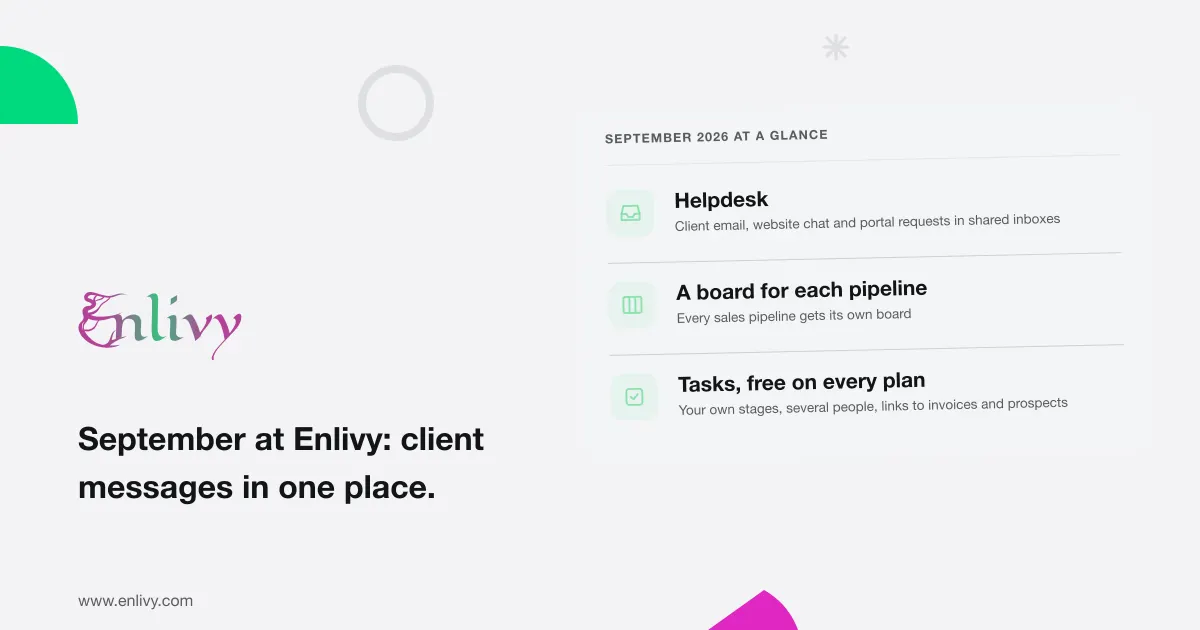
- Client messages arrive in one place. With the new Helpdesk pack, email to your support address, your website chat and the Support page of your client portal become conversations your team answers inside Enlivy.
- Each sales pipeline has its own board. You can also download any prospect’s details as a one-page PDF before a call.
- Tasks work differently, and they are free on every plan. You define the stages, and a task can have several people, comments and links to invoices and prospects.
- A deal’s documents agree with each other. A proposal’s first invoice now has the same payment terms as the invoices after it.
- Payroll is now a separate paid pack. A payslip’s page shows its details beside its totals, exactly as your accountant entered them.
- Five fixes, including invoice PDFs that update after you edit a line, and numbering that can no longer go back to a number already used.
What you will notice in the app
Answer clients from one place
A client writes about an invoice, asks a question on your website chat, or opens Support in your client portal. Without a shared inbox, each message lands somewhere different, and someone has to spot every one.
Helpdesk brings them together. Email sent to your support address, messages from your website chat and requests from the portal’s Support page arrive as conversations, in as many shared inboxes as you need. Each conversation shows who wrote and who was copied, and your team replies from Helpdesk, inside Enlivy.
New inboxes also hold back first messages from strangers. When someone your team has never replied to writes for the first time, the message waits in a review list until a teammate approves it. The teammate can approve that sender, or everyone at their company’s domain, for future messages. Teammates with a Helpdesk seat get a daily email listing what is waiting. Inboxes created since 24 September do this by default, and you can turn it on for older ones.
A Helpdesk widget on your dashboard shows how many conversations are open, unassigned or snoozed, and how many open conversations each inbox has, assigned and unassigned.
A board for each sales pipeline
A pipeline is the sequence of stages a prospect moves through, and cold outreach does not move through the same stages as a qualified sale. Since September, each pipeline has its own stages and its own board, with each prospect shown as a card. We moved your existing stages into one default pipeline, so your board looked the same on the first day.
When a teammate moves or reorders a card, everyone with that board open sees the change without reloading.
Before a call, download a one-page PDF brief on the prospect from the prospect list or the card’s menu. It shows the stage and pipeline, source, budget, owner, summary and activity history, in your branding. If an activity has a note, CSV file or call transcript attached, the brief includes enough of it to show the conversation itself.
Tasks: who does what, linked to what it concerns
Tasks work differently since the end of September, and they are free on every plan.
You define the stages on your task board and give each stage one of five statuses: not started, in progress, waiting, completed or cancelled. Each task sits in one stage. A task can have several assignees and followers, links to the invoices, prospects and other tasks it concerns, and a comment thread. Mention a teammate in a comment and they start following the task. Click a teammate’s name on a task to see their open tasks and their latest changes.
Proposals and subscriptions that agree with each other
One deal produces several documents over time: a proposal, a contract, then invoices. In September, they started to agree with each other.
- The first invoice has the same terms as the rest. When a client accepts a proposal, its first invoice now has the same payment terms as the later invoices from the billing schedule. Before, it was due immediately.
- Choose which bank account a document shows. On a billing package (an offer you sell with its payment plan), you choose the bank accounts its documents show. You can also set a default account for each currency.
- A proposal from your website still gets its contract. When a client builds a proposal with the package configurator on your website and no seller is set, Enlivy names your organization’s owner as the seller, so the contract is created when the client accepts.
- New terms apply to the part still billing. When you change a subscription’s package terms, the change now applies to the part of the subscription that is still billing. A part that has finished keeps the terms it billed under.
Bank statements and tax classes, kept with their history
- Bank statements live with their account. Each bank account has a Statements tab. Upload the statement file from your bank and enter the period it covers. Download it again, or every statement for a month, when your accountant asks.
- Retire a tax class without losing its history. A tax class is the category that decides which VAT rate applies to a product, such as books or digital services. You can now retire one you created instead of deleting it. Invoices and receipts already issued keep it, new documents cannot use it, and its page lists every record that still uses it.
Payroll is now a separate paid pack
Payroll is a paid pack of its own, separate from Invoicing. You need it to create and edit payslips, employment records and working time. Reading them, exporting them and showing them in the client portal stay open on every plan, so you never lose access to records you are required to keep.
A payslip’s page now shows its details on the left (employee, contract, period, dates, payment method, status and the matched bank transactions) and its totals and lines beside them, exactly as your accountant entered them. Enlivy keeps the payslips your accountant prepares. It does not calculate payroll or file anything.
Fixed this month
Everything in September, in one list
- Helpdesk: email, website chat and portal Support in shared inboxes, with review of first messages from new senders
- Helpdesk widget on the dashboard
- A board for each sales pipeline, updated live for everyone viewing it
- A one-page PDF brief for each prospect, with attached notes and transcripts
- Tasks on your own stages, with assignees, followers, links, comments and mentions, free on every plan
- A teammate’s open tasks and latest task changes, one click from a task
- A proposal’s first invoice on the same terms as its billing schedule
- Bank accounts chosen per billing package, and a default account per currency
- Your organization’s owner as seller on proposals from your website’s package configurator
- New package terms apply to the part of a subscription still billing
- Bank statements kept under each bank account
- Retired tax classes, with every record that still uses them
- Payroll as a separate paid pack, and a payslip page with details and figures side by side
- Redesigned sign-in, sign-up, password and app access screens
- The Stripe badge and card logos on the card form
- For developers: a read-only card showing a signed-in client’s billing details, to place on your own website
- The five fixes above
Start with something free: put your next task on your own stages and link it to the invoice or prospect it concerns. If client messages are scattered across email and chat, look at Helpdesk next.