


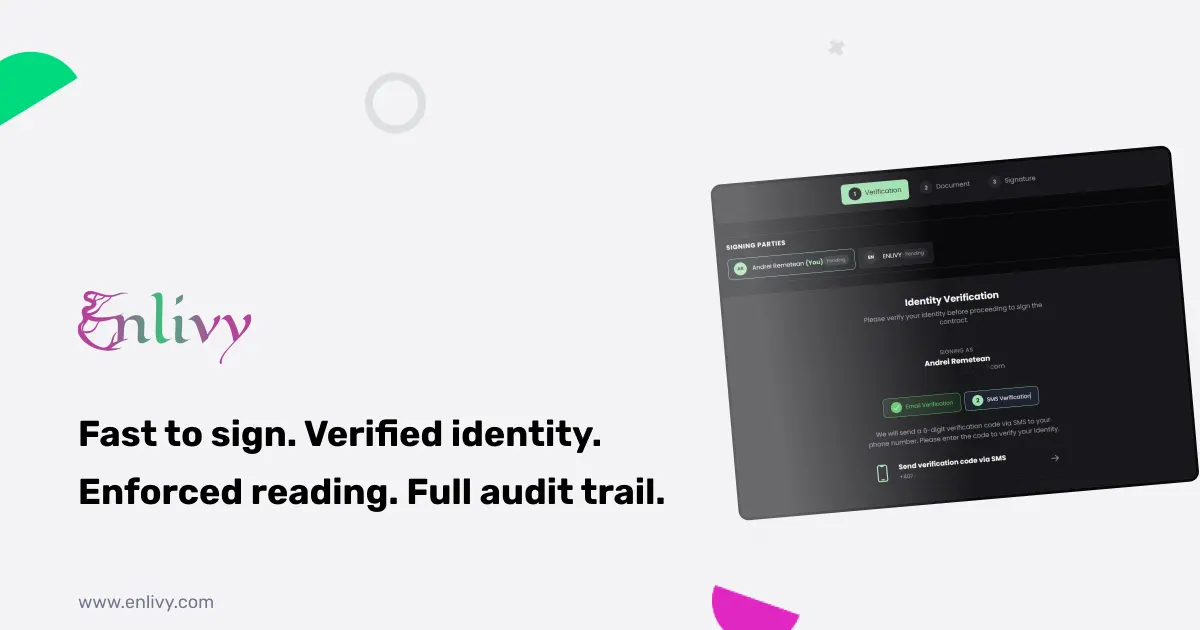
The moment a client is ready to sign is the moment a deal is most fragile. Every hour it takes to print, scan, and email a contract back and forth is an hour the client can cool off, get busy, or change their mind. The ability to sign contracts online closes that gap: the client clicks a link, verifies who they are, reads the document, and signs, often within minutes of saying yes.
But speed on its own is not enough. A signature that anyone could have applied, on a document no one actually read, is not worth much if it is ever challenged. The real goal is to sign contracts online in a way that is both fast and defensible. This article explains how to do that, what to look for in a signing process, and how Enlivy handles it.
How to sign a contract online, step by step
To sign a contract online securely, the process comes down to five steps:
- Build or import the contract. Create it from a template or upload an existing PDF.
- Set the identity verification for each signer. Choose email, SMS, or both, based on how sensitive the agreement is.
- Send each signer their own signing link. No account or software needed on their side.
- The signer verifies, reads, and signs. Identity is confirmed first, the full document must be read, then the signature is applied.
- The signed copy is delivered and stored automatically. Every party receives the final version and the record is kept with a full audit trail.
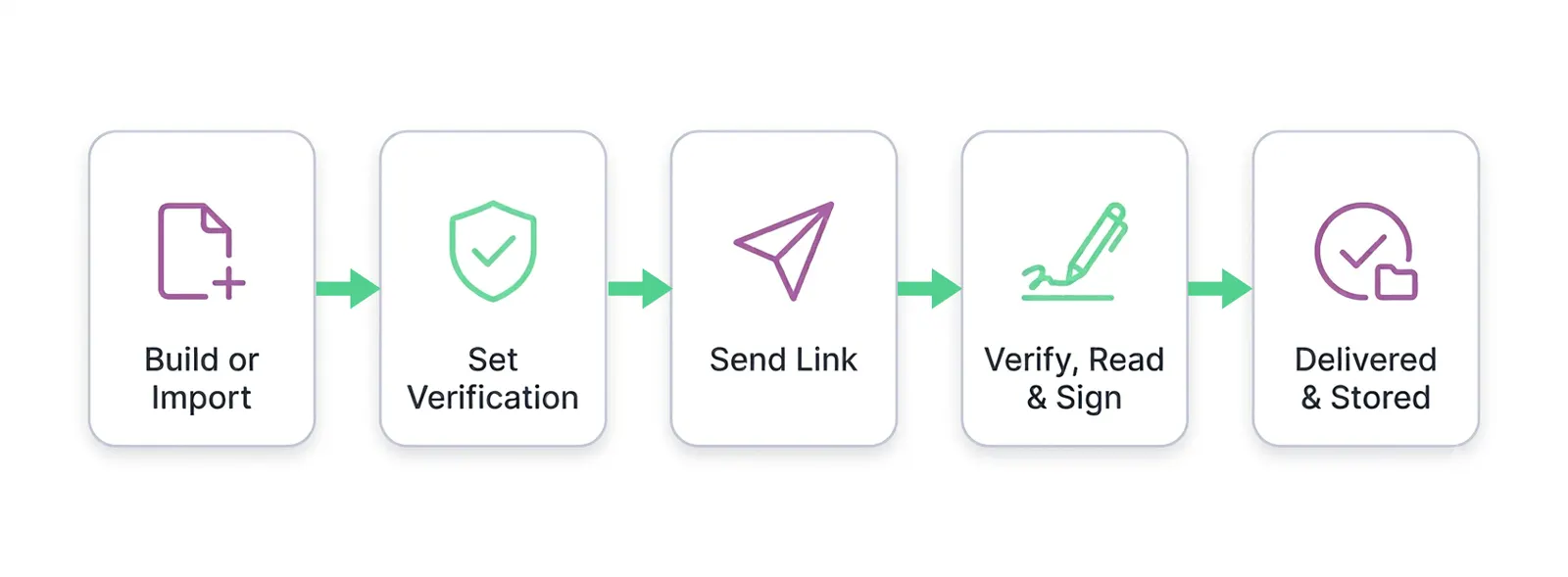
The rest of this article explains why each step matters when you sign contracts online, and how to make sure a signature actually holds up if it is ever questioned.
Why the old way of signing contracts costs you deals
Most businesses still sign contracts through some version of email, print, scan, rescan. It is slow, and it quietly creates four problems.
- Contracts get lost in email chains. You search through endless threads to find the one final version, never quite sure which copy is the signed one.
- Signatures bottleneck for days. You chase down who still needs to sign what, and a deal that should have closed on Monday drags into the next week.
- Renewal dates slip by. Contracts expire without warning because the dates live in a scattered spreadsheet, or nowhere at all.
- There is no clear audit trail. When a question comes up later, there is no reliable way to show who signed, when, or that they saw the final terms.
Each of these is a reason a deal stalls or a dispute becomes hard to resolve. The fix is not to sign faster on paper. It is to sign contracts online, in one system, with the record kept automatically.
What “secure” actually means when you sign contracts online
Plenty of tools let you drop a signature onto a PDF. That is not the same as a secure signature. When you sign contracts online properly, three things need to be true, and most quick tools skip at least one of them.
You need to know who signed. A signature is only meaningful if you can prove the right person applied it. That means verifying the signer’s identity before they get access to the document, not just trusting an email link.
You need to know they read it. A signer who clicks through without reading can later claim they never saw a clause. A strong process makes reading part of the flow, not an optional step.
You need a record that holds up. Every step, who signed, when, how they verified, needs to be captured automatically and stored where it cannot be quietly edited.
Enlivy is built around exactly these three principles, which is what separates it from a generic e-signature button.
Identity verification you control, per signer
Before a contract goes out, you choose how each signer has to prove who they are. The right level depends on how sensitive the agreement is, and you set it per contract in Enlivy Contracts.
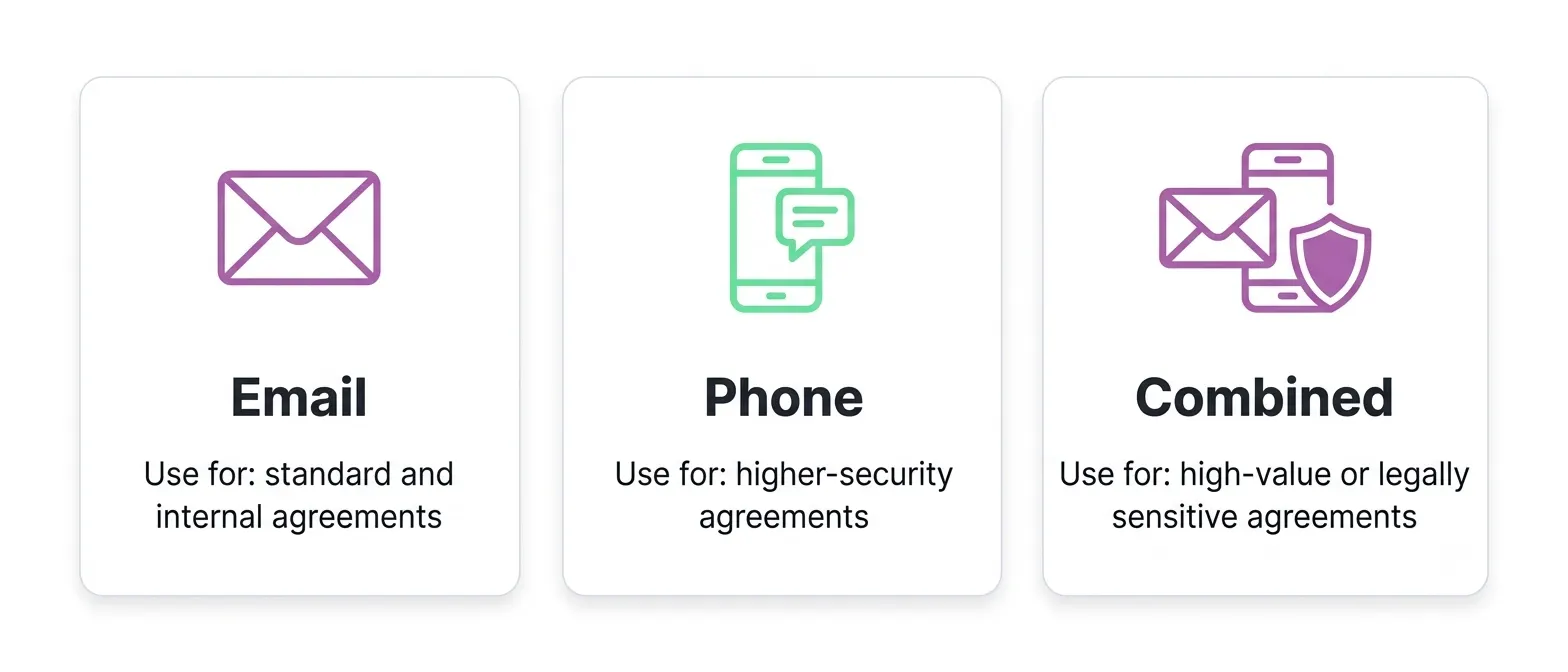
Email verification
A unique six-digit code is sent to the signer’s registered email and expires in ten minutes. Good for standard and internal agreements.
Phone verification
A six-digit code is sent by SMS to the signer’s phone. This adds a physical device factor for higher-security needs.
Combined verification
The signer must pass email first, then phone. Both have to succeed before the contract is even accessible. Use this for high-value or legally sensitive agreements.
This is a level of control most signing tools do not give you. You are not stuck with one verification method for everything. A routine NDA and a six-figure service agreement can require completely different proof of identity, decided by you.
Enforced reading: the signature that actually means something
This is the part almost no other tool does, and it matters more than it sounds.
When a signer opens a contract in Enlivy, a reading progress bar appears at the bottom of the screen. The Sign button stays inactive until the contract has been fully read. Only after the signer reaches the end, draws their signature, and checks the box confirming “I understand this is a legally binding agreement,” does Sign Contract become active.
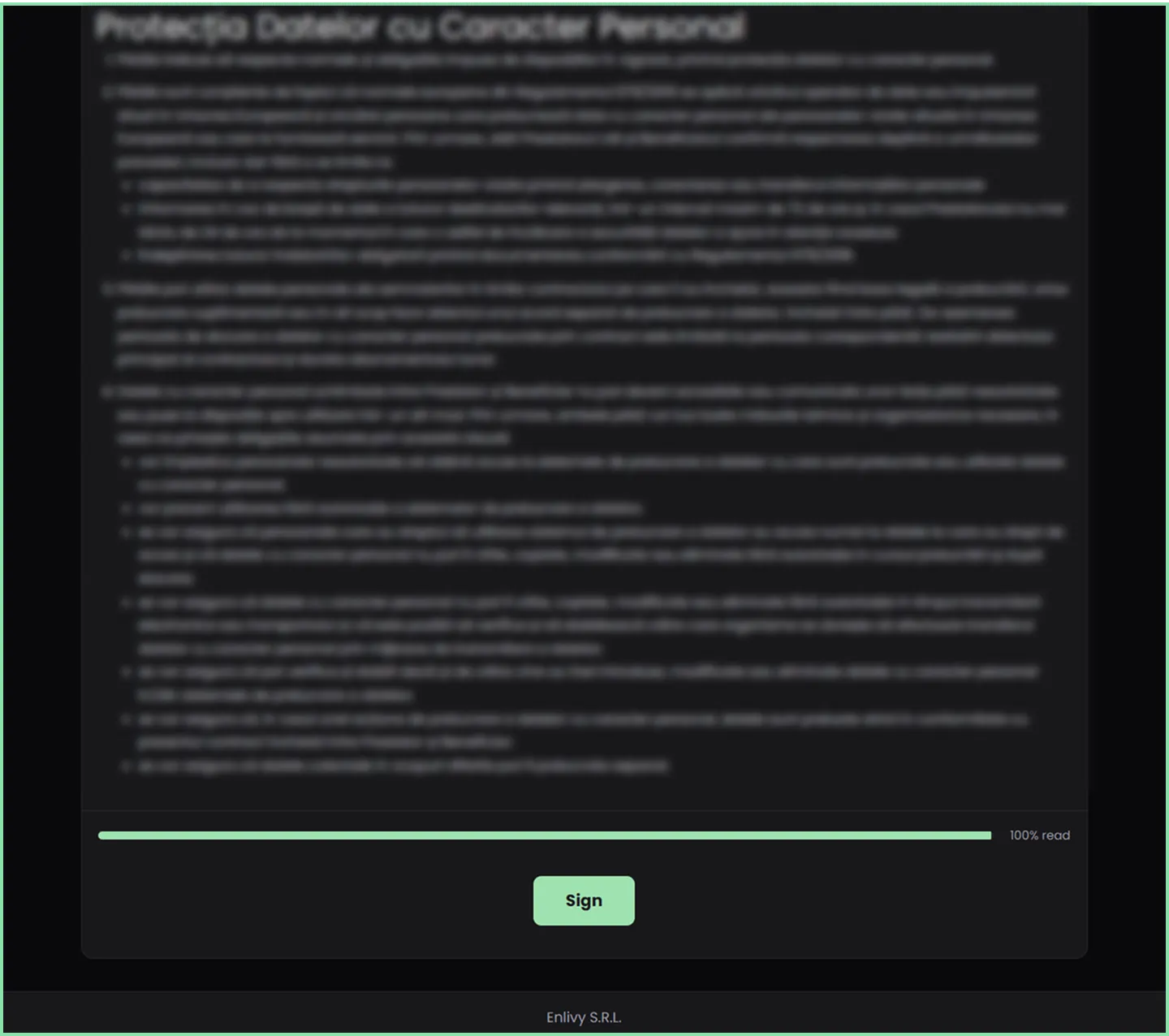
The effect is simple but powerful: nobody can sign a document they did not open and scroll through. If a signer ever claims they were unaware of a term, the enforced-reading flow is evidence that the full document was presented and reviewed before signing. When you sign contracts online this way, the signature is not just a mark, it is proof of an informed agreement.
We wrote about the thinking behind this signing flow in more detail in how we made signing contracts easy, fast, and secure in Enlivy.
No account, no software for the signer
A common reason signing stalls is friction on the other side. If your client has to create an account or install something, some of them simply will not.
In Enlivy, each signer receives a personalized email with their own signing link. They do not need an Enlivy account and there is nothing to install. They click, verify their identity with the method you configured, read the contract, and sign. That is the entire experience from their side.
The moment they sign, they receive an email with the signed document. Once every party has signed, everyone receives the final version with all signatures included, and the contract status updates in Enlivy automatically. No manual filing, no sending copies around by hand.
Signing with more than one party
Real contracts often need several signatures: two company representatives, a client and a witness, multiple partners. Handling that over email is where version confusion usually creeps in.
Enlivy manages multi-party signing as a single tracked process. Each signer gets their own link and their own verification level, you see at a glance who has signed and who is still outstanding, and the final fully signed copy is distributed to everyone automatically once the last signature lands. We covered this specific workflow in how to send a contract to multiple signers.
Build the contract, not just sign it
Signing is the last step. Enlivy also covers the part before it, so you are not writing contracts in one tool and signing in another.
You can build contracts from scratch inside the platform using modular chapters, a Markdown editor, and reusable templates, with automatic numbering and custom prefixes. Most contracts share the same building blocks, payment terms, confidentiality clauses, IP rights, so you write each section once and assemble new agreements in minutes.
Or you can import contracts created elsewhere. Upload a PDF from any source, set whether you sent it or received it, link amendments to their parent contract, and track signature status in the same dashboard as everything else. You can also link a signed contract to its invoices, so the agreement and the billing that follows from it stay connected.
What to look for in e-signature software
Not every e-signature tool is built for the same job. When you compare options for how you sign contracts online, the questions that actually matter for a small business are less about how many templates exist and more about whether a signature will hold up and whether your clients will complete it.
- Does it verify identity, or just capture a signature? A drawn signature on a PDF proves very little on its own. Look for real identity verification before the document opens.
- Does it prove the document was read? Enforced reading is rare and valuable. Without it, a signer can always claim they missed a clause.
- Is there friction for the signer? If your client needs an account or an app, some will not finish. The best e-signature software asks nothing of the signer beyond a link and a verification code.
- Does it keep the record for you? Audit trail, signature status, and renewal dates should be automatic, not something you reconstruct from email later.
- Does it connect to the rest of your work? A signature that flows straight into invoicing, your pipeline, and your notifications is worth more than one that lives in an isolated signing app.
Enlivy is designed around all five, which is why signing sits inside the same platform as your invoices, contracts, and pipeline rather than off to the side.
Know the moment a contract is signed
Signing fast is only half the benefit. Knowing instantly that it happened is the other half.
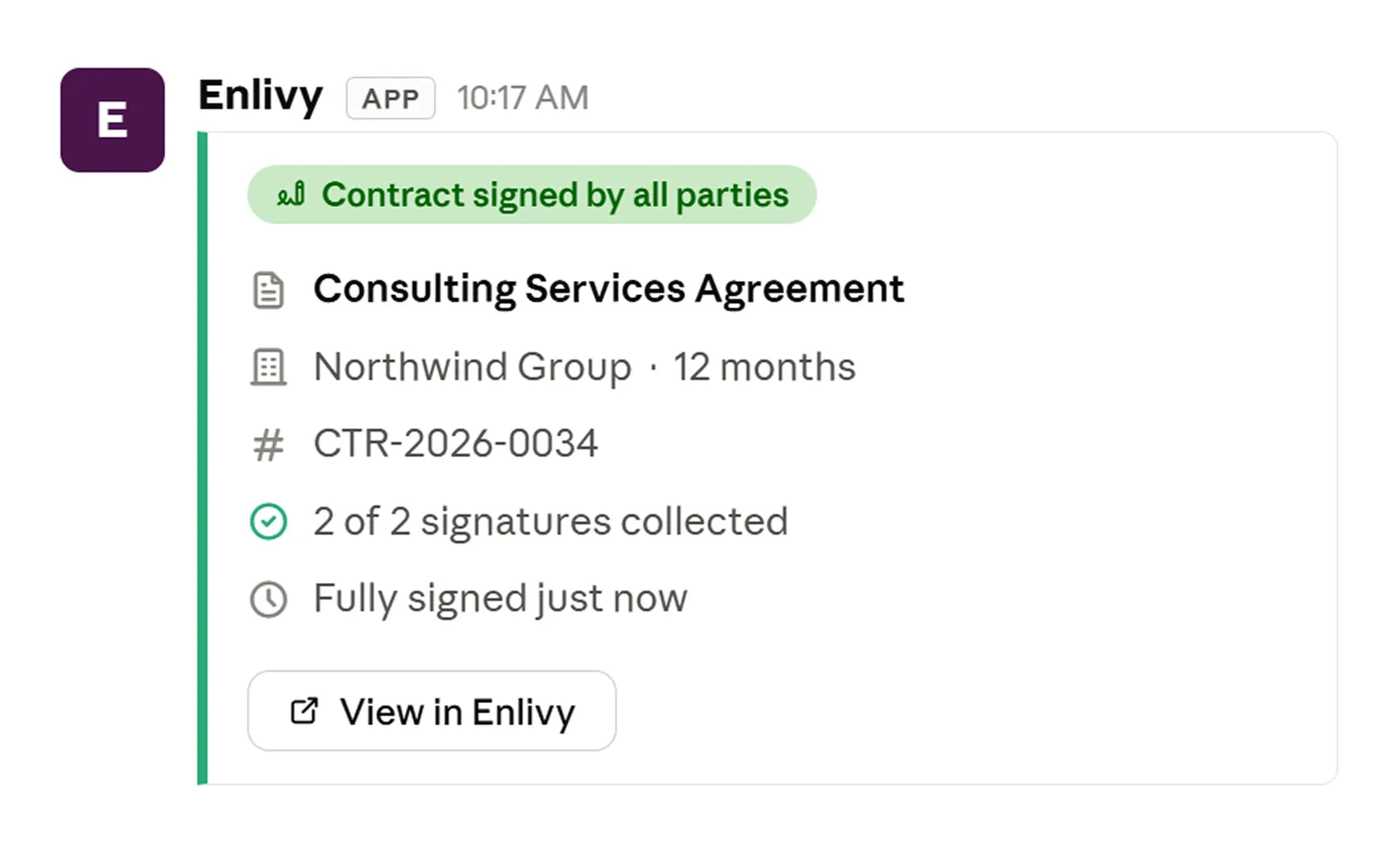
Enlivy can send a notification to Slack the moment a contract is signed by one party or fully signed by all parties. Your legal or operations team sees it in the channel they already watch, and delivery can start onboarding without anyone forwarding an email. If your team runs on Slack, pairing it with contracts is one of the highest-value connections you can set up, and we cover the full range in Slack invoice notifications.
Everything stays organized after the signature
The signature is not the end of a contract’s life. Renewals, amendments, and audits all come later, and this is where scattered files cause the most pain.
Enlivy keeps every contract in one dashboard, filterable by direction, status, category, dates, and parties. You track issue dates, end dates, and renewal dates so nothing expires by surprise. Amendments, supplements, and addenda link back to their parent contract, so the full chain of a relationship stays intact. Party details populate automatically from user profiles, and the complete history sits in one place instead of being pieced together from old emails.
What it looks like to sign contracts online in practice
A freelancer closing a new client. She sends a service agreement with email verification. The client clicks the link, enters the code, reads the contract (the Sign button only wakes up once they reach the end), signs, and gets their copy instantly. The whole thing happens the same afternoon the client said yes, while the enthusiasm is still there.
An agency signing a high-value retainer. The contract is sensitive, so they require combined email and phone verification. Both company signatories and the client each get their own link. The operations lead watches signatures land in real time and gets a Slack ping the moment the last one is in. Onboarding starts that day.
A consultancy managing renewals. Their contracts dashboard shows every agreement and its renewal date. Instead of a contract lapsing unnoticed, they see it coming weeks ahead, send a fresh agreement, and the client signs online in minutes. No relationship ever quietly expires.
Start signing contracts online
If your contracts still move by email and PDF, the switch to signing online pays off on the very first deal you close faster. Enlivy lets you build or import a contract, set the identity verification each signer needs, enforce that the document is actually read, and keep the full audit trail automatically, all in one place.
Contracts is a paid pack on Enlivy, but you can create your organization and explore the platform on a Free account with no card required, and add Contracts when you are ready to send your first agreement.
Frequently asked questions
Is it legal to sign contracts online? Yes. Electronic signatures are legally recognized in most jurisdictions when the signing process reliably captures who signed, their intent, and a record of the agreement. Enlivy strengthens this with identity verification, enforced reading, and an automatic audit trail.
How do I know the right person actually signed? You set an identity verification level per signer: email code, SMS code, or both combined. The signer must pass verification before they can even access the contract, so a signature is tied to a verified identity, not just an email link.
Can a signer claim they did not read the contract? The enforced-reading flow makes that difficult. The Sign button stays inactive until the signer has scrolled through the entire contract, and they must confirm they understand it is legally binding before signing. That is recorded as evidence the document was presented in full.
Do signers need an Enlivy account? No. Each signer gets a personalized signing link by email. They do not need an account and there is nothing to install. They click, verify, read, and sign.
Can multiple people sign the same contract? Yes. Enlivy handles multi-party signing as one tracked process, with a separate link and verification level per signer, live status on who has signed, and automatic delivery of the final signed copy to everyone once complete.
Can I get notified when a contract is signed? Yes. Enlivy can send a Slack notification when a contract is signed by one party or fully signed by all parties, so your team knows immediately without checking a dashboard.
Can I use my own contracts, or only Enlivy templates? Both. You can build contracts from scratch with templates and reusable chapters, or upload documents created elsewhere and manage their signing and storage in the same place.
Is signing contracts online free on Enlivy? Contracts is a paid pack. You can start on the Free account with no card to explore the platform, then add the Contracts pack when you want to send and sign real agreements.