


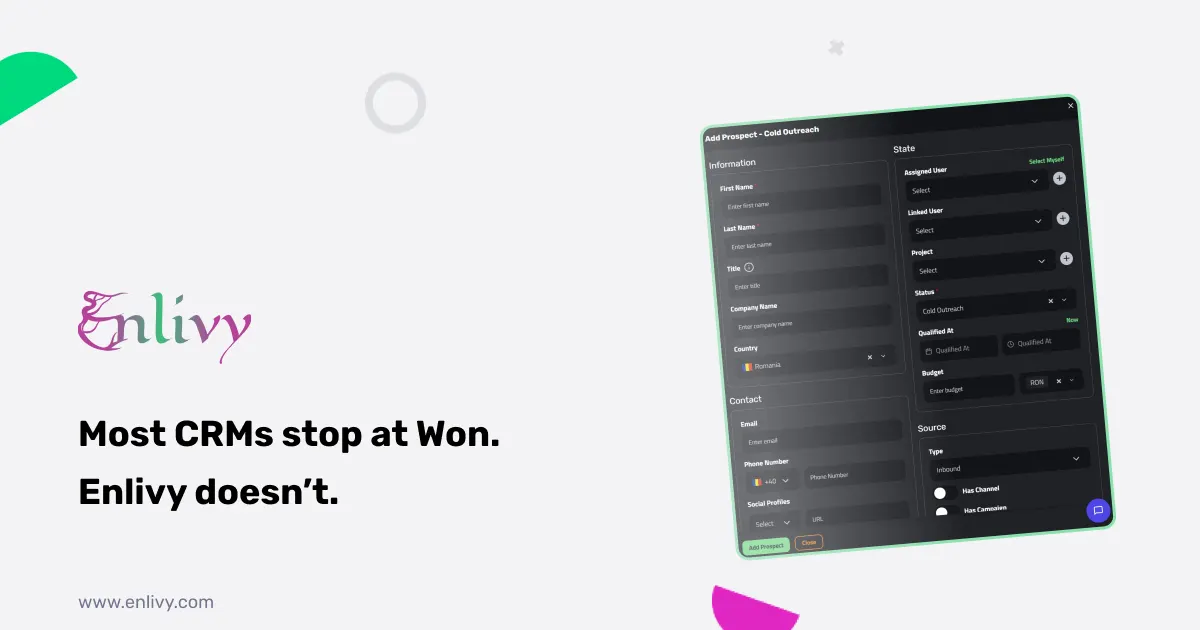
Every CRM has a Won stage. Almost none of them tell you what happens after it. The deal is marked Won, someone exports a spreadsheet, opens a separate invoicing tool, re-types the client name and the numbers, and manually tracks whether they ever got paid. That gap between Won and collected revenue is where time disappears, mistakes happen, and deals that should have been profitable quietly cost you hours of admin.
A sales pipeline with invoicing in the same place removes that gap entirely. In Enlivy, a prospect becomes a proposal, a proposal becomes a contract, a contract becomes a billing schedule, and a billing schedule generates invoices, all inside one platform, with none of the data re-entered. This article explains how that flow works, why the pipeline design matters, and what it looks like in practice for real service businesses.
Why most businesses have a gap between pipeline and revenue
The typical setup looks like this. Leads live in a spreadsheet or a lightweight CRM. When a deal closes, someone creates an invoice in a separate tool. If there is a contract, it goes through email or DocuSign. If there is a recurring billing arrangement, it gets tracked manually or in yet another tool.
The problems compound quickly:
- Data gets re-typed. Client name, scope, amounts, and dates are entered once in the CRM and again in the invoicing tool. Each transfer is a chance for an error.
- Nothing is linked. A sales rep cannot see whether a client they closed six months ago actually paid. Finance cannot see which deal an invoice came from. Attribution is guesswork.
- The pipeline stops being useful after Won. If the tool cannot tell you which Won deals converted to paid invoices, your win rate and your revenue are two separate numbers with no connection between them.
A sales pipeline with invoicing in the same system does not have any of these problems, because there is only one system and one set of records. That is the starting point for everything Enlivy Prospects does.
The pipeline is the first link in a longer chain. The full sequence from a signature to a reconciled bank line, and the four places it usually breaks, is mapped out in the contract-to-cash workflow.
What Enlivy Prospects is: a sales pipeline with invoicing built in
Enlivy Prospects is a sales pipeline built inside the same platform that handles your invoices, contracts, proposals, and recurring billing. A Prospect in Enlivy is a single tracked opportunity: the contact, their details, where they came from, who owns the deal, what it is worth, and what stage it is in.
The difference from a standalone CRM is what happens when the deal moves forward. In Enlivy, Won does not end the journey. A prospect can become a proposal (which the client receives and accepts), then a contract (which both parties sign), then a billing schedule (which generates invoices automatically at whatever interval you set). No exporting, no re-keying, no separate tools.
That connection is what makes this a real sales pipeline with invoicing, not a pipeline that hands off to invoicing and hopes for the best.
The pipeline is yours to design
Enlivy does not impose a fixed set of stages. You build your own pipeline with the stage names, colors, and order that match your actual sales process.
More importantly, you control what has to happen before a deal can move between stages. This is where most CRMs fall short: they let you drag a card from one column to another with no enforcement. In Enlivy, you can require:
- A note. The rep must document what happened before the stage can change.
- A structured outcome. A standardized result field, consistent across the team.
- A completed form. A qualification scorecard or discovery questionnaire that must be filled in before the deal advances.
The result is that Won actually means something. If your Qualified stage requires a completed discovery form, every deal that reaches Qualified has one. Win and loss reasons are always captured, so your analysis is trustworthy rather than based on whatever people remembered to type.
Every stage change is also dated and attributed automatically. Qualified at, Won at, and Lost at are recorded the moment they happen, with no manual entry. These timestamps are the raw material for time-to-win and conversion rate analysis without any export or calculation needed.
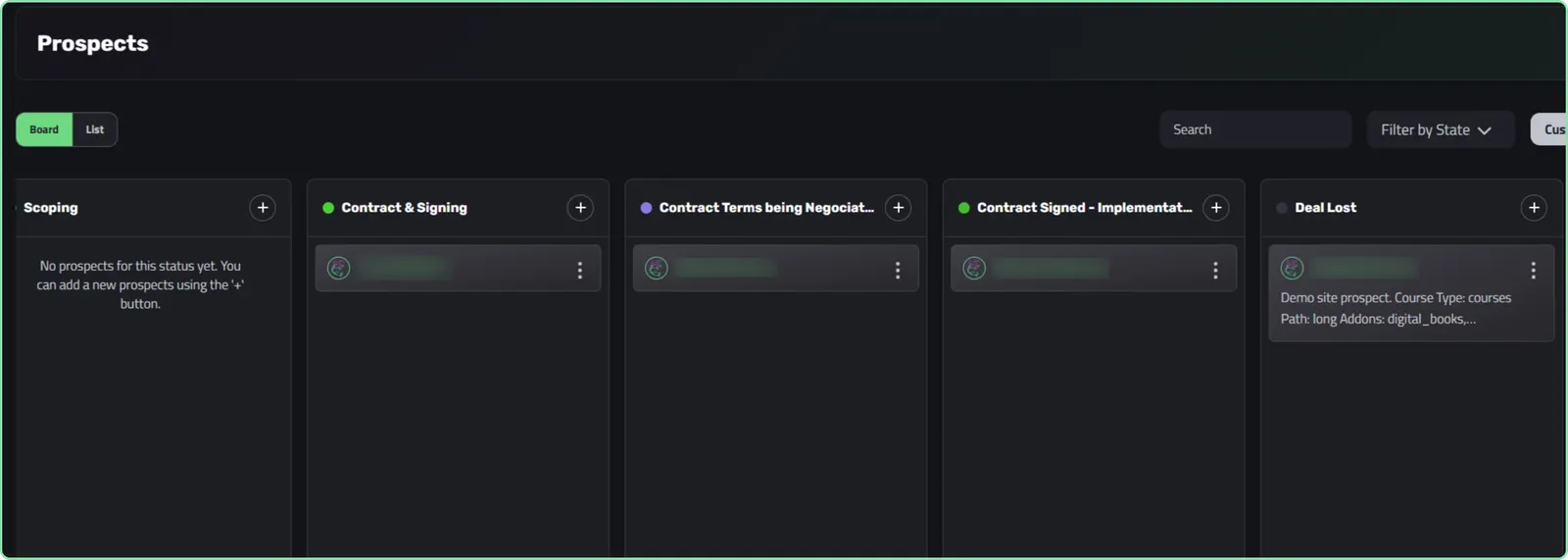
A custom pipeline in Enlivy, with stage names, colors, and order built around a real sales process
Three ways a prospect enters the pipeline
Prospects arrive in Enlivy through three channels, and all three feed the same tracked pipeline.
Manual entry. A team member adds a prospect directly after a call, referral, or event. Name, contact details, source, owner, value, and starting stage, entered once.
CSV import. If you have an existing pipeline in a spreadsheet or another tool, you import it in bulk. Enlivy handles column mapping, duplicate merging, and phone number normalization. Your history comes in clean.
Public catalog. This is the one most businesses have not seen before. Enlivy lets you publish a public, embeddable catalog of your packages on your pricing page or a landing page. A visitor picks a package, fills in their name and email, and submits. Enlivy automatically creates a tracked prospect and a ready-to-send draft proposal built from what they configured. No one on your team does anything. The lead is captured, the proposal is drafted, and sales just reviews and sends.
The catalog is the closest thing to a sales pipeline with invoicing that starts before you even talk to the client.
The activity timeline: every deal has a complete history
Every prospect in Enlivy has an activity timeline. Every stage change, every logged call or meeting, every email the system sent, every form completed, all written to the timeline in order, forever.
This matters for two reasons.
First, deals can be handed off safely. When a rep leaves or a deal changes owner, the entire history is there. The new owner reads the timeline and knows exactly what has happened. Nothing is lost, and there is no tribal knowledge sitting only in someone’s inbox.
Second, the timeline is automatic for the important things. Stage advances write their own entries, with who moved the deal, when, and what they documented at the time. Status-triggered emails appear in the timeline too. You do not have to rely on people logging their own activity to have a complete record.
Manual activities like calls and meetings can be logged too, with a title, description, outcome, and the actual date they happened. You can backdate freely, so a call that happened last Tuesday can be logged today and still sit correctly in the timeline.
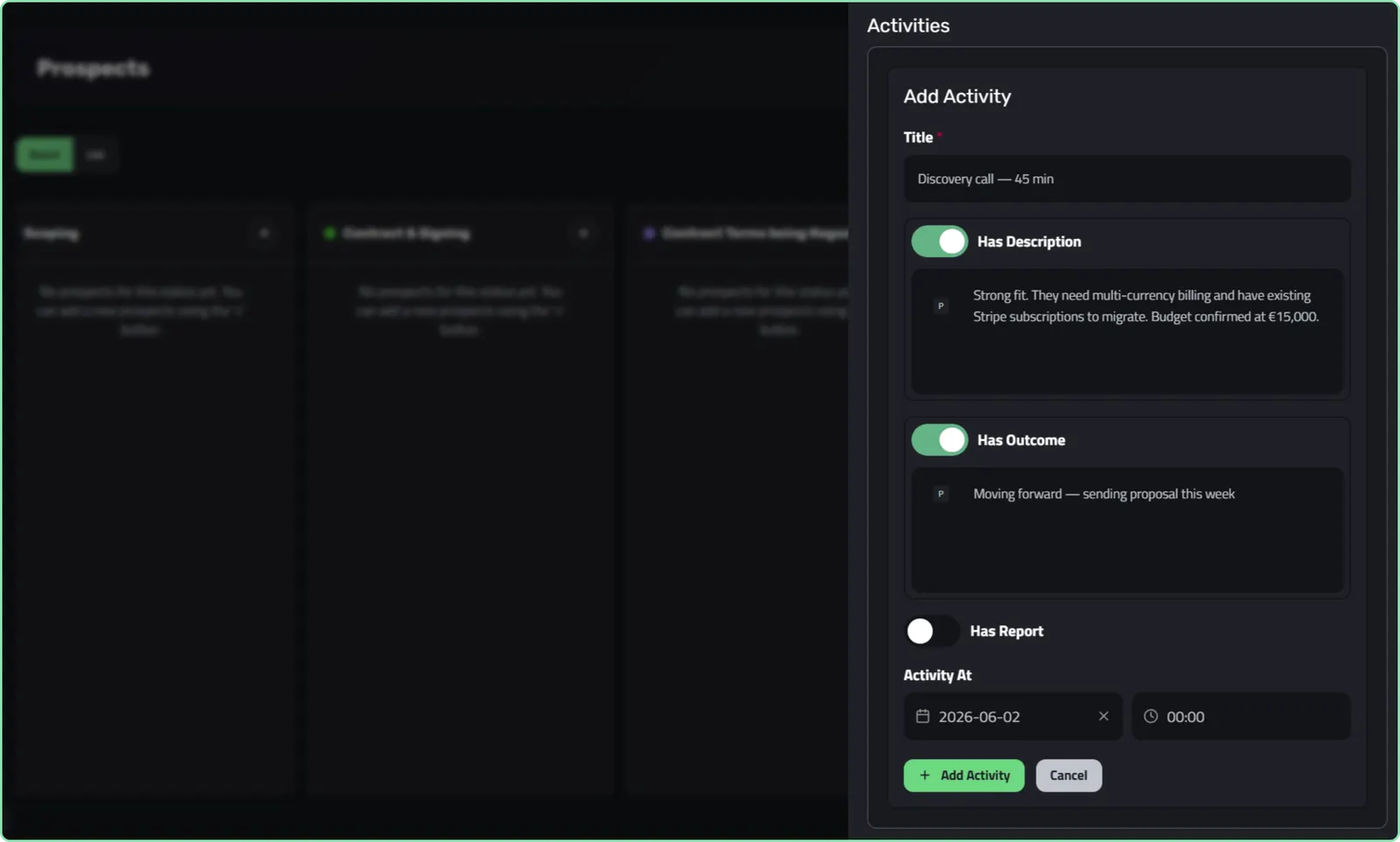
Logging a call with a description and outcome, backdated to when it actually happened
Automatic emails that go out when a stage is reached
One of the most time-consuming parts of sales is the communication that has to happen at each stage. Sending a “thanks for your interest” email to every new lead. Notifying a prospect that their proposal is ready. Welcoming a new client when the deal is won. These emails are important, but they are also repetitive and easy to forget.
In Enlivy, you configure one email per stage, and it goes out automatically the moment a prospect enters that stage. In the prospect’s language, with your branding, with whatever action buttons you need.
A few examples from how teams use this:
- New prospect enters the pipeline. Email goes out: “Thanks for your interest, here is what happens next.” No rep has to remember to send it.
- Proposal Ready stage. Email goes out with a button that links to the proposal in the Customer Portal. The client can view and accept without anyone chasing them.
- Won stage. Email goes out: “Welcome, here is your onboarding link.” The client relationship starts immediately, not after someone remembers to send the welcome email.
Every send is logged to the activity timeline, so you always know what the client received and when. A seven-day deduplication window makes sure a prospect who bounces between stages is never spammed with repeated emails.
From proposal to paid: the full sales pipeline with invoicing flow
This is where a sales pipeline with invoicing shows its real value. Once a prospect is Won in Enlivy, the next steps happen inside the same platform:
- Proposal. The draft proposal, already built from what the prospect was interested in, is reviewed and sent. The client accepts through the Customer Portal in one click.
- Contract. A contract is created and sent for e-signature. Both parties sign through the portal, with email or SMS verification and a full audit trail. This connects to Contracts.
- Billing schedule. A recurring billing arrangement is set up in Billing Schedules. Invoices generate automatically at whatever interval is agreed.
- Invoice sent and paid. The Invoice goes out through Enlivy. The client pays. The payment is recorded. The original prospect record carries the full history from first contact to collected revenue.
No spreadsheet handoff. No re-entering data into a separate invoicing tool. No wondering whether the deal that closed in February actually got invoiced.
Client and partner access, scoped to exactly what you allow
Enlivy lets you invite external users (clients, referral partners, contractors) into specific deals and stages. The access model is more precise than a simple share or do not share toggle.
For each external user, you can define whether they can add prospects, view only their own, or see everyone’s. And each grant can apply globally or only at specific stages. For example:
- A referral partner can add leads and see their own submissions, but nothing else.
- A client can see their own deal in the Won stage only.
- A contractor can view and edit in the Discovery stage, then becomes read-only once it reaches Proposal Sent.
This is enforced at the data layer, not just in the interface. External users see exactly what their grant allows, and nothing more. Access is through the Customer Portal, which logs in with a one-time code, no password required.
What this looks like for real teams
A freelance consultant with five active deals. Before Enlivy, she tracked prospects in a spreadsheet, sent proposals by email, and created invoices in a separate tool. After setting up Enlivy Prospects, a new inquiry submits through her pricing page catalog. A prospect and a draft proposal are created automatically. She reviews, sends, the client accepts through the portal, she creates a contract, the client signs, and she sets up a monthly billing schedule. All in one platform. Her spreadsheet is now empty.
A small agency with a team of four. Every Monday the account director used to ask each rep what was in their pipeline. Now they open the Kanban board in Enlivy and the whole picture is there: every deal, every stage, every last contact date, every amount. The stages require notes before advancing, so the board actually reflects reality rather than optimistic guesswork. When a deal is won, finance sees it and creates the billing schedule in the same tool, no handoff needed.
A consulting firm that does retainers. Their pipeline ends at Won, and then a three-month billing engagement begins. In Enlivy, Won triggers an automatic welcome email, a contract is created and signed, and a billing schedule generates monthly invoices for the duration of the retainer. The prospect record carries the full timeline from first contact through every invoice. Attribution from the original campaign is still attached. They can finally see which marketing channels produce paid retainer revenue, not just leads.
What you get in one place
Enlivy Prospects is a sales pipeline with invoicing, contracts, recurring billing, automatic status emails, a public inbound catalog, and a full activity timeline, all in one platform. The deal does not stop at Won. It keeps going, all the way to collected revenue, inside the same tool that captured it.
If your current setup involves re-typing data between a CRM and an invoicing tool, or losing track of what happened between a deal closing and the invoice getting paid, Enlivy’s Free account is the place to start.
Frequently asked questions
What is a sales pipeline with invoicing? A sales pipeline with invoicing means your prospect tracking, proposals, contracts, and billing all live in the same platform. When a deal is won, you do not re-enter data into a separate invoicing tool. The deal flows directly into a proposal, contract, and billing schedule inside the same system. A true sales pipeline with invoicing removes the gap between Won and collected revenue entirely.
How is Enlivy Prospects different from a standalone CRM? Most CRMs stop at Won. Enlivy Prospects connects to the rest of the platform, so a won deal can become a proposal, a contract, and a recurring invoice without leaving Enlivy and without re-typing anything. The activity timeline also carries the full history from first contact to paid invoice.
Can I customize the pipeline stages? Yes. You design your own stage names, colors, and order. You also define which moves between stages are allowed and what must happen before each move is accepted, such as a required note, outcome, or completed form.
How do prospects enter the pipeline? Three ways: manually by a team member, by CSV import from an existing pipeline, or automatically from your public catalog when a visitor configures a package and submits a request.
What is the public catalog? The public catalog is an embeddable pricing page you publish on your website. A visitor picks a package and submits their details. Enlivy automatically creates a tracked prospect and a draft proposal built from what they selected. No one on your team has to do anything to capture the lead.
Can clients or partners see deals in the pipeline? Yes, with precise access control. You can invite external users and define whether they can add prospects, view their own, or see a broader set, and those grants can apply globally or only at specific pipeline stages. Access is through the Customer Portal with a one-time code.
Does the pipeline include automatic emails? Yes. You can configure one email per stage that goes out automatically when a prospect enters that stage. Every send is logged to the activity timeline, and a seven-day deduplication window prevents repeated emails if a prospect moves between stages.
Is Enlivy Prospects free to try? Enlivy’s Free account includes up to 5 active prospects. The Sales pack unlocks unlimited prospects and the full pipeline feature set. You can start on the Free account with no card required.