


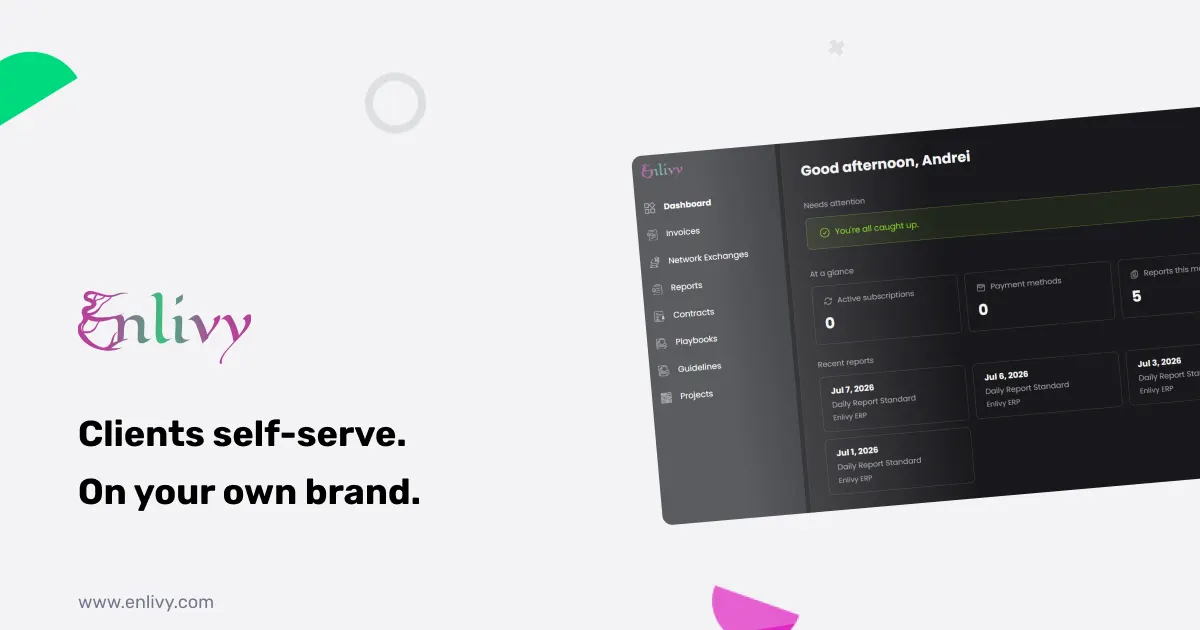
Running client admin over email is a quiet time sink. You send a proposal as a PDF, wait for a reply, resend a contract someone lost, then mark an invoice paid by hand. A free client portal removes most of that work by giving each client one branded place to accept proposals, pay invoices, sign contracts, and handle their own account, while every action syncs straight back to you. Enlivy includes exactly this kind of free client portal on its Free account, with no card to start.
If you have never used a client portal before, this guide explains what it is, what your clients can do inside it, and how Enlivy’s free client portal is set up in a few minutes. The examples along the way are deliberately simple, so you can picture the whole thing even if you are new to the platform.
What a client portal actually is
A client portal is a private, secure web page that sits between you and each client. Instead of emailing documents back and forth, you send a link. The client logs in and sees a space that belongs to them: their proposals, their invoices, their contracts, their documents. They can act on those things directly, and you see the result on your side without lifting a finger.
The important part is that it works in both directions. When a client pays an invoice or signs a contract in the portal, your own workspace updates in real time. There is no exporting, no re-keying, and nothing to reconcile by hand later. That two-way sync is what separates a real portal from a shared folder or a PDF sent over email.
Why a free client portal is worth having
Most portals like this sit inside paid plans, which is why a genuinely free client portal is rare. Enlivy’s is included on the Free account, with no card required to switch it on. It is not a stripped-down demo either. It runs on your own branding and domain, and clients can carry out real actions like paying an invoice or e-signing a contract from day one.
Because it is free, a solo freelancer or a brand new business can look as organized as a much larger company from their very first client. You can turn it on, send one link, and immediately stop chasing the small stuff. If you want to see where it fits alongside the rest of the platform, the Free account page lists everything included at no cost.
The admin trap a free client portal removes
Before the portal, the client relationship tends to scatter across your inbox and a handful of tools. Here is what that usually looks like, and what the portal replaces.
- Approvals lost in the inbox. Proposals sent as PDFs, deposits promised for next week, contracts buried in an email thread. Every deal needs a follow-up just to move forward. The portal centralizes all of it, so a proposal moves from sent to accepted to paid in one place.
- Payments you have to chase. Marking invoices paid by hand, waiting on transfers, sending reminders. In the portal, clients pay online with a card on file, so getting paid stops eating your week.
- Support tickets for simple changes. “Can you resend the contract?” “Change my card.” “Pause my plan.” Each small request normally lands in your inbox and waits on you. In the portal, clients handle these themselves.
- A relationship spread across tools. Invoices in email, contracts in a drive, documents somewhere else. The portal gives clients one home they can return to, so they stop asking you where things are.
What your clients can do in the free client portal
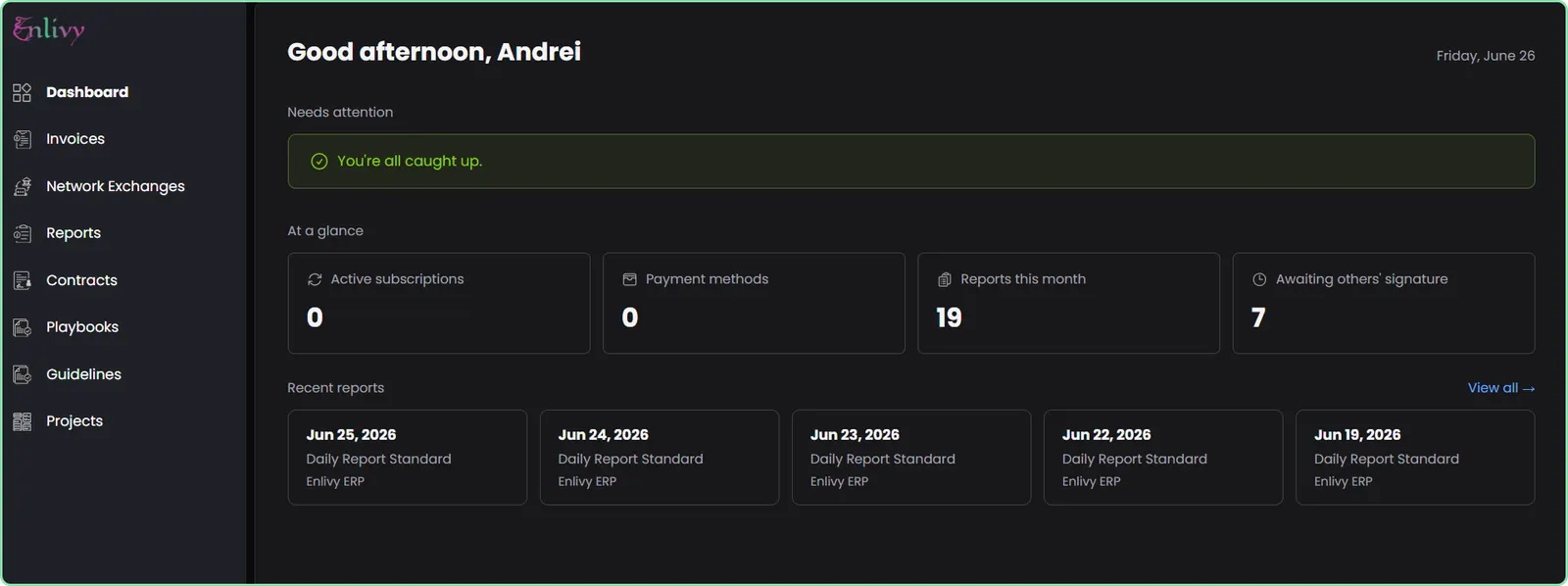
Everything below is self-service, scoped to exactly what you allow each client to see. This is the heart of the free client portal, so it is worth walking through the six areas.
- Proposals and quotes. Clients view a proposal with line items and totals, accept or reject it online, fill in their own billing details, and pay by card or transfer right after accepting. Proposals are managed through Prospects on your side.
- Invoices and payments. Clients see every invoice, paid and unpaid, download each as a PDF or e-invoice file, and pay an unpaid one in a single click. Saved cards are handled securely through Stripe, so you are not touching card data yourself. Invoicing on your side lives in Invoices.
- Subscriptions. Clients view active subscriptions and upcoming charges, change the card a subscription bills to, preview a change before confirming it, and pause, resume, or cancel at the end of the period.
- Contracts. Clients view and download contracts as PDFs and e-sign through a guided flow, with email or SMS verification on every signature and a full audit trail. The signing side is part of Contracts.
- Documents and e-invoices. Clients open and download guidelines and playbooks with full revision history, and retrieve their PEPPOL e-invoices on demand, including the XML, the PDF, and the signature file. This connects to Network Exchanges.
- Reports and account. Clients fill in and submit your custom report forms, save drafts, review past submissions, and maintain their own billing profile, with a readiness check that flags any missing details. Report forms are built in Reports.
Your brand, your domain, no passwords
A portal that looks like a generic third-party login undermines the point. Enlivy builds the portal from your own brand, so clients experience your business, not someone else’s tool.
- Your branding. The portal pulls your logo, icon, and brand colors straight from your Enlivy workspace, with nothing to design.
- Your own domain. Run it on a custom domain with automated DNS and SSL verification, or use a ready-to-go Enlivy subdomain if you want it live immediately.
- Passwordless login. Clients sign in with their email and a one-time code, so there are no passwords to manage. A magic link gives instant access straight from an email.
- Private by design. Every client sees only their own invoices, proposals, contracts, and documents, scoped to your organization. No client can ever see another’s data.
None of this needs a developer. Your brand is already in Enlivy, so the free client portal is mostly ready the moment you turn it on.
What it looks like in practice
Concrete moments show the value better than a feature list. Here are four everyday situations, with the portal doing the work.
Proposal to paid in one sitting. Dana runs a small design studio. She sends a client a proposal link. The client opens it, reviews the scope and price, accepts, fills in their billing details, and pays the deposit by card, all in one flow. The project is funded before they close the tab, and Dana never wrote a follow-up email.
A renewal that did not churn. A retainer client’s card is about to expire. Instead of emailing anyone, the client logs into the portal, adds a new card, sets it as default, and the next charge goes through untouched. What used to be a failed renewal and a support ticket is now a quiet self-service save.
Contract signed before the kickoff call. Paul, a consultant, shares a contract link the day before a project starts. The client verifies by email, signs electronically, and downloads their copy. By the time the kickoff call begins, Paul already has a legally captured, audited signature waiting.
A tidy month-end. A client needs last quarter’s invoices and receipts for their accountant. They log into the portal and download the PDFs and e-invoices themselves. Nothing lands in your inbox, and nobody has to go digging.
Live in four steps
Because your brand already lives in Enlivy, going live is short.
- Turn on branding. Your logo, icon, and colors are already in Enlivy. Add a custom domain in settings, or use a branded subdomain out of the box.
- Give a client access. Send a proposal or contract and the recipient is onboarded automatically, or invite a client directly. They log in with an email code.
- They self-serve. Clients accept proposals, pay invoices, manage subscriptions, sign contracts, grab documents, and submit reports.
- Open up only what you want. Documents, reports, and project access are permissioned, so each client sees exactly what is intended and nothing more.
Who a free client portal helps most
The portal earns its place fastest for businesses that bill the same clients repeatedly or send a lot of proposals and contracts.
- Freelancers and solo consultants. One person cannot afford to spend evenings chasing approvals and payments. A free client portal makes a one-person business look established and hands the admin to the client.
- Agencies and studios. When several people touch the same client, a single branded home for proposals, contracts, and invoices keeps everyone out of scattered email threads.
- Subscription and retainer businesses. Recurring billing lives or dies on card updates and renewals. Letting clients manage their own subscription quietly prevents the failed charges that cause churn.
Start with a free client portal today
If client admin keeps landing back in your inbox, a free client portal is the simplest way to move it off your plate. Enlivy gives you a branded, passwordless portal where clients accept, pay, sign, and self-serve, while every action syncs back to your workspace in real time. It is included free, with no card to start, so you can turn it on, send one link, and see the difference on your very next deal.
Create your free Enlivy account and hand your clients the keys to their own admin.
Frequently asked questions
What is a client portal?
A client portal is a private, secure web page where each of your clients can view and act on their own proposals, invoices, contracts, and documents. Instead of emailing files back and forth, you send a link, and the client handles the admin themselves while your workspace stays in sync.
Is the Enlivy client portal really free?
Yes. The free client portal is included on the Enlivy Free account, with no card required to switch it on. It runs on your own branding and domain, and clients can carry out real actions like paying invoices and signing contracts from the start.
Do my clients need a password or an account to log in?
No passwords. Clients sign in with their email and a one-time code, or through a magic link sent to their inbox. There is nothing for them to remember or for you to reset.
Can I use my own domain and branding?
Yes. The portal pulls your logo, icon, and colors from your Enlivy workspace, and you can run it on a custom domain with automated DNS and SSL, or on a ready-to-go Enlivy subdomain if you want it live right away.
What can clients actually do in the portal?
They accept and pay for proposals, view and pay invoices, manage subscriptions, e-sign contracts, download documents and PEPPOL e-invoices, and submit your custom report forms, all limited to exactly what you allow them to see.
Is each client’s data private from other clients?
Yes. The portal is private by design. Every client sees only their own invoices, proposals, contracts, and documents, scoped to your organization, and never anyone else’s.
Can clients pay invoices and sign contracts inside the portal?
Yes. Clients pay unpaid invoices in one click with a saved card handled securely through Stripe, and they e-sign contracts through a guided flow with email or SMS verification and a full audit trail.
Does what clients do sync back to me automatically?
Yes. When a client pays, accepts, signs, or updates their profile, your Enlivy workspace updates in real time. There are no exports and nothing to re-key by hand.