


Setting up a new business platform usually means spending the better part of an afternoon filling in forms, hunting down fiscal codes, and second-guessing whether you entered everything correctly. Enlivy was built to be different. Adding your organization to the platform is genuinely quick, the interface guides you naturally from one field to the next, and for Romanian companies, the platform does most of the data entry for you automatically.
Whether you are a freelancer, a small business owner, or an accountant managing multiple companies, you can have your organization fully configured and ready to use in just a few minutes.
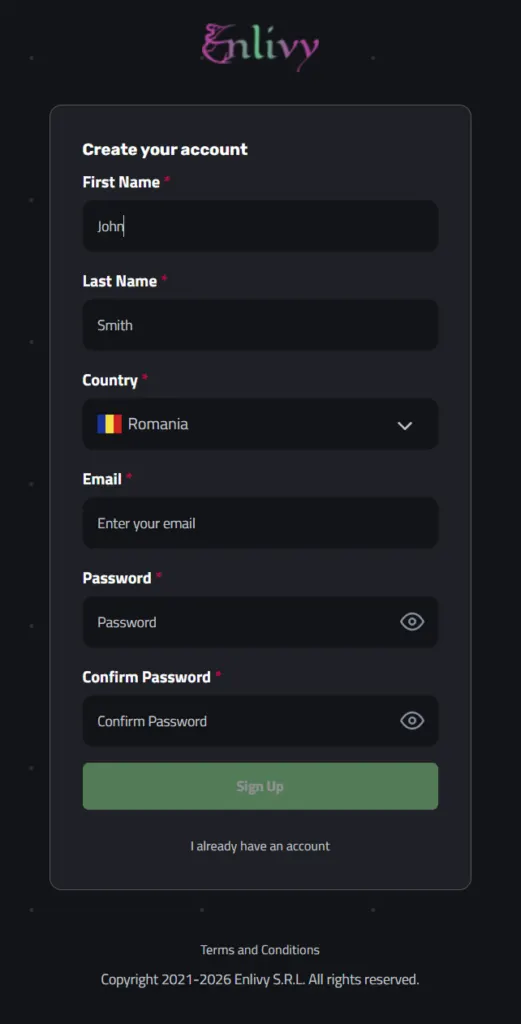
You Start with an Account, Then Go Straight to Your Organization
Creating an Enlivy account takes less than a minute. Once you are logged in for the first time, the platform brings you directly to the organization setup. There is no digging through settings menus or wondering what to do next. Enlivy knows that adding your organization is the first thing you need to do, and it takes you straight there.
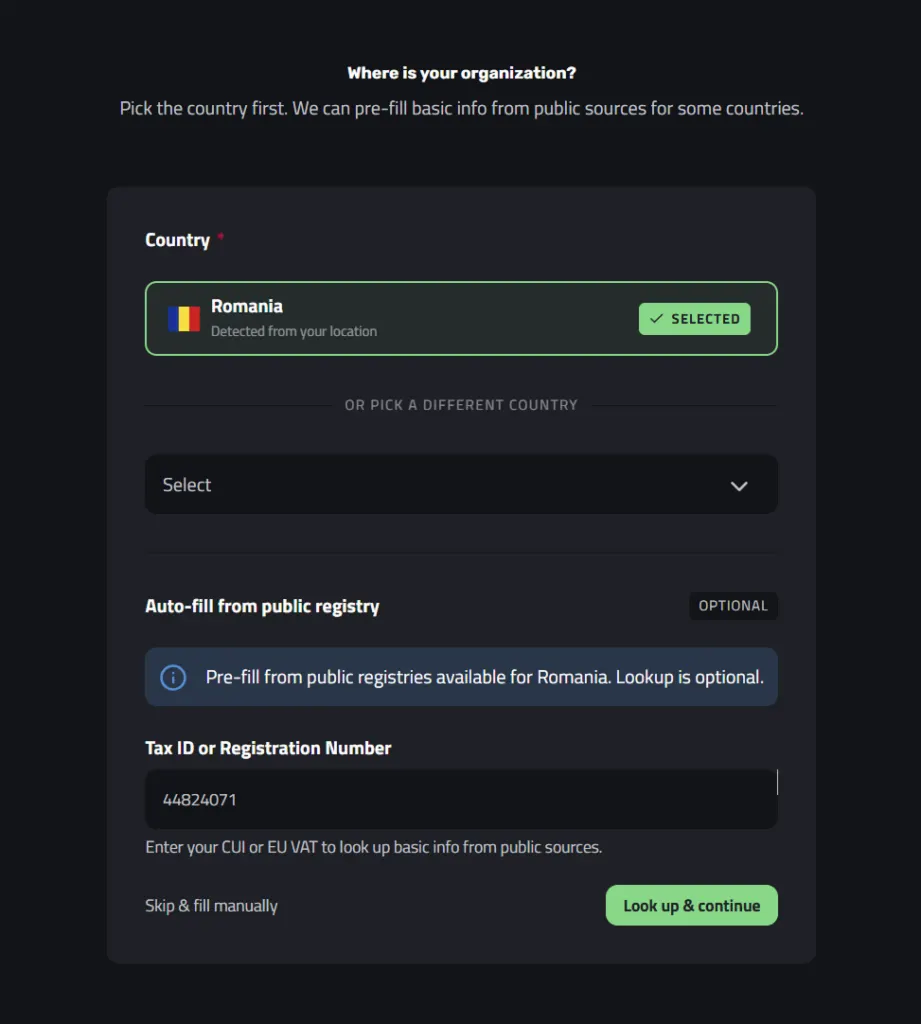
Your Country Is Already Selected
The first field on the setup screen is country, and in most cases you will not need to touch it at all. Enlivy automatically detects your location based on your IP address and pre-selects the correct country. For users in Romania, Romania is already set before you have clicked anything. If you need to change it for any reason, the dropdown is right there.
One Field Is All You Need to Fill In Your Entire Company Profile
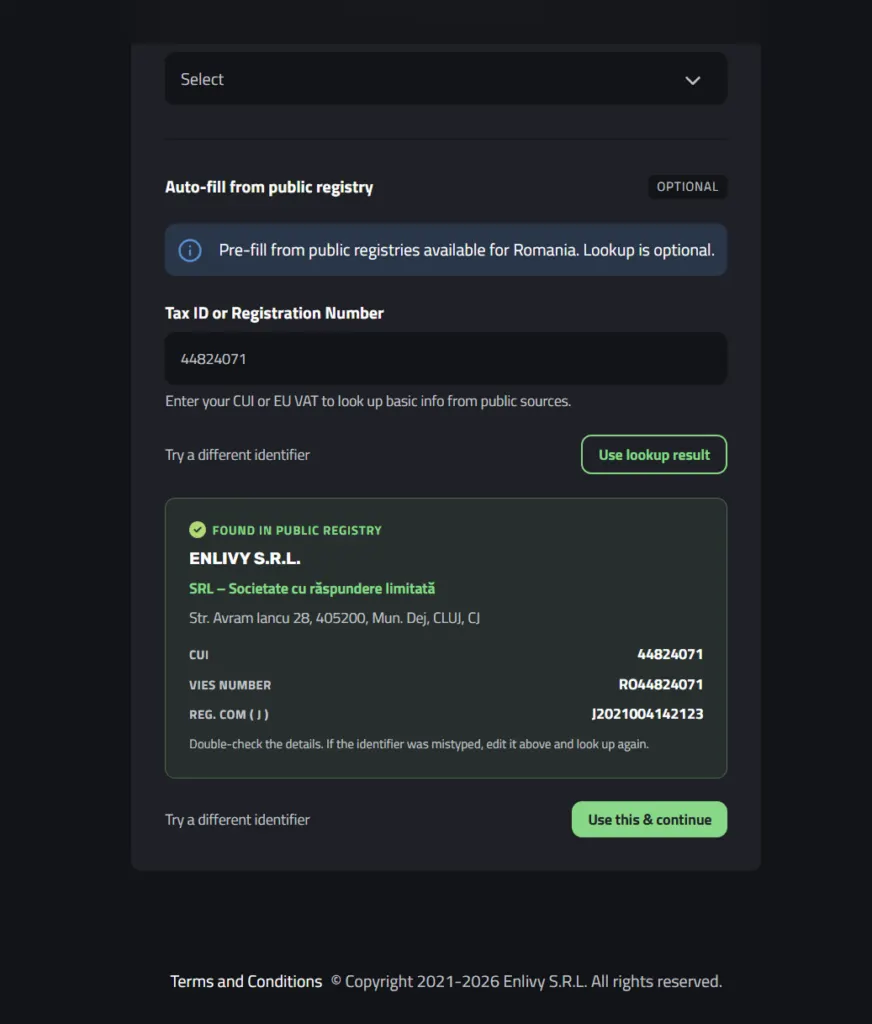
This is where Enlivy really saves you time. The platform gives you the option to auto-fill your entire company profile from Romania’s public business registry. This step is optional, but it is well worth using if your company is registered in Romania.
All you need to do is type in your CUI (Cod Unic de Inregistrare) and click the lookup button. Enlivy searches the public registry in seconds and displays everything it finds: your company name, legal structure type, registered address, trade register number (J), and EU VAT number. A preview panel on the right side of the screen shows you exactly what was found before you commit to anything. If the details look correct, you click one button and the entire form is filled in for you.
If you prefer to skip the lookup, or if your company is not registered in Romania, that is completely fine. You will simply fill in the same fields manually in the next steps. The form is clear and well-labeled, so the process is straightforward either way. The lookup just removes the typing.
The Form Is Clear Whether You Used the Lookup or Not
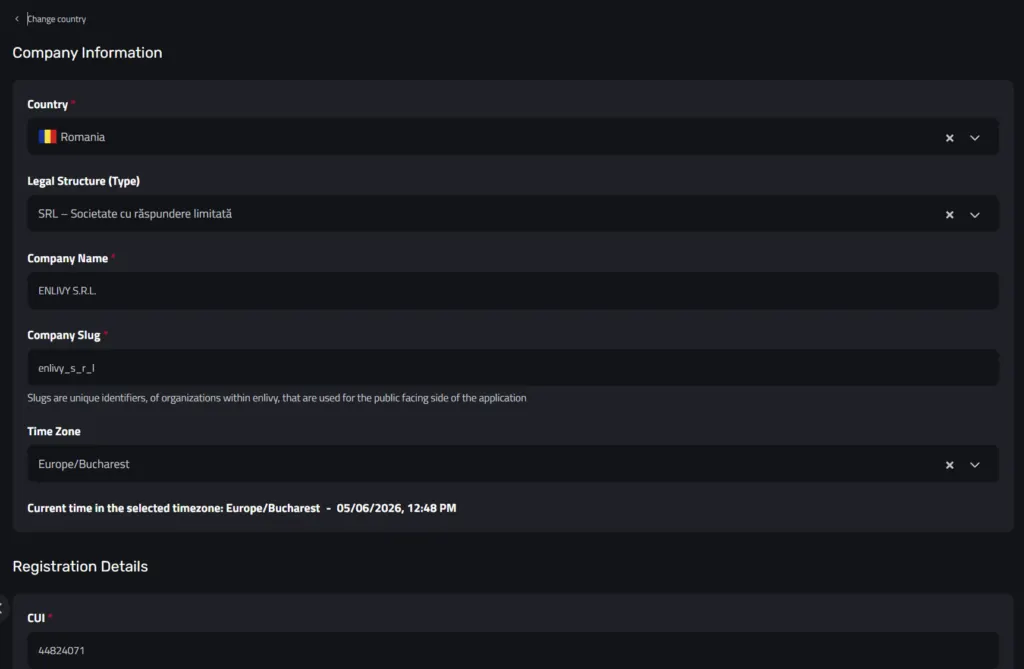
After the registry lookup, the Company Information form opens with your data already in place. You can see at a glance that your legal structure, company name, registered address, and fiscal identifiers have all been pulled in correctly. Your job is simply to review and confirm.
If you skipped the lookup, the same form opens with empty fields ready for you to fill in. The structure is exactly the same either way. Company details at the top, registration identifiers in the middle, address below that. Each field is clearly labeled so you always know what is being asked. There is even a timezone field that shows you the current local time as confirmation that the correct region has been set.
Either path leads to the same place. The lookup just gets you there faster.
Registration Numbers Are Handled with Simple Toggles
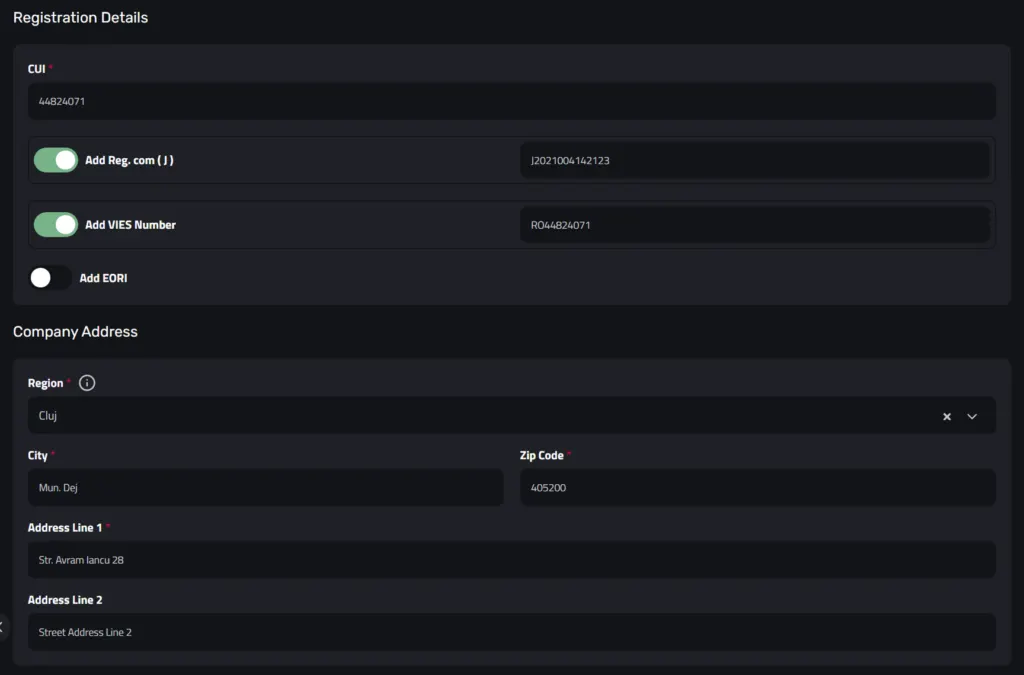
The registration details section covers your CUI, J number, VIES number (EU VAT), and optionally your EORI number for businesses involved in international trade. Each identifier has a toggle so you can choose exactly which ones to include in your organization profile. When the registry lookup has been used, the J number and VIES number are already filled in and ready to go. If you filled in the form manually, you simply type these values into the same fields after enabling the relevant toggles.
Most businesses will confirm that the J and VIES toggles are on and move on. The EORI field is there if you need it and stays out of the way if you do not.
Your Address Comes Pre-Filled Too (or You Fill It In Yourself)
If you used the registry lookup, the company address section is already populated. Region, city, postal code, and street address are all filled in from the official registry data. If you skipped the lookup, these fields will be empty and you fill them in yourself. The fields are clearly labeled and the region is a dropdown with standardized county names, so there is no guesswork involved. Either way, it takes only a moment to complete.
A Few Final Preferences and You Are Done
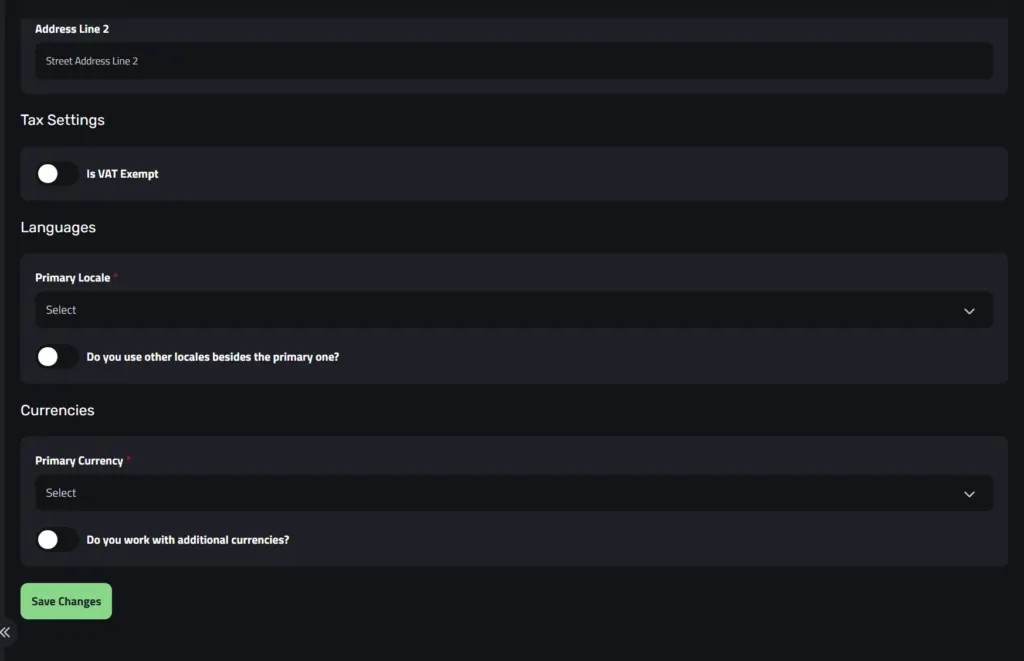
The last part of the setup covers three short sections: tax settings, language, and currency. Each one takes seconds to configure.
Tax settings lets you indicate whether your company is VAT exempt. If you are a standard VAT-registered business, you leave this toggle off and move on.
The language section lets you set the primary locale for your organization’s documents. For most Romanian businesses this will be Romanian, though you can select any supported language. There is also an option to enable multiple locales if your business issues documents in more than one language.
The currency section works the same way. You select your primary currency (RON for most Romanian companies) and optionally enable support for additional currencies if you invoice in EUR, USD, or other foreign currencies.
One Click and Your Organization Is Live
Once you have reviewed everything, you click Save Changes and that is it. Enlivy creates your organization and takes you straight to the Organizations dashboard, where you can see your company listed and ready to use. No waiting, no confirmation emails to approve, no support team to contact. Your organization is live the moment you save it.
You Can Add More Organizations Anytime
Enlivy supports multiple organizations under a single account. From the Organizations dashboard, the Add Organization button in the top right corner lets you go through the same simple setup for any additional companies you need to manage. This makes Enlivy a natural fit for accountants handling multiple clients, entrepreneurs with more than one business, and holding structures that need each entity managed separately but accessible from the same place.
Getting Started Is the Easy Part
Setting up your organization in Enlivy is one of the least painful things you will do in running your business. The platform handles the lookup, the auto-fill, and the smart defaults so that you can focus on the handful of decisions that actually require your attention, like which locale and currency your business operates in.
From creating your account to having a fully configured organization ready to use, the whole process takes just a few minutes. And once it is done, you have access to everything Enlivy offers: invoicing, client management, eFactura integration with ANAF, multi-currency support, and more.
To learn more about what Enlivy can do for your business, visit enlivy.com.