


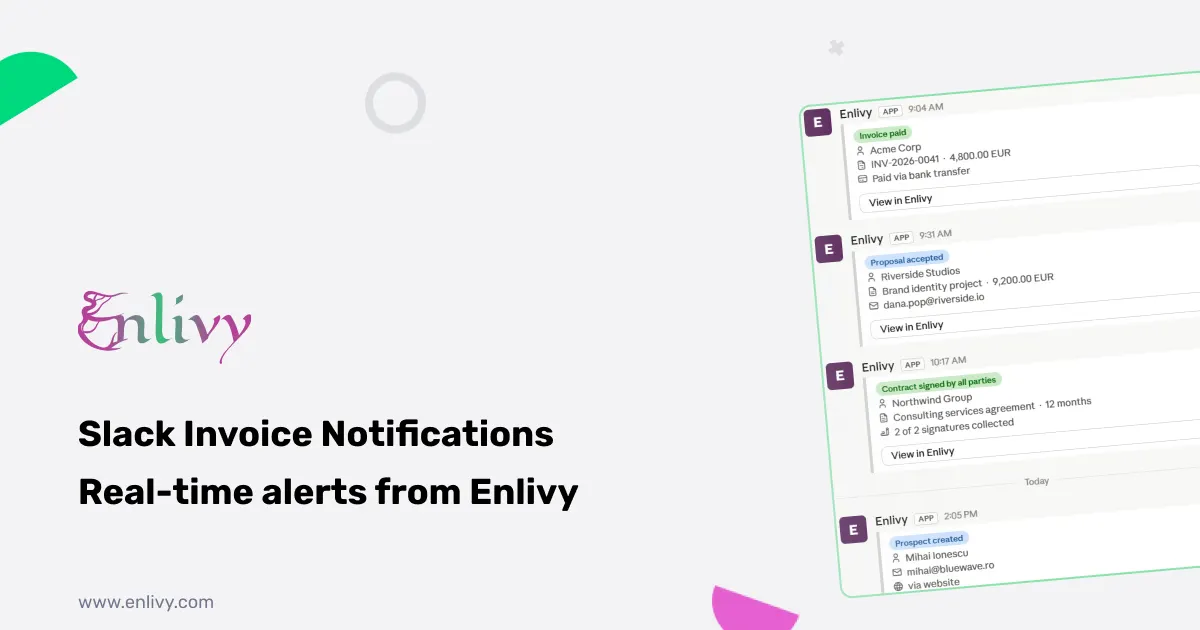
Most invoicing tools send you an email when something happens. By the time you read it, the moment has passed. Slack invoice notifications are faster: the message lands in the channel your team already watches, the second the event happens, so you can react while it is still warm. Enlivy connects directly to Slack and routes every important business event, from a paid invoice to a signed contract to an accepted proposal, to exactly the right channel, in real time.
This article covers what Enlivy’s Slack integration does, which events you can track, how to set it up in four steps, and why routing matters more than most people think.
Why Slack invoice notifications beat email alerts
Email is where notifications go to be ignored. An invoice paid at 4pm on a Friday sits unread until Monday. A signed contract gets buried under twelve other emails. A prospect accepting a proposal does not trigger the fast follow-up it deserves.
Slack invoice notifications solve this in a way that email cannot, because Slack is where your team already is. The message does not need to be found. It arrives in a channel your team watches, immediately, and it carries a direct link to the exact record in Enlivy. One click and you are looking at the invoice, the contract, or the proposal itself.
The difference is not just speed. It is who sees the right thing. Finance sees paid invoices. Sales sees accepted proposals. Legal sees signed contracts. Everyone stays aligned without anyone having to forward emails or post manual updates.
What Enlivy tracks beyond just invoices
Most Slack invoice notifications tools stop at invoice paid or invoice viewed. Enlivy covers your whole business cycle, because the moments that matter are not only in invoicing.
Here is what you can route to Slack, by area:
Sales and proposals. Proposal sent, viewed, accepted, rejected, or expired. Created and updated events. You see the full proposal lifecycle, not just the outcome.
Prospects and pipeline. New prospect created, prospect updated, activity logged. Your sales team sees pipeline movement in real time, in Slack, without opening a separate tool.
Invoicing and payments. Invoice created and paid. Receipt issued. Scheduled payment created. These are your core Slack invoice notifications, and they arrive the moment the event happens in Enlivy.
Contracts and signatures. Contract created. A signature added by one party. Fully signed by all parties. Each step in the signing flow can trigger a separate notification, so your legal or operations team knows exactly where each contract stands.
Recurring billing. Billing schedule created or updated. Scheduled payments. Billing packages. If you run subscriptions or retainers, you see every billing event as it fires.
Finance and delivery. Bank account and transaction events. Payslips. E-invoicing exchanges through PEPPOL and ANAF. Projects, products, and team changes.
That last group is what separates Enlivy’s Slack integration from a basic invoice notification app. You can see a bank transaction land, an e-invoice exchange complete, or a project update, all in Slack, from the same connection.
Route the right events to the right channels
A single Slack channel for all business events is noise. The real value of Enlivy’s Slack invoice notifications is routing: each event type goes to a specific channel, so each team sees only what is relevant to them.
A few ways teams set this up in practice:
A channel per team. Finance gets invoice paid and receipt issued. Sales gets proposal accepted and prospect created. Legal gets contract signed. Delivery gets project events. Nobody sees what they do not need.
A business pulse channel. Some teams pipe their highest-signal events into one channel that leadership watches: invoice paid, proposal accepted, contract signed. It is a real-time view of commercial momentum without any noise.
A test before you go live. Enlivy lets you fire a real test notification to any channel before you rely on it. You confirm the message lands in the right place and looks right before the first real event fires.
Every event-to-channel pairing is independent. You can send invoice paid to finance and proposal accepted to sales and contract signed to a separate legal channel, all from one connected Slack workspace.
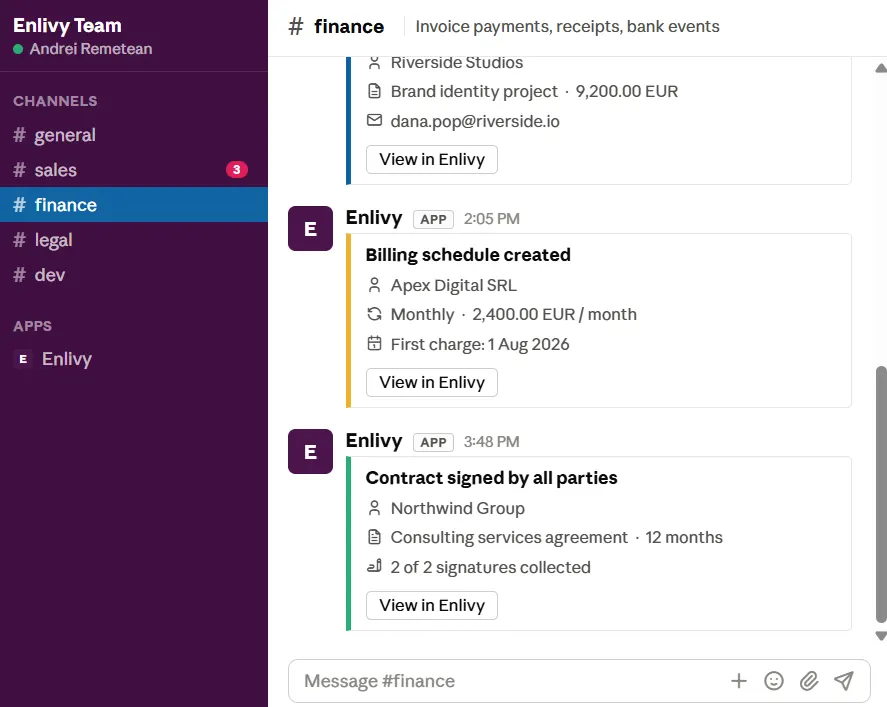
The #finance channel picking up billing and contract events the moment they happen in Enlivy
Customize what each message says
The default notification messages are clean and ready to use out of the box. But if you want the notifications to sound like your team, or to include specific fields, you can customize the template for each event type.
The messages can carry a View in Enlivy button that links directly to the exact record the notification is about. One click from the Slack message takes you to the invoice, the proposal, or the contract, already open in Enlivy.
Notifications are available in English, Romanian, German, French, Dutch, and Danish, so a multilingual team can read them in the language they work in.
Four steps to get Slack invoice notifications running
Connect once and events start flowing. You can add more channels or more events any time.
- Connect Slack. Authorise Slack once in your Enlivy integrations. Enlivy adds a bot that can post to your channels. Private channels work too.
- Pick a channel. Add a Slack destination and choose which channel it posts to.
- Choose your events. Select the events you want, invoice paid, proposal accepted, contract signed, and tweak the wording if you want.
- You are live. From now on, those events post to Slack automatically as they happen.
There is nothing to install and no developer required. The whole setup takes a few minutes. You can come back and add more event types or new channel destinations at any time.
What this looks like for a real team
Abstract feature lists are easier to understand with a few concrete situations.
The invoice paid moment. Your finance lead is in a client meeting. An invoice they have been waiting on gets paid. The notification hits the finance Slack channel immediately. When the meeting ends, they already know. No checking dashboards, no waiting for someone to tell them.
The proposal accepted moment. Your sales team has a proposal out to a prospect they have been working for three weeks. The prospect accepts at 9am. The Slack notification lands in the sales channel before the morning standup ends. The account manager follows up while the client is still warm, not two hours later when they finally checked their email.
The contract fully signed moment. A new client signs the last signature on a service agreement. The legal and delivery channels both get a notification. Legal knows the contract is executed. Delivery knows onboarding can start. Nobody has to tell anyone. The work begins.
The billing event moment. A recurring billing schedule fires and a scheduled payment is created. Finance sees it in Slack. If something looks wrong, they catch it immediately rather than at month end. Clean records stay clean.
Beyond Slack: the same events through webhooks
Slack is one channel. If you want the same events to flow into your own systems, Enlivy’s webhooks send the full event payload to any secure HTTPS endpoint you control. Every notification is signed so you can verify it is genuinely from Enlivy, and the same event catalogue and per-event routing applies. No double entry, nothing to reconcile by hand.
The Webhooks feature covers this in detail. Slack and webhooks can run in parallel, so your team sees the Slack notification and your system receives the structured payload at the same time.
Which Enlivy features connect to Slack
Slack invoice notifications are most useful when you also use the features that generate those events. The relevant feature pages:
- Invoices for invoice created and paid events
- Contracts for signature and fully signed events
- Prospects for proposal and pipeline events
- Billing Schedules for recurring billing events
- Network Exchanges for e-invoicing exchange events
Each of those feeds events into Slack through the same connection, so turning on the integration once covers your whole operation.
Start free
The Slack integration is available on Enlivy. Create your free account, connect Slack in a few clicks, and your first Slack invoice notification will arrive the next time a client pays, accepts, or signs.
Frequently asked questions
What are Slack invoice notifications? Slack invoice notifications are real-time alerts sent to a Slack channel when a business event happens, such as an invoice being paid, a proposal being accepted, or a contract being signed. Instead of checking a dashboard or waiting for an email, the update arrives in Slack the moment it happens.
Does Enlivy only send notifications for invoices? No. Enlivy covers your whole business cycle: proposals, prospects, invoices, receipts, contracts, recurring billing, bank transactions, e-invoicing exchanges, and more. Each event type can be routed to a separate Slack channel.
Can I send different events to different Slack channels? Yes. Every event-to-channel pairing is independent. You can send invoice paid to finance, proposal accepted to sales, and contract signed to a legal channel, all from the same Slack connection.
Do I need a developer to set it up? No. You connect Slack once in your Enlivy integrations settings, pick a channel, choose your events, and you are live. The whole setup takes a few minutes with no code required.
Can I customize what the Slack messages say? Yes. You can tailor the message template for each event type and choose whether to include a View in Enlivy button that links directly to the relevant record.
Does it work with private Slack channels? Yes. Private channels work the same way as public channels.
Can I test the notifications before going live? Yes. Enlivy lets you fire a real test notification to any channel before you rely on it, so you can confirm the message lands in the right place before the first real event fires.
What languages are the notifications available in? English, Romanian, German, French, Dutch, and Danish.