
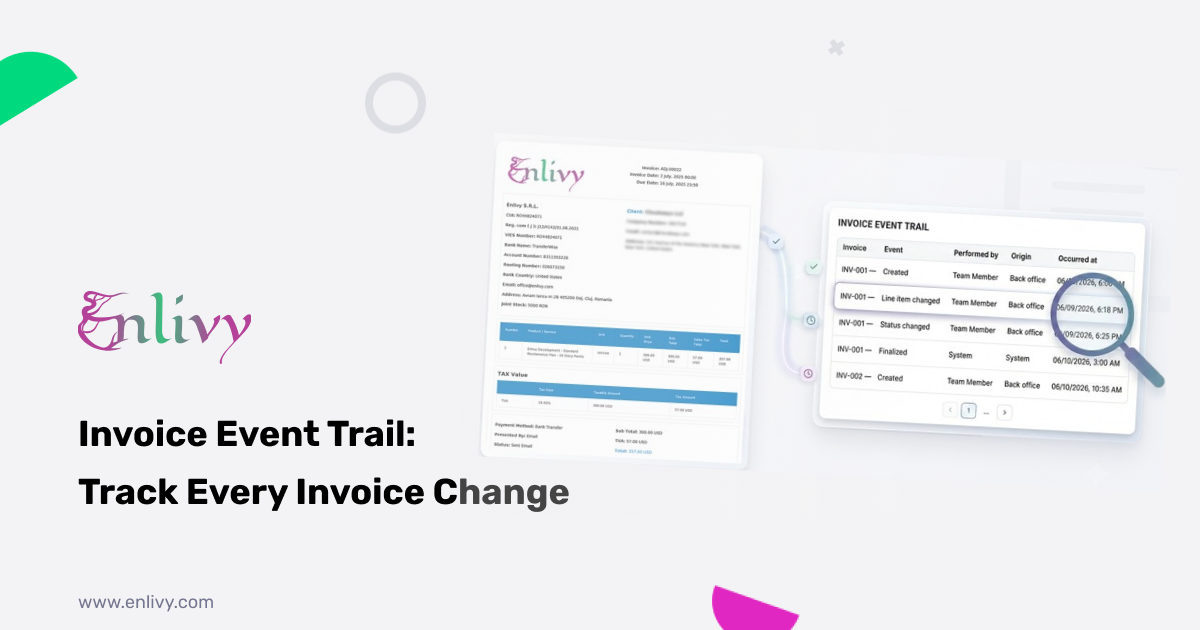
Every action on every invoice, logged automatically. You always know what happened, who did it, and when.
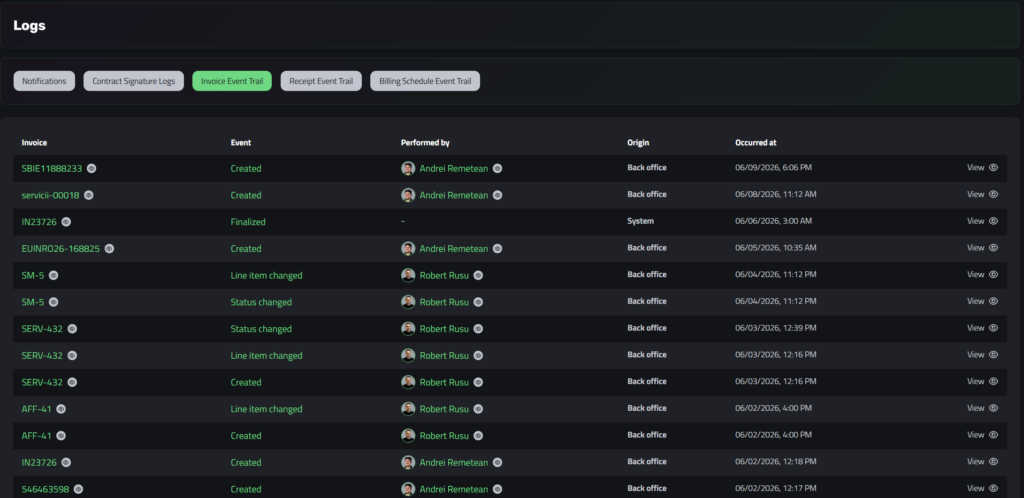
The Invoice Event Trail is a running log of everything that happens to your invoices.
Every time an invoice is created, finalized, updated, has its status changed, or has a line item edited, the action is recorded the moment it happens, with no manual input. The full history of any document is always there, in order, timestamped and attributed. The result is full clarity over every invoice, from the moment it is created to the moment it is finalized.
What it records
Each entry captures the action and the context around it. At a glance you see the invoice the event refers to, the type of event that took place, and the exact date and time it occurred down to the minute.
Nothing is summarized or rounded off, so the trail reads as a precise timeline of the document from the first event to the last.
Who did it, and from where
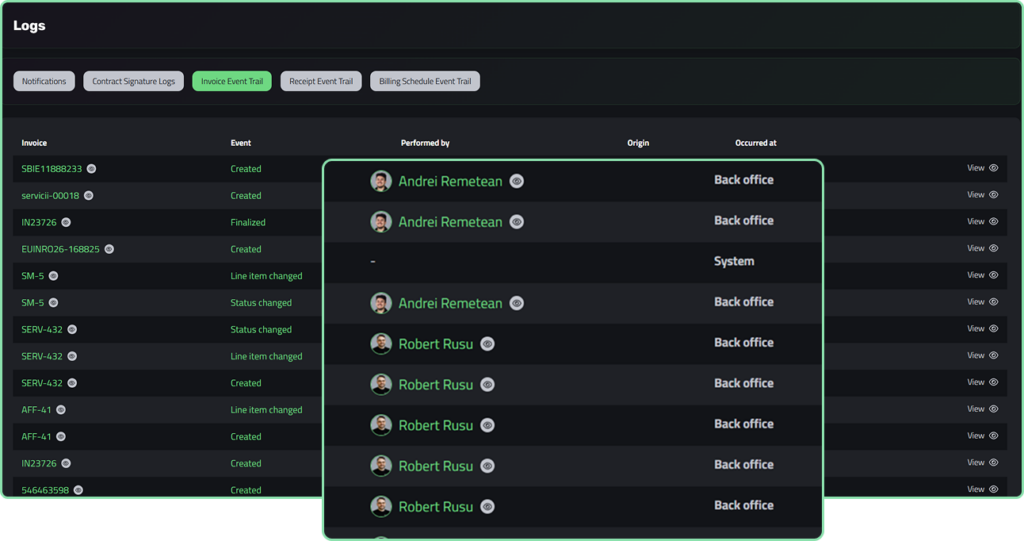
Two columns make every change accountable. “Performed by” shows the team member behind the action, so it is clear at a glance who created an invoice or who edited a line item. “Origin” shows where the action came from, whether a person made it from the back office or the platform triggered it automatically, such as a scheduled finalization marked as System.
You always know whether a person or the system was responsible.
Why it matters
- Full accountability. Nothing happens to an invoice without a name and a timestamp attached to it.
- A clear timeline. You can follow the life of any invoice from creation to finalization in exact order.
- Human and system actions together. Automatic events are logged as well, so changes no one made by hand stay visible.
- Complete overview. Every invoice, every action, every person involved — visible in one place.
Where it helps
An invoice is wrong and no one remembers why. A total looks off or a line item is not what you expected. Open the trail, find the Line item changed entry, and you can see who made the change and the exact minute it happened. Click View to open the invoice and fix it, with the cause already clear.
You cannot recall who created or updated a document. Several people work from the back office, and a week later it is hard to remember who touched what. The trail answers it directly, since each entry names the person and the time, so accountability is never left to memory.
Something changed overnight and you want to know why. An invoice shows as finalized first thing in the morning. The trail shows the event came from System at 3:00 AM, so you know it was a scheduled finalization and not a mistake by a colleague.
A client questions a charge. You can reconstruct the full sequence, from creation to a line item edit to finalization, with a name and a timestamp at every step. Your answer rests on the record rather than on what anyone remembers.
How easy it is to access
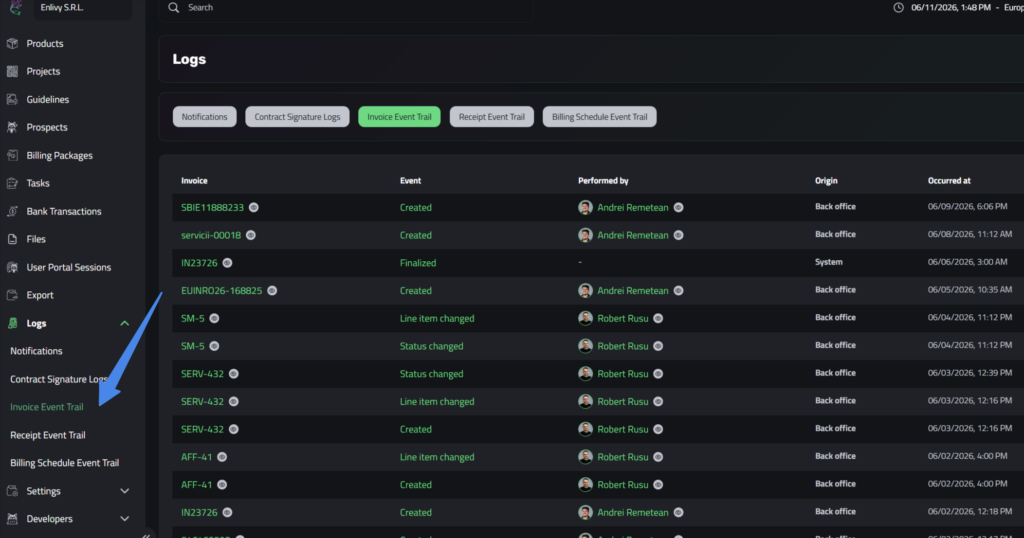
The Event Trail is one click away. From the left menu, open Logs and then select Invoice Event Trail. You land on a single table that lists every event in one place, with a column for the invoice, the event, who performed it, its origin, and when it occurred, plus a View link on every row. There is nothing to configure and nothing to switch on, since logging runs in the background from the start. The View link opens the invoice the entry refers to, so you move from the log to the document itself in a single click.
To learn more about invoicing in Enlivy, see the Invoices feature page.
With the Invoice Event Trail, nothing about your invoices is left to memory or guesswork. The full picture is always there.