For most businesses, getting contracts signed is more painful than it should be.
You create a contract in Word, export it to PDF, email it to your client, wait for them to print it, sign it, scan it, and email it back. Then you do the same on your end. The process takes days, sometimes weeks. Version control becomes hard to manage. You’re never quite sure if the document that came back is the same one you sent. And tracking who signed what, when, means searching through old emails.
We built Enlivy’s contract signature system to solve a fundamental problem: how do you make contract signing as fast and easy as possible while maintaining the security and accountability that legal agreements require?
The answer wasn’t to choose between speed and security. It was to build a system that delivers both.
Here’s exactly how we did it, and why it matters for your business.
The Problem with Traditional Contract Signing
Before explaining our solution, it’s important to be clear about the problem we’re solving.
The Email–PDF–Print–Scan Method
This is still how most businesses handle contracts:
- Create the contract in Word or Google Docs
- Export it to PDF
- Email it to the other party
- Wait for them to receive it, print it, sign it, and scan it
- Wait for the signed copy to be emailed back
- Download their signed version
- Print it yourself, sign it, and scan it
- Email your signed copy back
- Both parties manually file the final signed version
In practice, this process typically stretches over several days and requires repeated manual involvement across multiple steps. It introduces significant risk, including version confusion, lost or overlooked emails, unsigned or outdated copies circulating between parties, and no reliable way to verify who actually signed the contract.
The “Fast” Alternative: Digital Signature Platforms
You could use standalone e-signature tools like DocuSign or HelloSign. They solve the speed problem but create new ones:
- Another separate platform to manage and pay for
- Contracts live in one system, your business operations in another
- No connection to your invoices, client records, or project management
- Per-signature costs that add up quickly
- Still requires exporting contracts from wherever you created them
We wanted something different: signature functionality built directly into your business management system, with the speed of dedicated e-signature tools but none of the disconnection.
Part 1: Creating Contracts Built for Speed and Consistency
Enlivy’s contract creation is built on a simple insight: most business contracts share common structural patterns. Service agreements contain scope sections, payment terms, IP rights, and confidentiality clauses. NDAs have standard definition sections, obligations, and term clauses. Employment contracts share structure around duties, compensation, benefits, and termination.
You shouldn’t rewrite these standard sections every time. You should build them once and reuse them strategically.
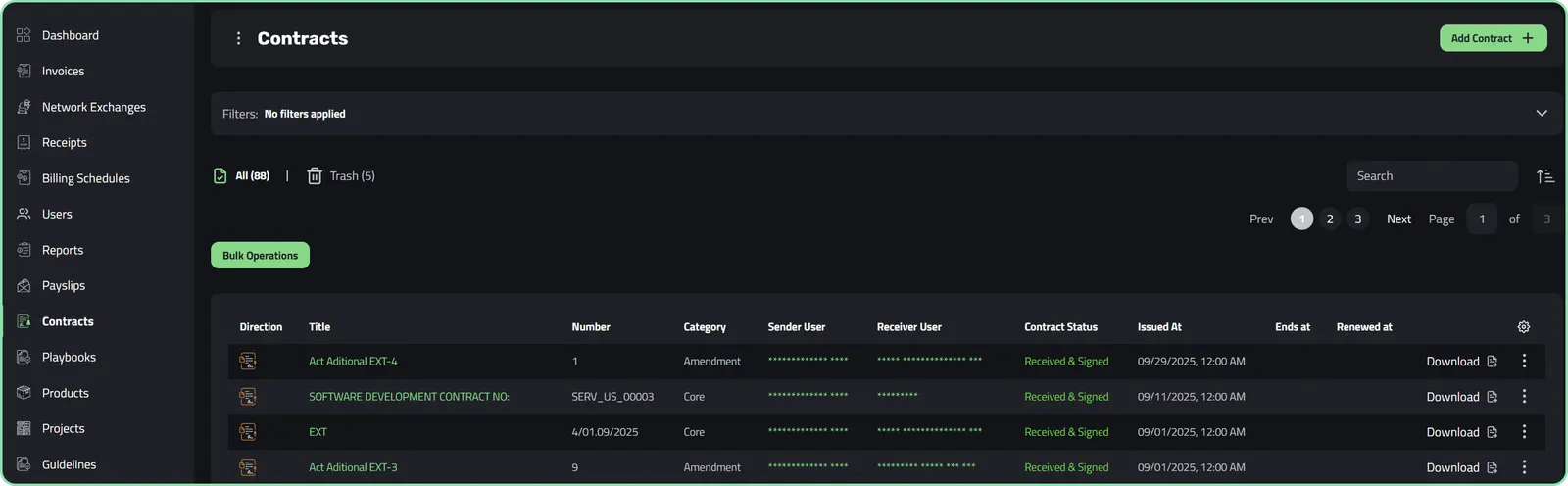 The Contracts Dashboard in Enlivy
The Modular Chapter System: Build Once, Use Everywhere
The foundation of Enlivy’s contract creation is the modular chapter system.
Instead of working with one massive document, you build contracts in logical, reusable sections. Each chapter is a distinct component that can be created, edited, saved as a template, and reused across multiple contracts.
How it works in practice:
Think about a typical service agreement. It might contain:
- Scope of Services
- Project Deliverables
- Payment Terms
- Intellectual Property Rights
- Confidentiality Obligations
- Liability Limitations
- Termination Conditions
- Dispute Resolution
In traditional document creation, you write these sections fresh each time or copy-paste from previous contracts, manually adjusting each one.
In Enlivy, you create each section once as a chapter template:
“Payment Terms - Standard Net 30” - Your default payment structure “Payment Terms - Milestone-Based” - Alternative for project work “IP Rights - Work for Hire” - Standard client ownership clause “IP Rights - Licensed Use” - Alternative for retained ownership “Confidentiality - Mutual” - Standard two-way NDA clause “Confidentiality - One-Way” - For when only one party shares sensitive information
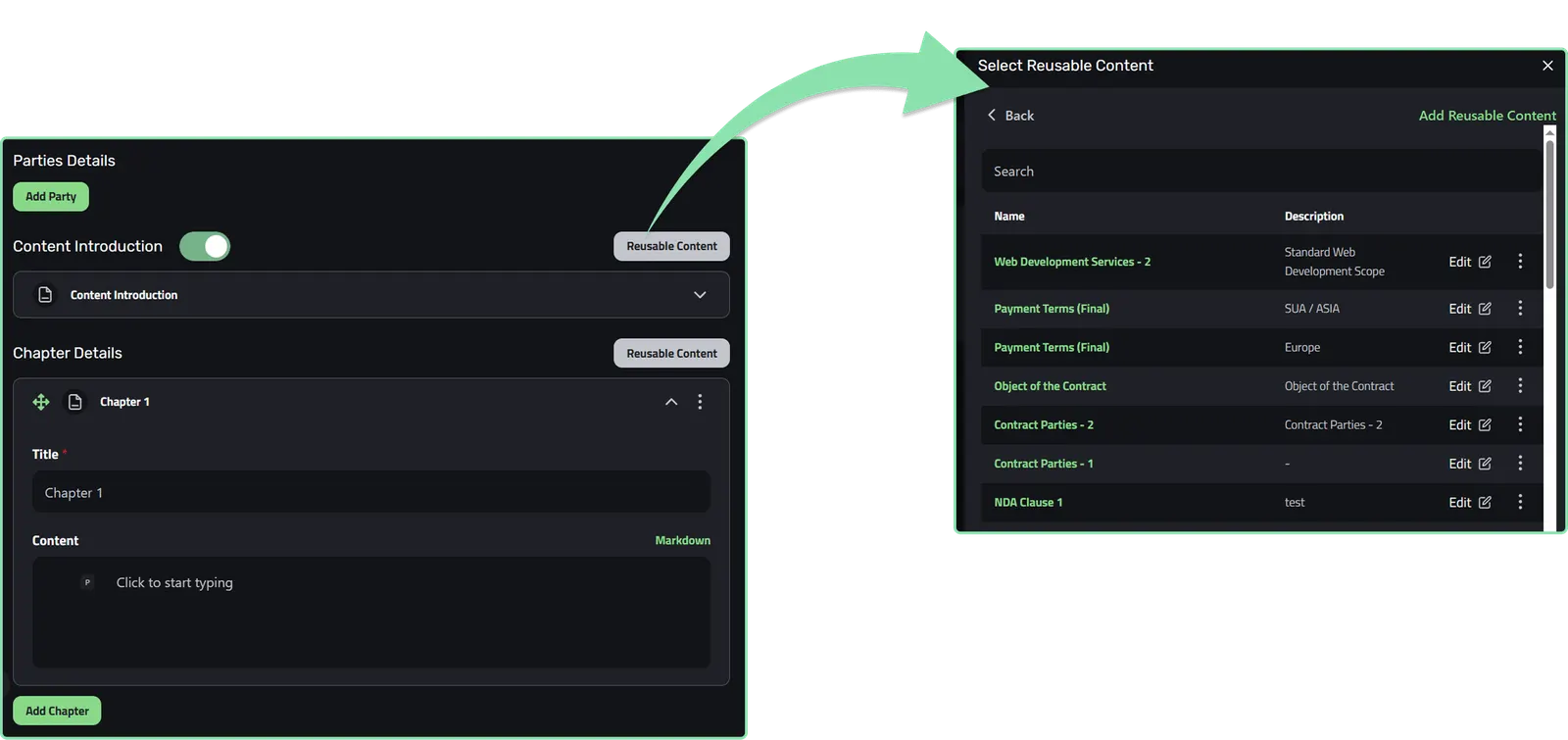
Example of using reusable content
Chapter Reusability: The Real Time-Saver
Here’s where the system delivers compound time savings.
Your first contract: You create chapters from scratch, writing your standard payment terms, confidentiality clauses, and other common sections. This takes similar time to traditional methods—maybe 1-2 hours for a comprehensive contract.
Your second contract: You reuse 60-70% of the chapters from your first contract, only writing what’s unique. Time: 30-40 minutes.
Your tenth contract: You have a complete library of chapter templates. You assemble contracts in 10-15 minutes by selecting appropriate chapters and customizing specific details.
Working with Markdown: Simple Formatting, Professional Results All chapter content is created in Markdown, a simple, human-readable formatting language that lives in the background. You don’t need to know Markdown to write: our editor makes it easy to type naturally, while Markdown handles the formatting behind the scenes.
Why Markdown (with a friendly editor) instead of a traditional rich text editor?
- Speed: Type naturally without fiddling with toolbar buttons; Markdown does the work for you.
- Consistency: Formatting stays uniform across all your contracts.
- Portability: Markdown converts cleanly to PDF, HTML, or any format.
- Version control: Plain text makes it easy to track changes.
- No formatting surprises: What you write is exactly what you get.
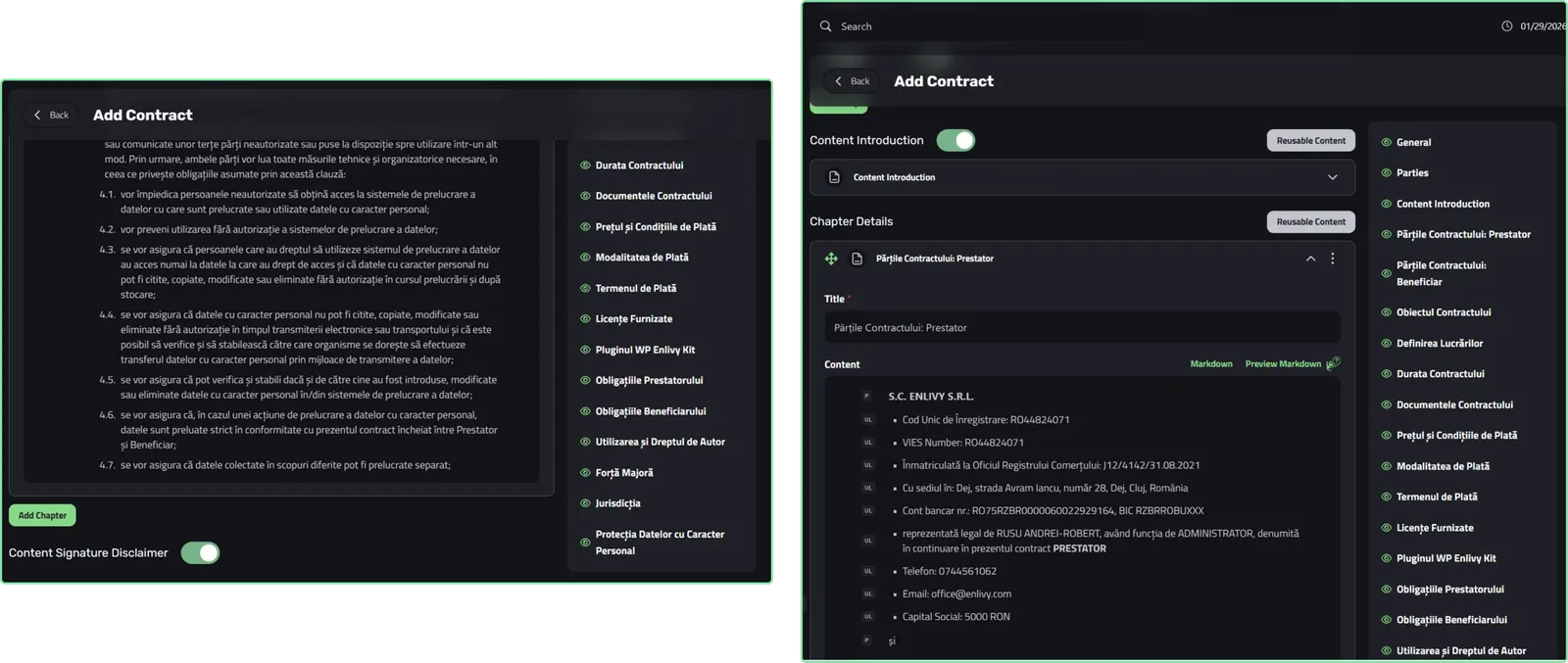
Example of editing of a contract using or editor
Contract Information: Context and Organization
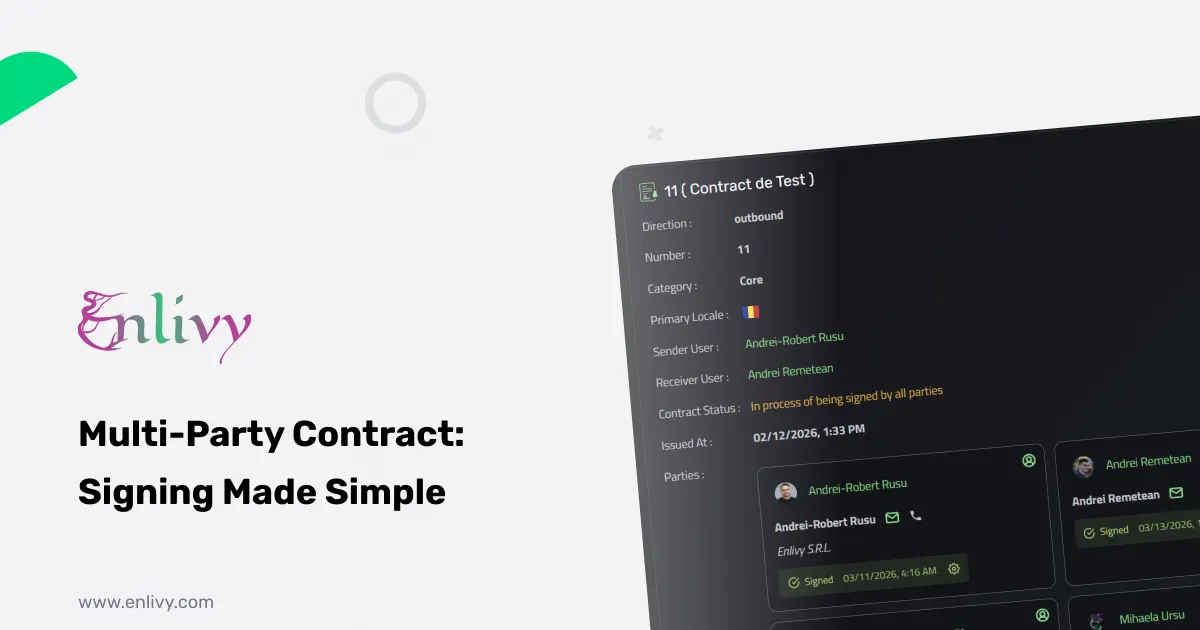
Beyond chapter content, each contract includes essential metadata:
Basic Details:
- Contract name (descriptive, searchable)
- Contract number (auto-generated with custom prefixes)
- Direction (who’s sending, who’s receiving)
- Category (core contract, amendment, supplement, addendum)
Parties:
- Sender and receiver selection from your user system
- Automatic population of party details (names, roles, contact information)
- Option to add third parties if needed
Important Dates:
- Issue date (when created)
- Signing date (auto-populated upon signature)
- End date (when contract term expires)
- Renewal date (when review is needed)
Document Relationships:
- Link amendments to parent contracts
- Connect supplements and addenda
- Maintain clear chains of related documents
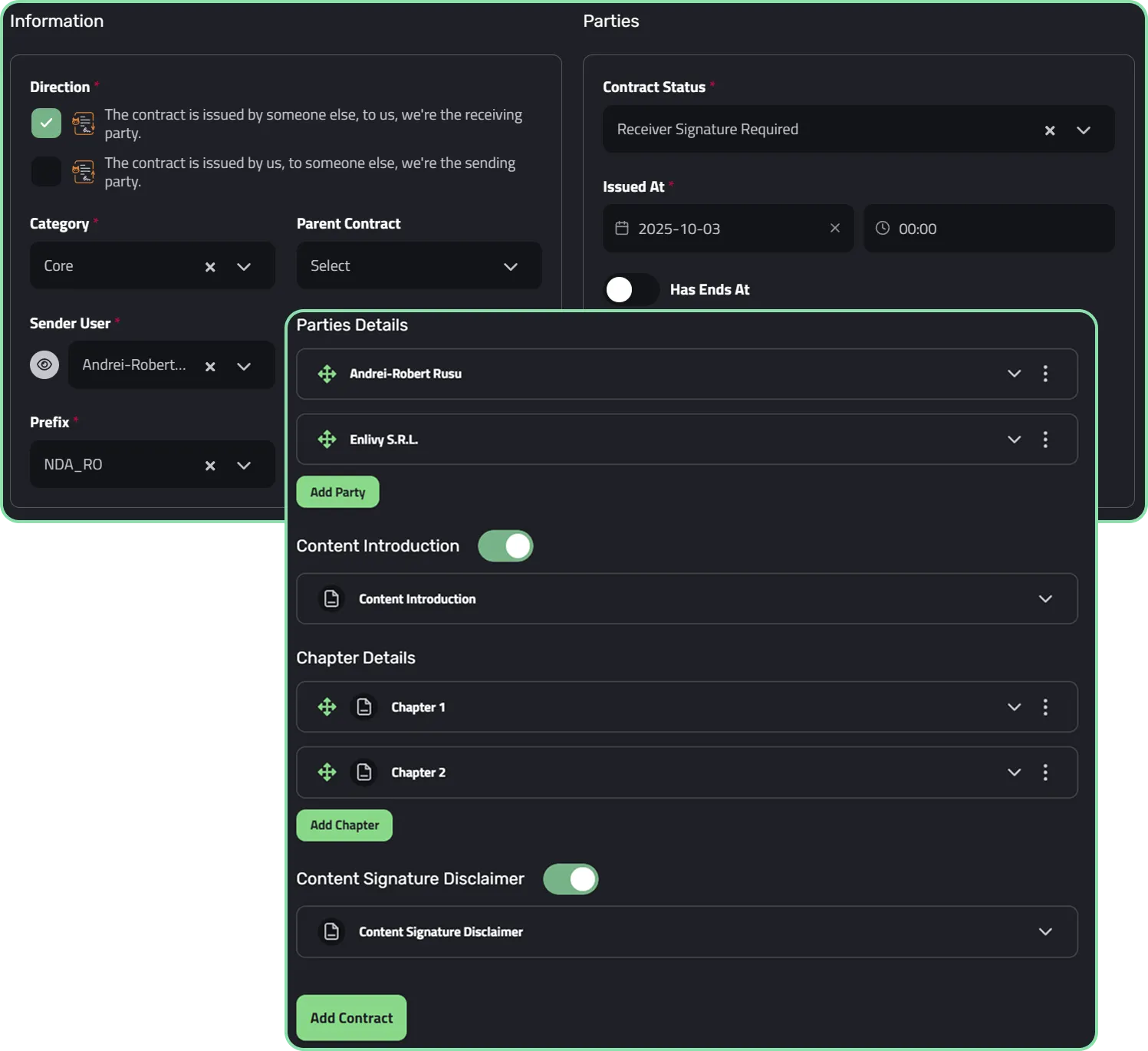
Example of fields when creating a contract in Enlivy
Part 2: Signing Contracts: Fast, Secure, and Frictionless
Now that you’ve created a contract in minutes instead of hours, let’s talk about getting it signed in hours instead of days.
This is where Enlivy’s signature system transforms the contract lifecycle. If you want the shorter version, without the product detail, we covered what actually makes a contract signed online hold up separately.
The Signature Challenge: Security vs. Speed
Traditional contract signing forces an impossible choice:
Option A: Maximum Security, Minimum Speed Print, sign with wet ink, scan, email. Slow, cumbersome, but undeniably authentic.
Option B: Maximum Speed, Questionable Security Email PDFs back and forth, collect signatures however people provide them. Fast, but no verification of who actually signed.
We built a system that refuses this tradeoff: maximum security through identity verification, maximum speed through automation.
Identity Verification: Proving Who’s Actually Signing
The cornerstone of our signature security is multi-factor identity verification.
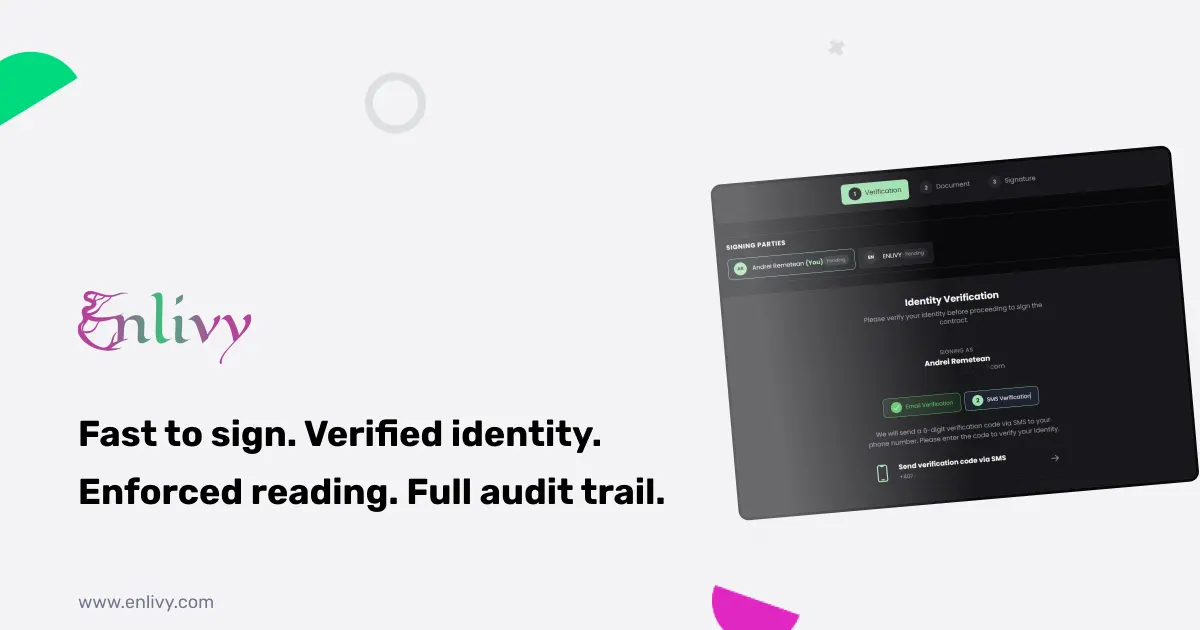
You can require signers to confirm a code sent to their email, phone, or both before they sign. You choose the verification level based on each contract’s sensitivity.
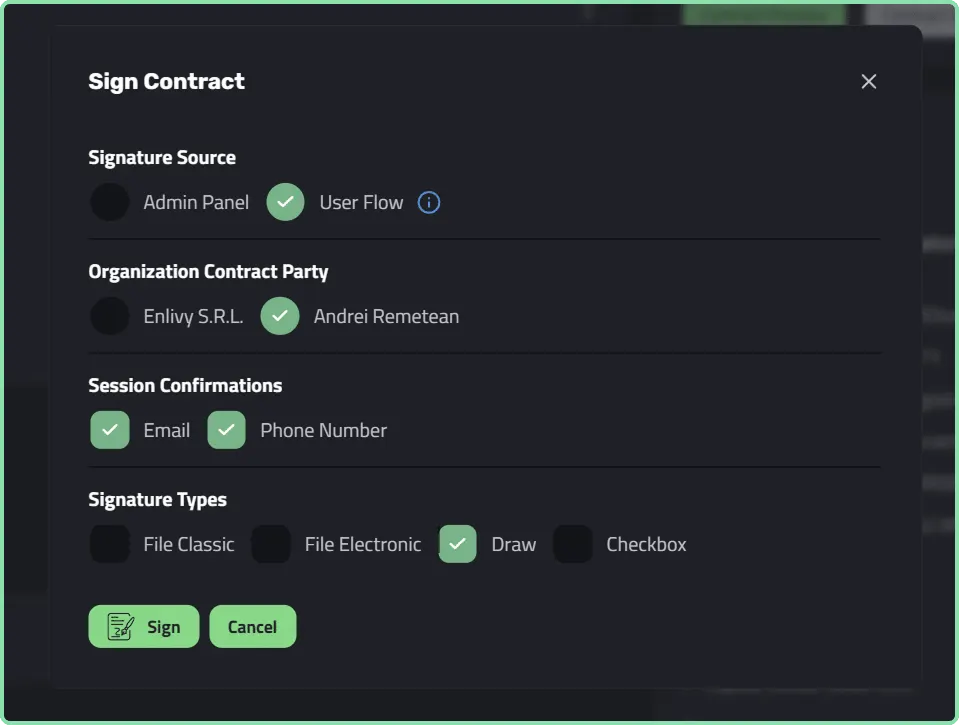
What you see before sending an invitation to sign the contract
Email Verification
For standard contracts and internal agreements:
- User clicks the signature link in their email
- System generates a unique 6-digit verification code
- Code is sent to the user’s registered email address
- User enters the code to proceed
- Code expires after 10 minutes for security
This confirms the person signing controls the email address associated with their account.
Phone Verification
For higher-security requirements:
- User clicks the signature link
- System generates a unique 6-digit verification code
- Code is sent via SMS to the user’s registered phone number
- User enters the code to proceed
- Code expires after 5 minutes
This adds a second authentication factor, something they have (their phone) in addition to something they know (access to their email).
Combined Email + Phone Verification
- User must verify via email code first
- Then verify via phone code
- Only after both verifications can they access the signature interface
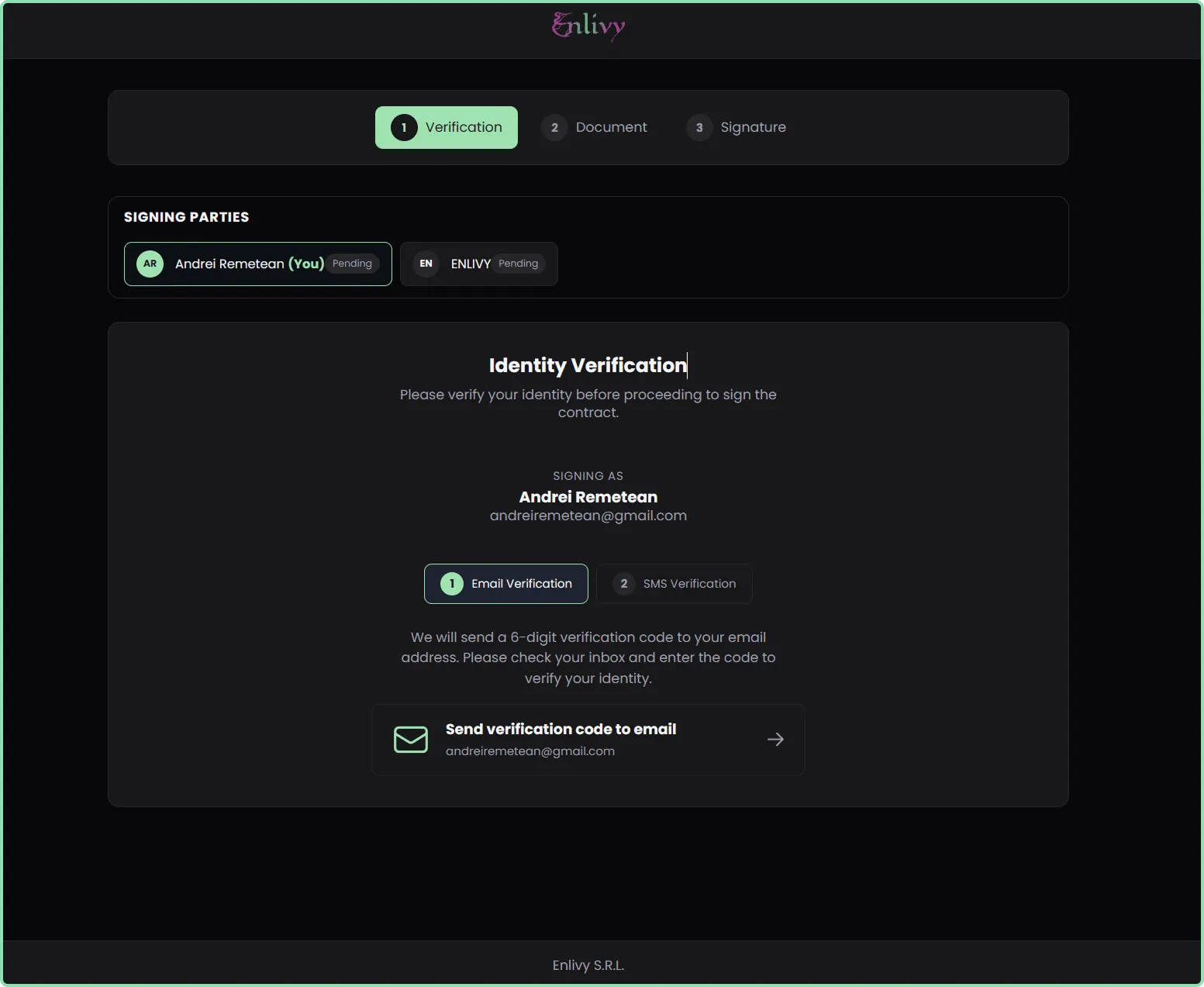
What the receiver of the contract sees when invited to sign
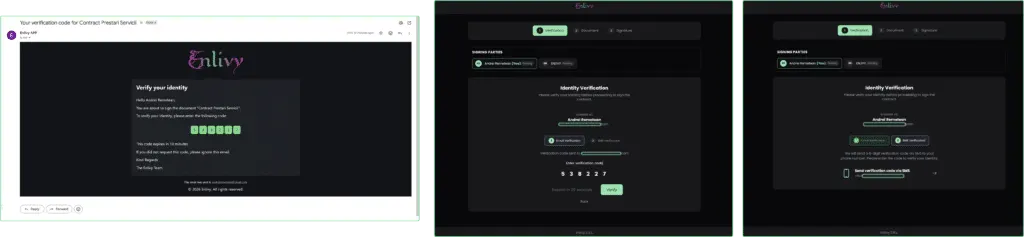
The signer will be prompted to verify email and phone
After verifying their identity, the signer can review the contract in full. The reading progress is clearly indicated by a progress bar displayed at the bottom of the screen. Once the contract has been fully read, the signer can proceed by clicking the Sign button.
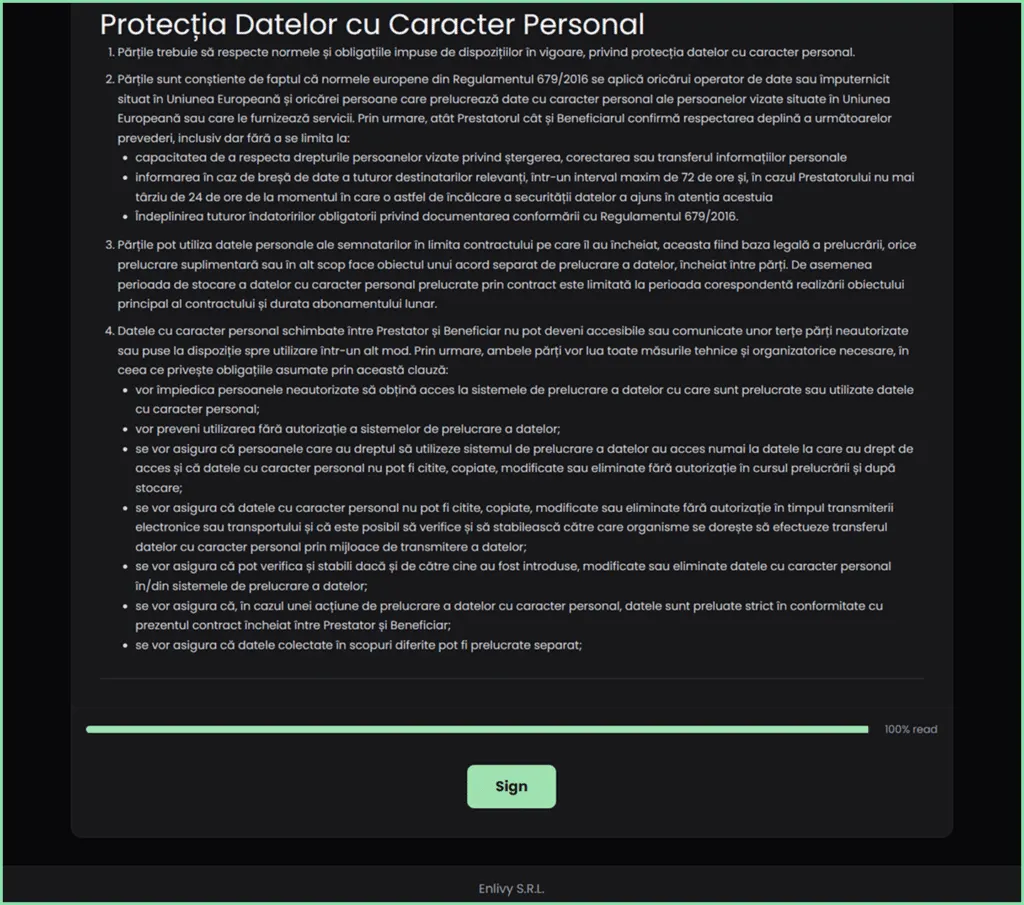
The contract must be read before the receiver is able to sign it
The signing method available depends on the option selected when the contract was sent. In the example below, the contract was configured to be signed by drawing, so the signer must draw their signature to continue. After completing the signature, the signer must confirm consent by checking the box “I understand this is a legally binding agreement”, then click Sign contract to finalize the process.
This explicit consent checkbox serves as a final confirmation that the signer understands the legal weight of their action. It’s not just about applying a signature—it’s about consciously agreeing to the terms.
Only after both the signature is drawn AND the consent box is checked does the “Sign Contract” button become active.
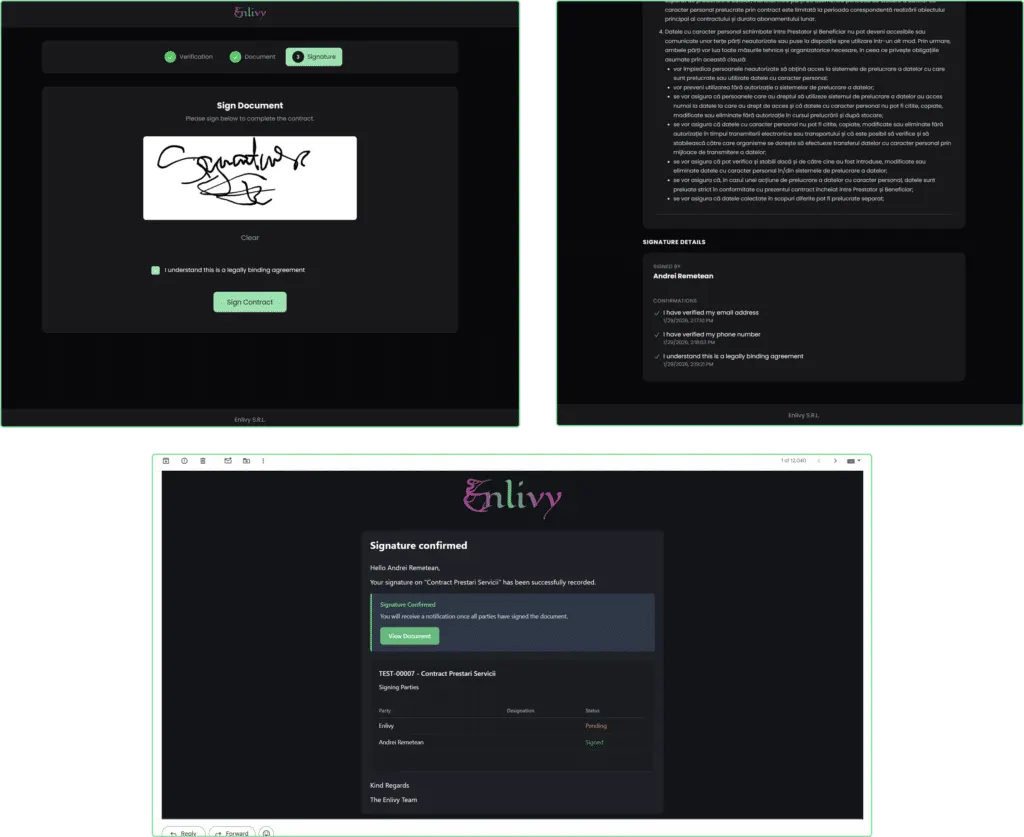
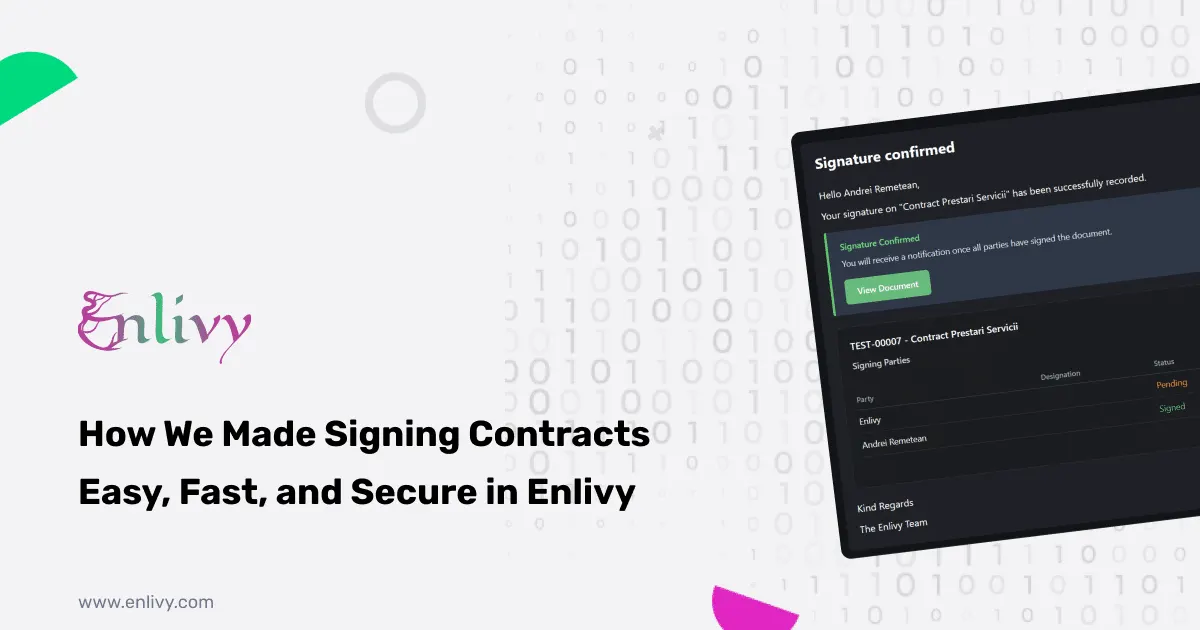
Once the contract is signed, the system displays a confirmation message indicating that the signature has been successfully recorded. After signing, the signer receives an email with a link to the signed document. Once the other party signs the contract as well, both parties are emailed a link to the final document, including both signatures.
The contract status and final version are automatically updated in the Enlivy application as well.
The Customer Portal: Ongoing Access and Full Transparency
Signing a contract is only part of the experience. What matters just as much is what happens after the signature.
With traditional email-based workflows, signed contracts end up scattered across inboxes. Six months later, when a client needs a copy, they’re searching through archived emails, or contacting you to resend the document.
Enlivy removes this friction entirely.
What signers see in their portal
All contracts in one place
- Contracts awaiting their signature (action required)
- Contracts awaiting signatures from others (in progress)
- Fully signed contracts (complete, ready to download)
- Past contracts for long-term reference
Access is continuous for signers with a portal login. They can view the full contract content whenever they need to, download signed PDFs on demand, and retrieve documents months or years later without sending a single email. The portal is available 24/7, works well on mobile devices, and provides secure access through a clean, branded interface.
Real-World Impact: From Days to Hours
To understand the difference this makes, let’s compare a traditional contract workflow with Enlivy’s complete system using a real scenario.
Imagine a service agreement between your agency and a new client that requires signatures from both parties.
With a traditional approach, the process often stretches across several days. You create the contract in Word, export it to PDF, and email it to the client. After reviewing it, the client may request changes, which means revising and resending the document. Once approved, the client prints, signs, scans, and emails it back. You then sign your copy, scan it again, send it back, and manually store the final version. The entire process typically takes around five days, involves several hours of active work, and introduces risks such as version confusion, missing files, or lack of proper verification.
With Enlivy, the same agreement can be completed in a single afternoon.
You create the contract using reusable chapter templates much faster, configure the signing rules, and send it for signature. The client verifies their identity, reads the full document, and signs it in just a few minutes. You see it in the app, review and sign, and both parties are emailed a link to the fully signed contract. What once took days now takes a few hours, with less than half an hour of active work and no ambiguity.
The difference is clear: hours instead of days, minutes instead of manual effort, and a secure, verifiable process instead of multiple failure points.
Why This Complete System Matters for Your Business
By combining contract creation, signing, and management into a single platform, Enlivy delivers benefits that compound over time. The Contracts feature page is the short version of everything below.
Time saved during contract creation through modular chapters is multiplied by the time saved during signing through automation and verification. Faster contract turnaround also means revenue starts sooner, helping businesses recognize income earlier and maintain deal momentum. When contracts move quickly, prospects are less likely to reconsider or disengage.